ALLPCB


Are you looking to create custom circuit boards at home with a hands-on approach? DIY PCB trace etching is an exciting and accessible way to design and build your own printed circuit boards (PCBs) using simple tools and materials. In this comprehensive guide, we’ll walk you through the entire process of PCB etching, from preparing your design to safely using chemicals like ferric chloride. Whether you're a hobbyist or a student, this tutorial will help you master homemade PCB creation with methods like toner transfer and photoresist, all while prioritizing safety.
Let’s dive into the step-by-step process of etching a copper clad board and bring your electronic projects to life!
What is PCB Trace Etching?
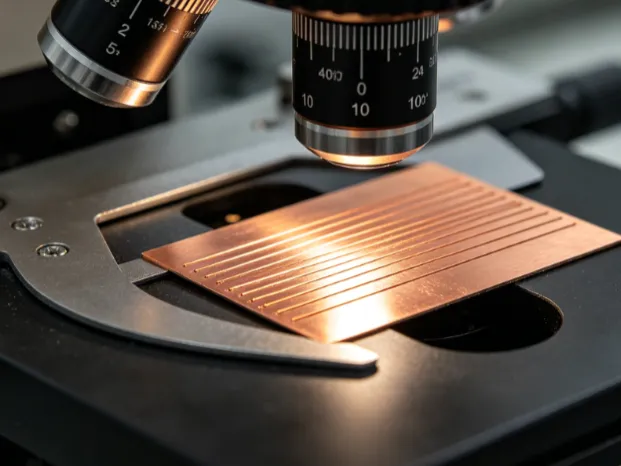
PCB trace etching is a process used to create custom circuit boards by removing unwanted copper from a copper clad board, leaving behind only the desired conductive paths or "traces." These traces connect components in your circuit, forming the backbone of any electronic device. By doing it yourself at home, you can prototype designs quickly and affordably without needing professional manufacturing services.
The DIY approach typically involves transferring a circuit design onto the board and using a chemical etchant, such as ferric chloride, to dissolve the exposed copper. With the right tools and techniques, anyone can learn this skill, even if you're just starting out.
Why Choose DIY PCB Etching?
Creating your own PCBs at home offers several advantages:
- Cost-Effective: Professional PCB fabrication can be expensive for small runs or prototypes. DIY etching uses affordable materials, often costing less than $20 for a small project.
- Customization: You have full control over the design, allowing for unique layouts tailored to your needs.
- Learning Opportunity: Etching teaches valuable skills about electronics, design, and chemical handling.
- Quick Prototyping: You can test ideas and iterate designs in hours rather than waiting days or weeks for ordered boards.
Now, let’s explore the materials and tools you’ll need to get started with homemade PCB etching.
Materials and Tools for DIY PCB Etching
Before beginning, gather the following items to ensure a smooth process. Most of these are readily available online or at local hardware stores.
Essential Materials
- Copper Clad Board: This is the base material for your PCB, typically a fiberglass board coated with a thin layer of copper (usually 1 oz or 2 oz per square foot, referring to the copper thickness).
- Ferric Chloride: A common chemical etchant used to dissolve unwanted copper. It’s widely available in liquid or powder form.
- Laser Printer and Glossy Paper: For the toner transfer method, used to print your circuit design.
- Photoresist Film or Spray (Optional): An alternative to toner transfer for transferring designs with UV light exposure.
- Acetone or Rubbing Alcohol: For cleaning the board and removing toner after etching.
- Plastic or Glass Container: To hold the etchant during the process (never use metal containers).
- Protective Gear: Gloves, safety goggles, and a well-ventilated workspace to ensure safety while handling chemicals.
Tools
- Iron or Laminator: To transfer toner from paper to the copper board.
- Drill or Dremel Tool: For creating holes for components after etching.
- Sandpaper or Steel Wool: To clean the copper surface before transferring the design.
- Marker or Paint (Optional): For manual touch-ups if toner transfer isn’t perfect.
Step-by-Step Tutorial for DIY PCB Etching
Let’s break down the PCB etching process into clear, actionable steps. We’ll cover two popular methods for transferring your design: toner transfer and photoresist. Both can be done at home with minimal equipment.
Step 1: Design Your Circuit
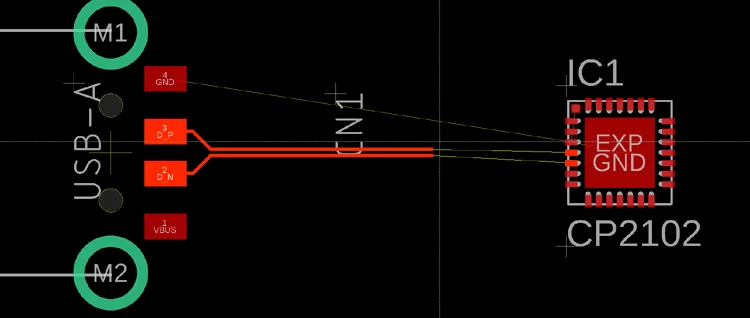
Start by creating your circuit layout using software. Free tools are available online to design schematics and convert them into PCB layouts. Ensure your design includes traces with appropriate widths (e.g., 0.01 inches or 0.254 mm for standard current loads of 1A at 5V) to handle the expected current without overheating.
Once your design is ready, print it using a laser printer on glossy paper if using the toner transfer method. Make sure to print in mirror mode so the design transfers correctly onto the board.
Step 2: Prepare the Copper Clad Board
Cut the copper clad board to the size of your design using a hacksaw or scoring tool. Clean the copper surface with sandpaper or steel wool to remove oxidation and fingerprints, ensuring a smooth, shiny finish. Wipe it down with rubbing alcohol to eliminate any residue.
Step 3: Transfer the Design to the Board
You can use one of two methods for this step: toner transfer or photoresist.
Toner Transfer Method
- Place the printed design face down on the cleaned copper board.
- Use a hot iron (set to the highest setting without steam) to press the paper onto the board for 5-10 minutes. Apply firm, even pressure to ensure the toner sticks to the copper.
- Let the board cool, then soak it in water for a few minutes to soften the paper. Gently peel or rub off the paper, leaving the toner design on the copper.
- Inspect the design for gaps or incomplete transfers. Use a permanent marker to fill in any missing areas.
Photoresist Method
- Apply photoresist film or spray to the copper board according to the product instructions.
- Place a transparency with your printed design (not mirrored) over the photoresist-coated board.
- Expose the board to UV light for the recommended time (usually 2-5 minutes, depending on the photoresist and light source).
- Develop the board in a developer solution to remove unexposed photoresist, revealing the copper areas to be etched.
Step 4: Etch the Board with Ferric Chloride
Now it’s time to remove the unwanted copper using ferric chloride. Follow these steps carefully to ensure safety and effectiveness.
- Wear gloves and safety goggles, and work in a well-ventilated area or outdoors. Ferric chloride is corrosive and can cause skin irritation or respiratory issues if inhaled.
- Pour the ferric chloride into a plastic or glass container. Use enough to submerge the board (about 200-300 ml for a small board).
- Place the board in the solution, design side up. Agitate the container gently every few minutes to speed up the etching process. This typically takes 10-30 minutes, depending on the solution strength and temperature (warmer solutions etch faster).
- Check periodically until all exposed copper is removed, leaving only the protected traces under the toner or photoresist.
- Remove the board with tongs and rinse it thoroughly with water to stop the etching process.
Safety Tip: Never pour used ferric chloride down the drain. Store it in a labeled, sealed container for proper disposal according to local regulations.
Step 5: Clean and Finish the Board
After etching, remove the toner or photoresist using acetone or rubbing alcohol and a scrub pad. This will reveal the shiny copper traces underneath. Rinse the board again with water and dry it completely.
Inspect the traces for continuity using a multimeter to ensure there are no breaks or shorts. If everything looks good, drill holes for components using a small drill bit (e.g., 0.8 mm for standard through-hole components).
Step 6: Solder Components
With your board etched and drilled, you’re ready to solder components onto it. Apply solder to the pads and attach resistors, capacitors, or other parts as per your design. Ensure proper soldering techniques to avoid cold joints or damage to the traces.
Related Reading: DIY PCB Etching for Beginners: A Step-by-Step Guide with Household Materials
Safety Tips for Homemade PCB Etching
Working with chemicals and tools requires caution. Keep these safety guidelines in mind during your DIY PCB etching project:
- Always wear protective gear, including gloves, goggles, and long sleeves, when handling ferric chloride or other etchants.
- Work in a well-ventilated space to avoid inhaling fumes. A fume hood is ideal, but an outdoor area works too.
- Store chemicals in clearly labeled containers, out of reach of children or pets.
- Dispose of used etchants responsibly. Contact local waste management services for guidance on hazardous material disposal.
- Keep a bucket of water or baking soda solution nearby to neutralize spills if they occur.
Common Mistakes to Avoid in DIY PCB Etching
As a beginner, it’s easy to make small errors that can ruin your board. Here are some pitfalls to watch out for:
- Poor Design Transfer: If the toner doesn’t stick well, traces may break or be incomplete. Ensure the board is clean and apply even heat during transfer.
- Over-Etching: Leaving the board in ferric chloride too long can undercut traces, making them thinner than intended. Check frequently during etching.
- Under-Etching: Removing the board too soon leaves unwanted copper, causing shorts. Be patient and agitate the solution for even etching.
- Ignoring Safety: Skipping protective gear or working in a confined space can lead to injury. Prioritize safety at every step.
Related Reading: Troubleshooting Common PCB Etching Problems: Undercutting, Over-Etching, and More
Troubleshooting Tips for Better Results
If you encounter issues during your PCB etching process, try these solutions:
- Toner Transfer Fails: Use higher heat or a laminator for better adhesion. Ensure the paper is glossy and the printer settings are optimized for dark, solid prints.
- Uneven Etching: Warm the ferric chloride slightly (around 40-50°C) to speed up and even out the process. Avoid overheating, as it can produce harmful fumes.
- Broken Traces: If traces are damaged after etching, repair them with conductive paint or thin wire before soldering.
Conclusion: Start Your DIY PCB Journey Today
DIY PCB trace etching is a rewarding skill that opens up a world of possibilities for electronics enthusiasts. By following this beginner’s guide, you can create custom circuit boards at home using a copper clad board, ferric chloride, and methods like toner transfer or photoresist. With practice, you’ll gain confidence in designing and prototyping your projects while keeping safety as a top priority.
Grab your materials, set up a safe workspace, and start etching your first PCB today. Each board you create brings you one step closer to mastering homemade electronics!