ALLPCB


Overview
The wearable market is expected to grow rapidly over the next five years. Designers face the challenge of delivering long battery life and intuitive user interfaces within very small form factors. Capacitive touch enables refined user interfaces but must operate with low power and robust performance under all conditions. This article examines the technologies that support these design goals.
Typical applications
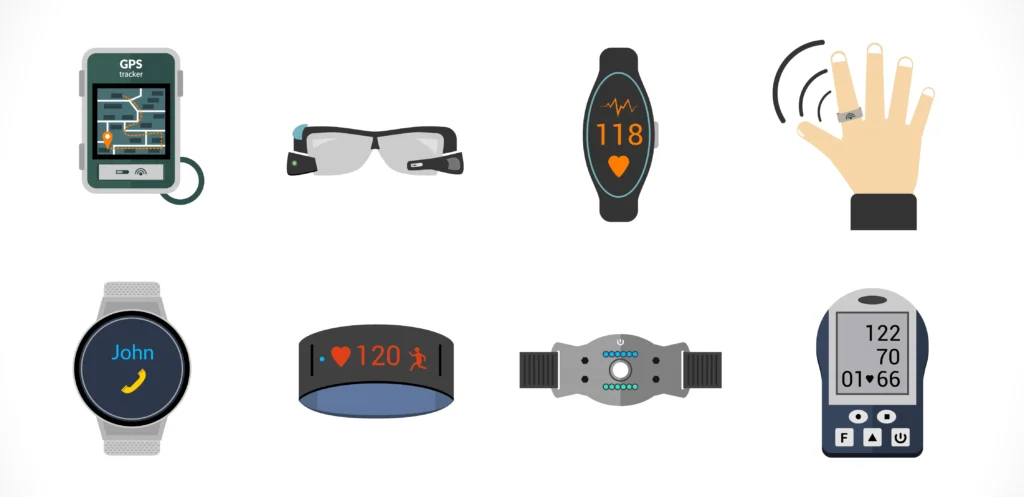
Capacitive sensors are widely used across wearable applications. Touch buttons can replace haptic switches, and wear detection provides an intuitive way to activate devices. Typical applications include Bluetooth headsets and earbuds, fitness trackers, smartwatches, toys, remote controls, and medical wearables.
Capacitive sensing advantages
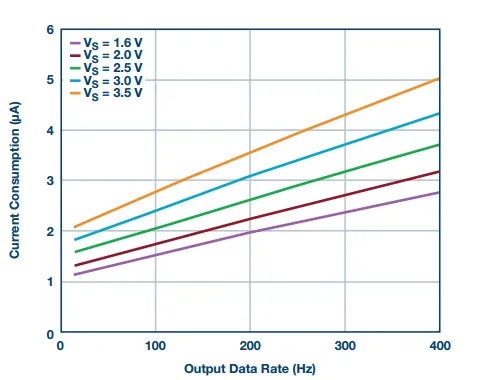
Low power: Wearables require low power to extend battery life. Designers can combine capacitive proximity with capacitive touch to achieve power consumption below 3 μA at 1.8 V. Capacitive wear detection can place a device into an ultra-low-power state when it is removed.
Robust design
Capacitive touch buttons can replace mechanical switches, enabling fully sealed, dust- and water-resistant wearables.
Intuitive user interface
Capacitive sensing supports a variety of user interfaces, including proximity-activated displays or backlights, touch-based mode selection, wear-detection for mode switching, sliders and wheels, full-featured touchscreens, and touchpads for gestures such as tap and swipe.
Signal processing and algorithms
Advanced capacitive sensing algorithms allow reliable operation across environments. For example, some prox-sensing devices can adapt to changing conditions and distinguish intended user actions from environmental noise.
Aesthetics
Capacitive solutions provide designers with flexibility in material and mechanical choices, enabling differentiated industrial designs without compromising sensing performance.
Cost considerations
The cost of capacitive sensor controllers has declined to the point where capacitive sensing can replace mechanical switches and reduce overall system cost. A single capacitive controller can handle proximity sensing and multiple buttons.
Application example: Bluetooth headset with touch gestures
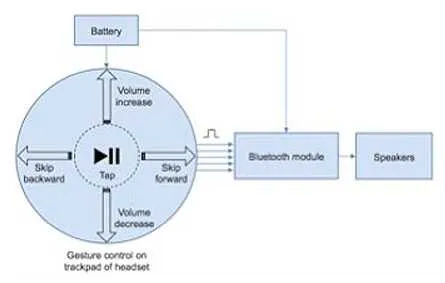
Bluetooth headsets provide users with wireless freedom while allowing control of playback and volume. Common controls include:
- Play/pause/answer call
- Volume up
- Volume down
- Skip forward
- Skip backward
A capacitive touchpad with gesture recognition can replace haptic switches and provide an intuitive interface. A touchpad module can replace a mechanical navigation switch without requiring firmware changes to the host system.
Implementation steps for a touchpad
- Determine the touchpad size and placement within the headset.
- Select a touchpad size appropriate for the headset.
- Program the touchpad using the headset control interface.
- Connect the touchpad output to the Bluetooth controller.
- Evaluate gesture recognition and sensitivity.
- After reassembly, verify the touchpad placement and functionality in the headset.
Conclusion
Designers can add capacitive user interfaces without adversely affecting form factor or battery life. Current technologies provide robust capacitive proximity and touch solutions and enable features such as wear detection.