 ALLPCB


Startup environment setup
Before starting DC, configure the DC startup environment by specifying the process libraries and synthesis libraries.
.synopsys_dc.setup
The DC startup configuration file, .synopsys_dc.setup, specifies libraries and other information to load during DC startup. The filename must be exactly .synopsys_dc.setup. DC searches for this file in three locations:
- The Synopsys installation directory: $SYNOPSYS/admin/setup/.synopsys_dc.setup (usually no need to modify)
- The user's home directory: ~/user/.synopsys_dc.setup (usually no need to modify)
- The current working directory: ./ .synopsys_dc.setup (used to configure the startup environment for the current project)
When DC starts, it first looks for .synopsys_dc.setup in the current directory. If not found, it checks the user's home directory, and finally the Synopsys installation path.
Create or modify .synopsys_dc.setup in the startup directory to configure the environment.
The file typically sets the project path and runtime variables:
- WORK_PATH: DC working directory
- DC_PATH: DC installation path
- define_design_lib work -path $WORK_PATH
Library paths
Specify four related library paths:
- link_library: Linked libraries, such as standard cell libraries or IP cores. A leading asterisk indicates a separate memory space allocated for DC.
- target_library: The standard cell library used when mapping RTL to gate-level netlist. This is provided by the foundry.
- symbol_library (SYMBOL_PATH): Path to graphical symbol libraries. When using a GUI, this allows viewing gate-level netlist symbols.
Example symbol path (foundry process library):
/opt/Foundary_Library/SMIC_180/smic_180/SM00LB501-FE-00000-r0p0-00rel0/aci/sc-m/symbols/synopsys
synthetic_library (synthesis library): Also called IP library. Synopsys provides mapping libraries such as the DesignWare library (DW_foundation.sldb) and standard.sldb.
Example synthesis library location:
/opt/Synopsys/Synplify2015/libraries/syn
Note: The above library settings are for logical synthesis (non-topographical mode). In topographical mode, physical libraries and physical layout information are required. The create_mw_lib command is used to generate physical libraries for physical synthesis.
Difference between set and set_app_var:
- set: define custom variables.
- set_app_var: defines DC internal system variables. Invalid names will cause set_app_var to report an error.
Common app variables include: search_path, synthetic_library, target_library, link_library, symbol_library, and other command switches.
DC startup modes
DC can be started in three ways:
- design_vision (GUI)
design_vision &
design_vision -topographical_mode &
Topographical mode requires physical constraints and physical libraries.
- dc_shell (interactive shell)
dc_shell | tee -i run.log
- batch mode
Batch mode runs a script during startup so DC immediately executes the run.tcl script, including constraints and other flows.
dc_shell -topo -f run.tcl | tee -i run.log
-topo starts DC in topographical mode, executes run.tcl on startup, and logs the terminal output to run.log.
Synthesis workflow
Typical DC synthesis flow:
- Prepare files
- Start DC
- Pre-read design checks
- Read design and inspect design and libraries
- Constrain the design
- Synthesize
- Post-synthesis checks and optimizations
- Save the optimized design
Project directory structure
- config: DC configuration files
- rtl: RTL source code
- scripts: scripts
- unmapped: DC-converted GTECH files or unmapped.ddc files
- mapped: compiled netlists
- report: synthesis reports
- work: DC working folder
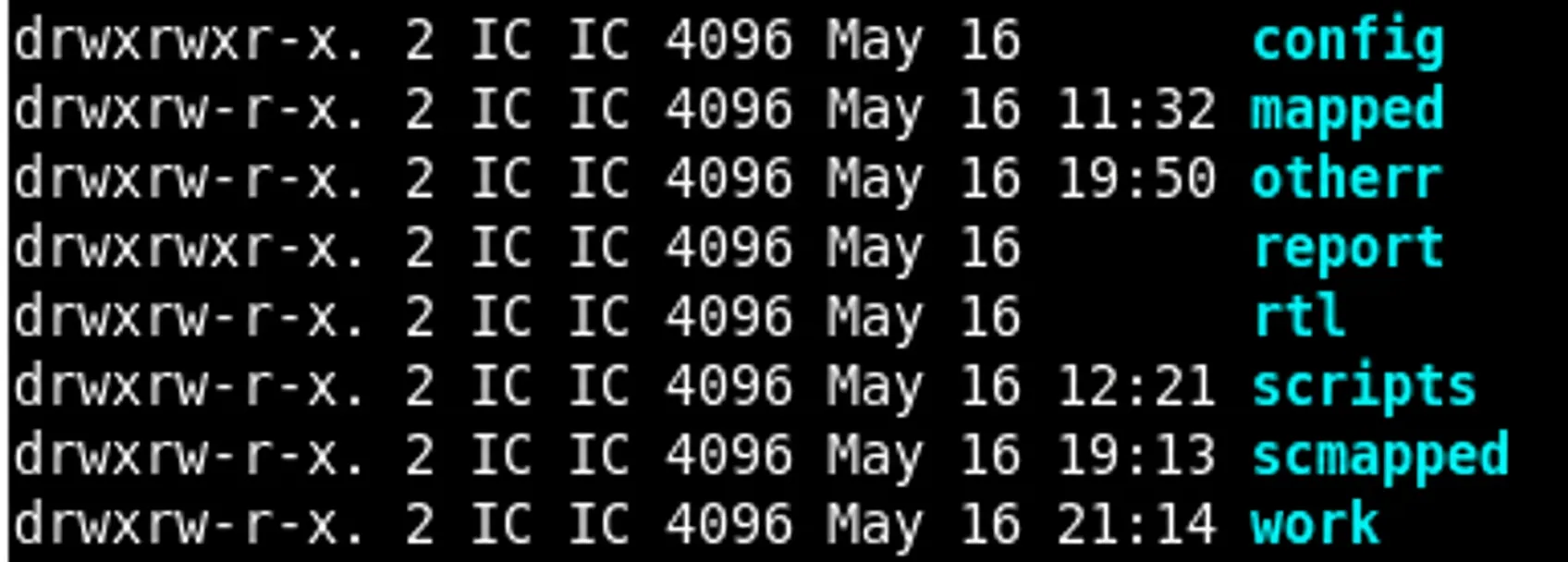
Starting DC and checking libraries
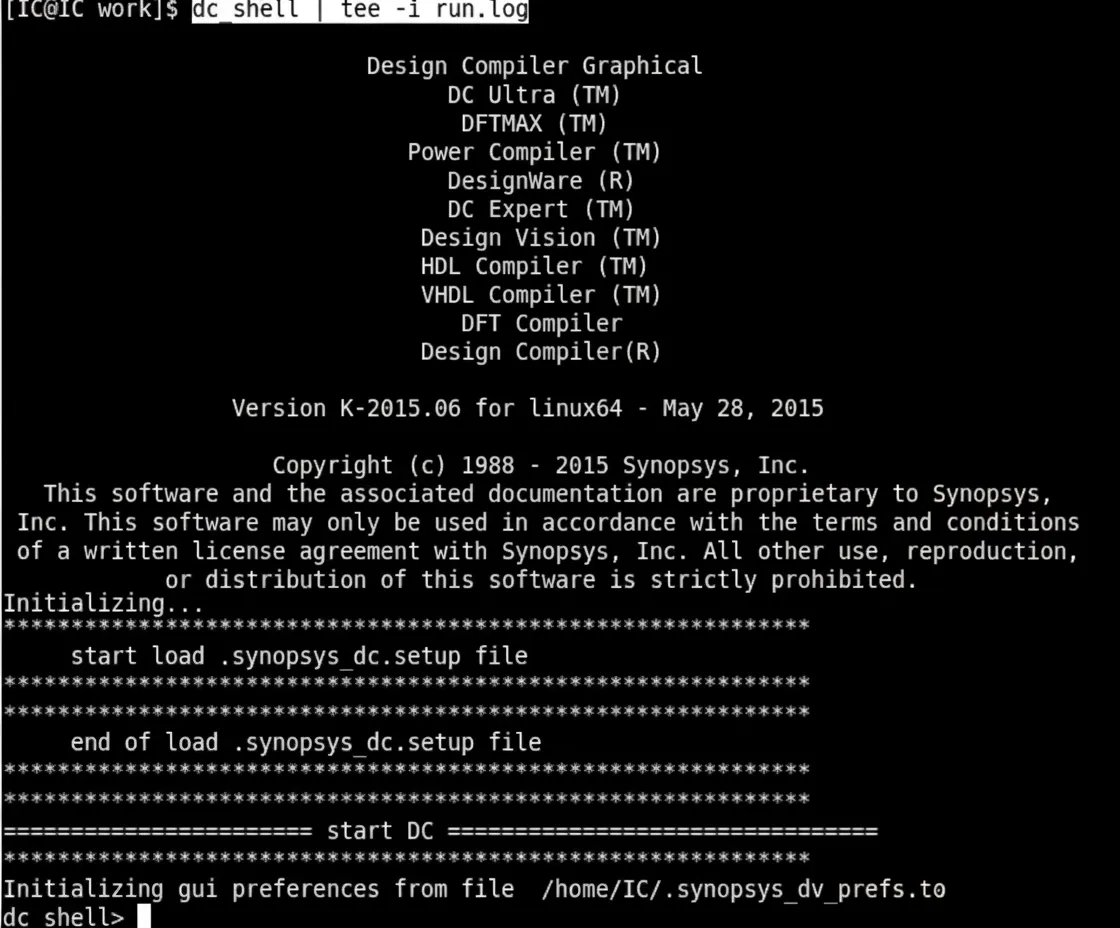
1. Start DC
dc_shell | tee -i run.log
If the library loads correctly, the log shows:
start load .synopsys_dc.setup file end of load .synopsys_dc.setup file
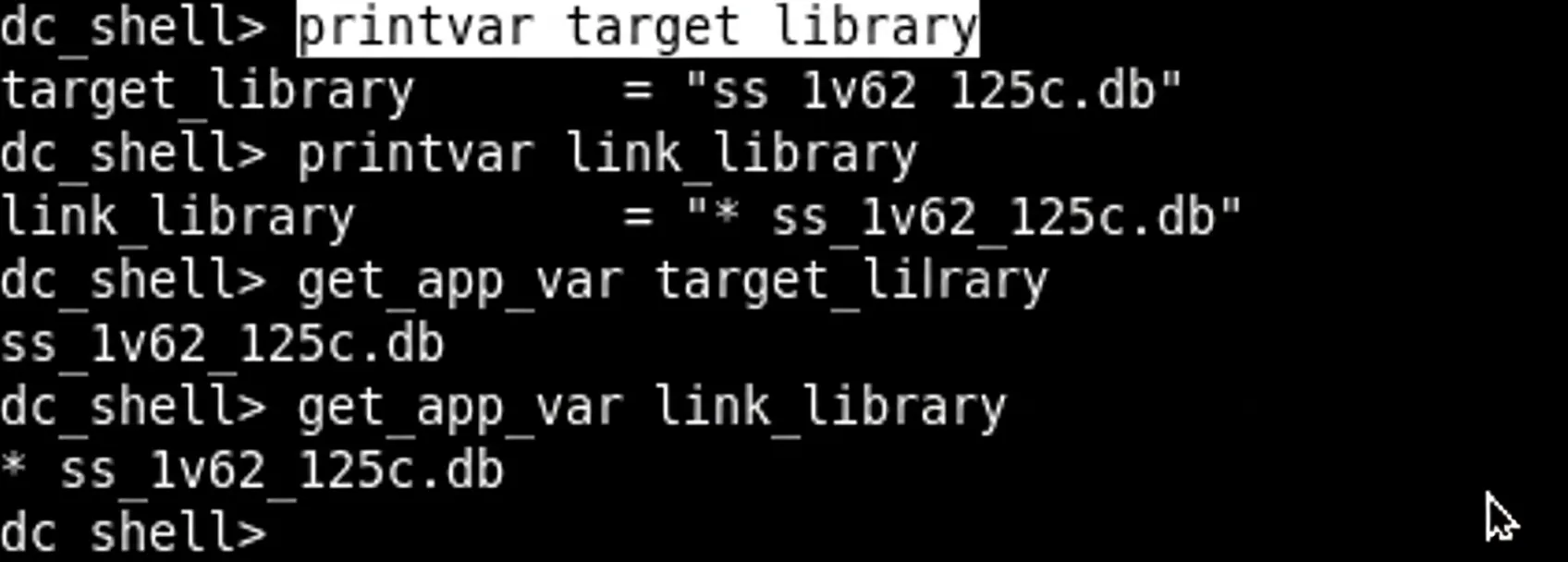
2. Pre-read design checks
View configured library variables:
printvar target_library printvar link_library or get_app_var target_library get_app_var link_library
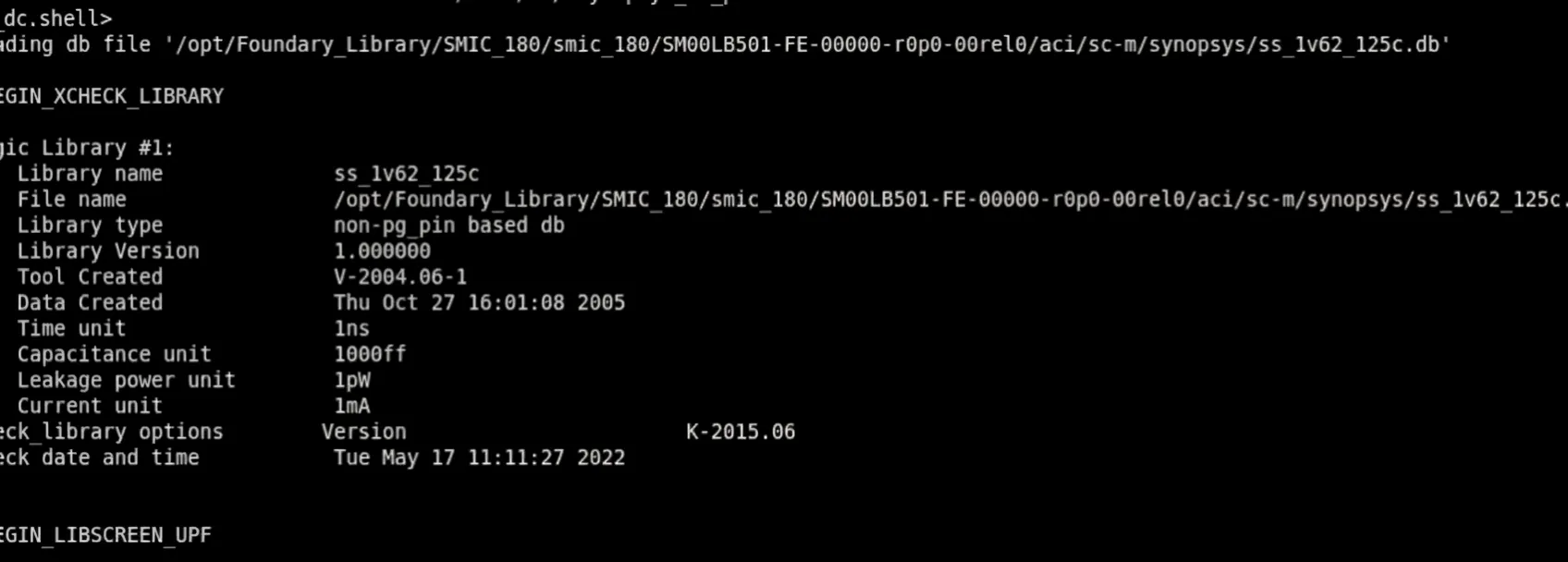
Check logical library information:
check_library
3. Read design files
Examples to read sources:
read_verilog [list TOP.v] or read_vhdl [list TOP.vhd]
Or:
analyze -format verilog [list TOP.v] // read sources elaborate -architecture verilog TOP // set top-level
DC will search for library files and RTL files automatically.
Execute link to check whether any submodules are missing:
link
List designs; an asterisk denotes the current top-level design:
list_designs
Show current top-level design:
current_design
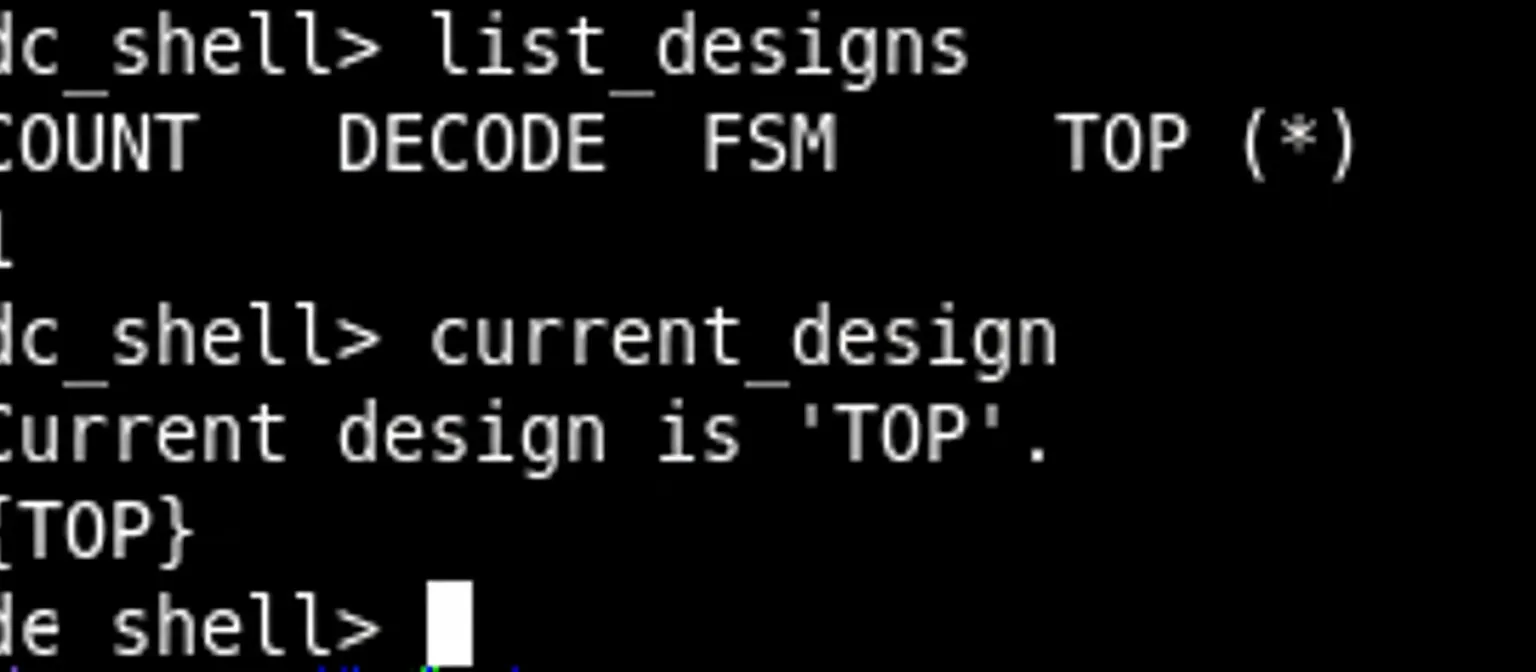
Change the current top-level design:
current_design COUNT
Check the design; a return value of 0 indicates the design has errors and cannot be synthesized:
check_design
4. Inspect libraries
List libraries:
list_libs
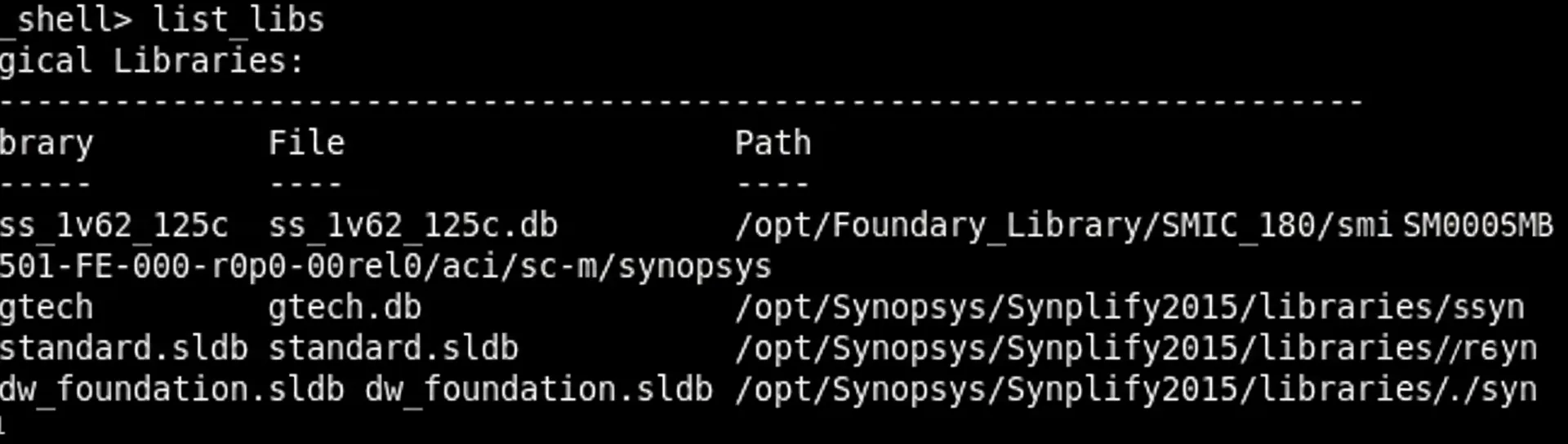
View library contents (requires Library Compiler):
report_lib ss_1v62_125c
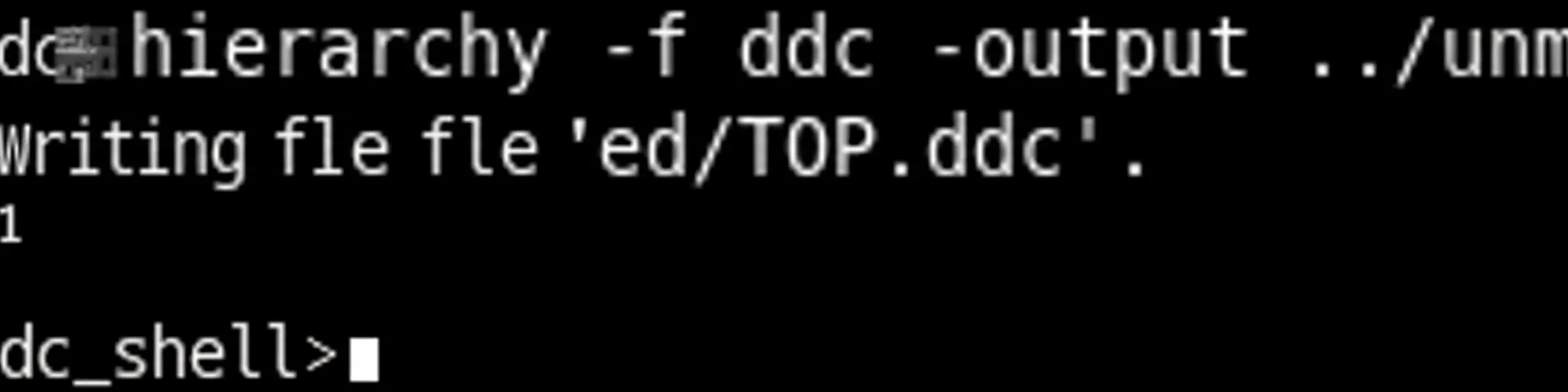
5. Save unmapped design in DDC format
write -hierarchy -format ddc -output ../unmapped/TOP.ddc
Other references: view command help:
man set_app_var set_app_var -help
Constraints
Load constraints with:
source TOP.con
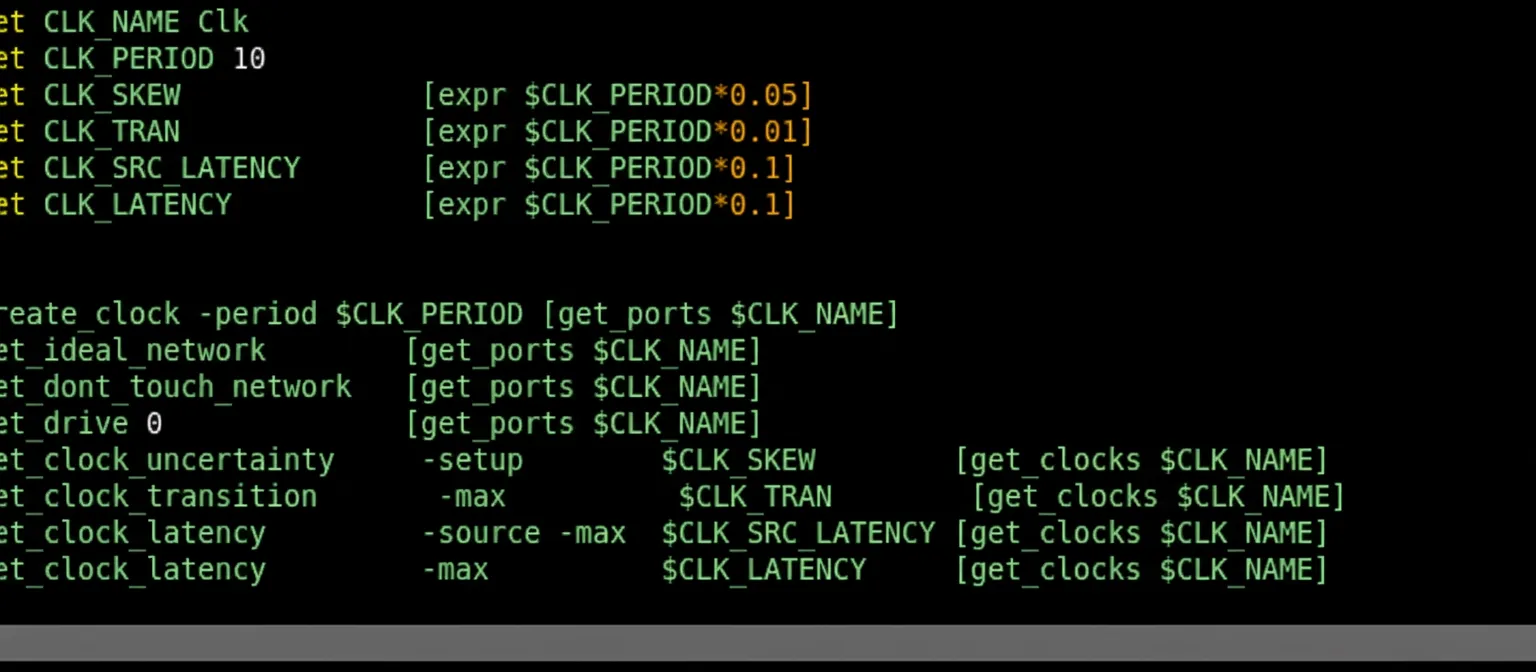
Check timing to find unconstrained paths:
check_timing
Synthesis
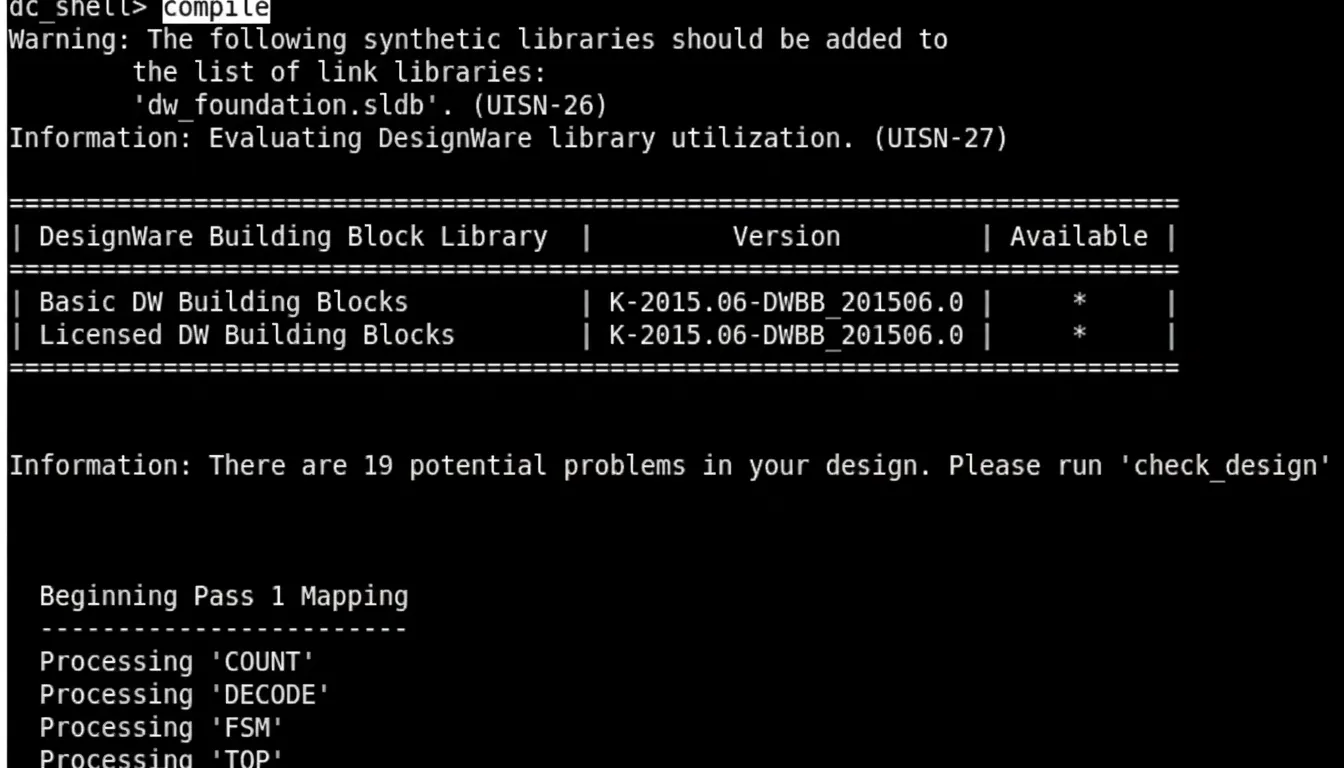
Run synthesis:
compile
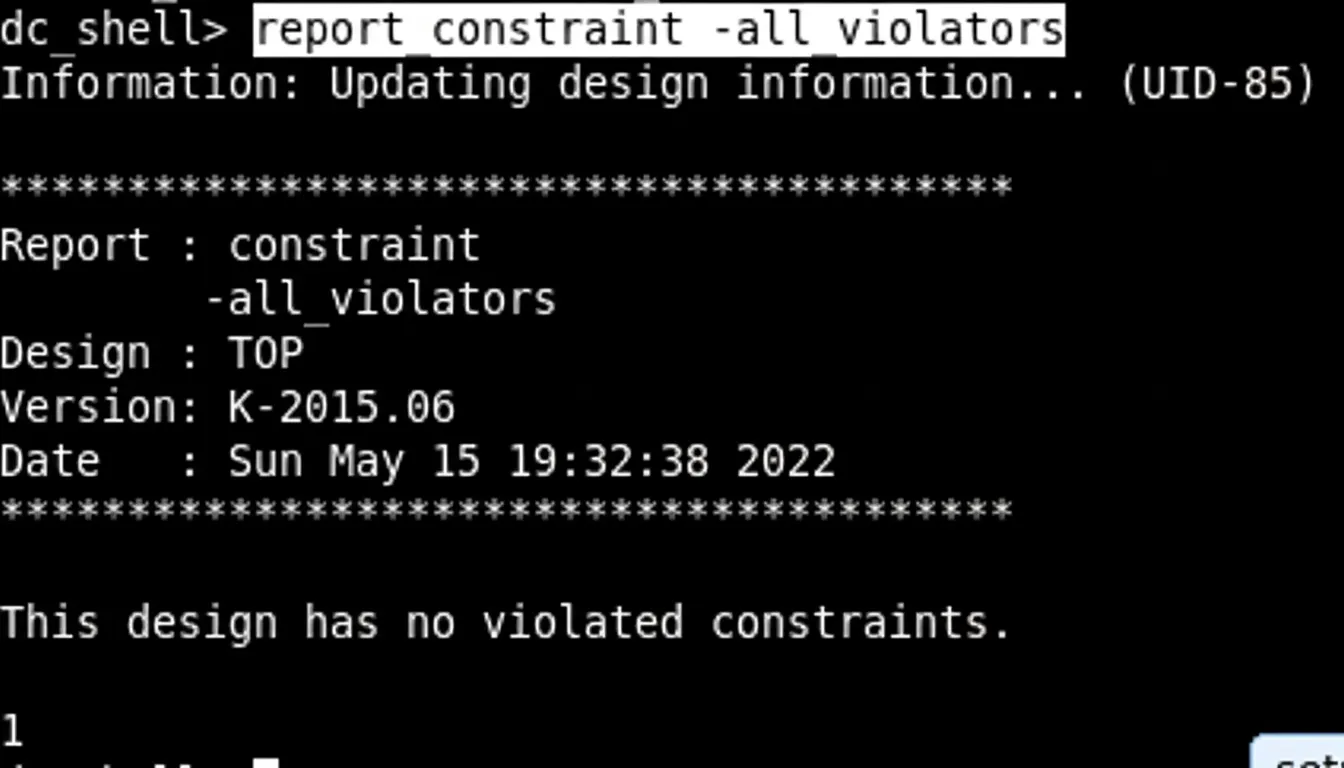
After synthesis, check for constraint violations:
report_constraint -all_violators
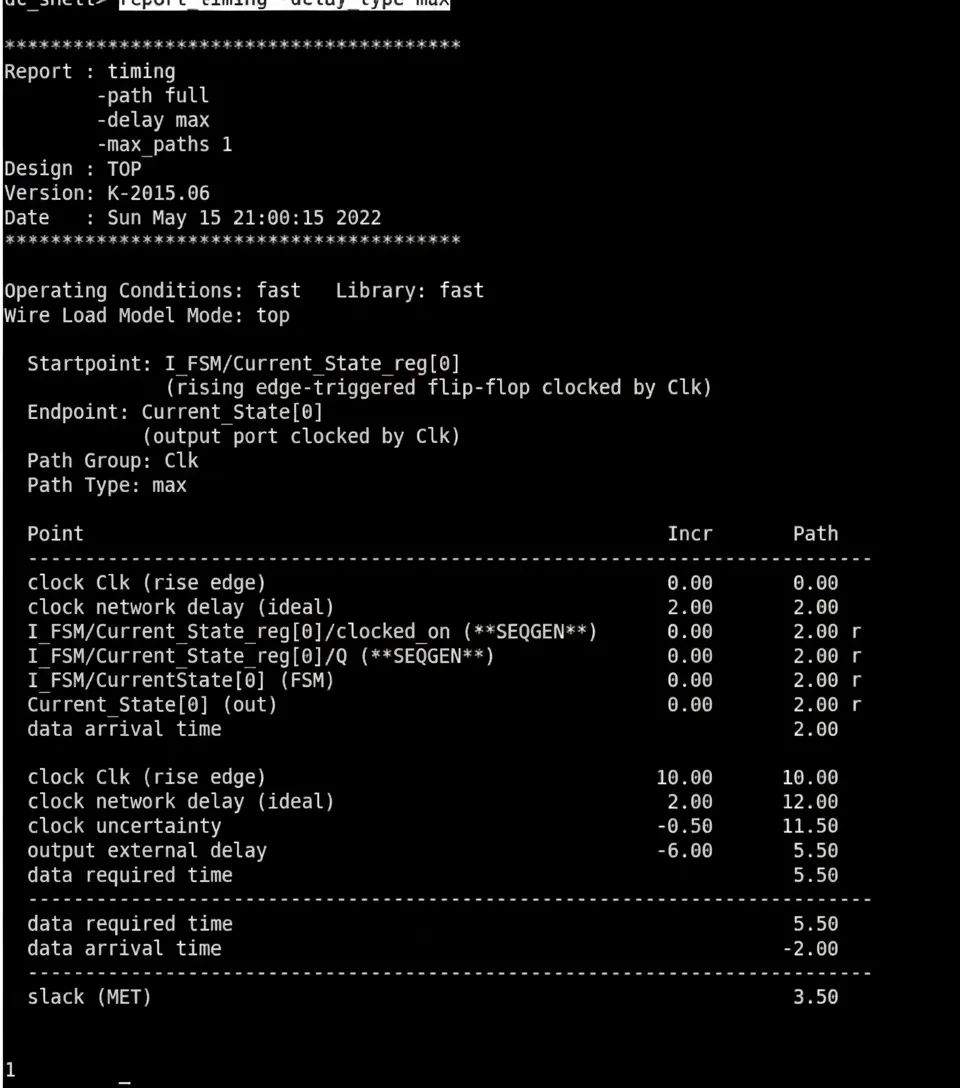
Report worst-case path timing:
report_timing -delay_type max
Save synthesized design
Save the netlist:
write -format verilog -output ../mapped/TOP_netlist.v
Save the synthesized design in DDC format:
write -hierarchy -format ddc -output ../mapped/TOP.ddc
Run DC scripts
Run a DC TCL script and log the session:
dc_shell -f ../scripts/run_1.tcl | tee -i run.log





