ALLPCB


Overview
Boa is a lightweight web server designed for embedded systems. Its main advantages are stable operation under constrained hardware and strong customizability for different use cases. This article describes the steps used to port Boa to an ELF1 development board.
1. Download Boa source
Download the Boa source from SourceForge. The example used here is boa-0.94.13.tar.gz.
2. Copy source to a virtual machine and extract
elf@ubuntu:~/work/a/boa$ tar xvf boa-0.94.13.tar.gz
3. Cross-compile
Enter the source directory, set up the cross-compilation environment, configure for the target, and build:
elf@ubuntu:~/work/a/boa$ cd boa-0.94.13/src/ elf@ubuntu:~/work/a/boa/boa-0.94.13/src$ . /opt/fsl-imx-x11/4.1.15-2.0.0/environment-setup-cortexa7hf-neon-poky-linux-gnueabi elf@ubuntu:~/work/a/boa/boa-0.94.13/src$ ./configure --host=arm elf@ubuntu:~/work/a/boa/boa-0.94.13/src$ make
If you encounter a build error related to TIMEZONE_OFFSET, update src/compat.h as shown below.
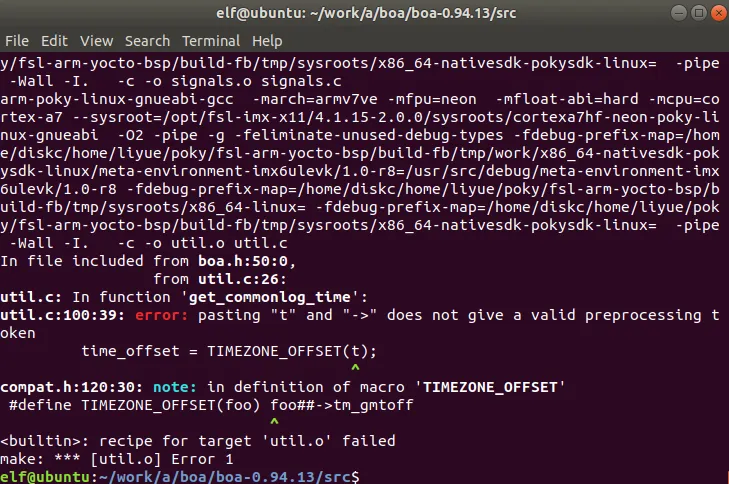
Open src/compat.h for editing: elf@ubuntu:~/work/a/boa/boa-0.94.13/src$ vi compat.h Change the macro definition from: #define TIMEZONE_OFFSET(foo) foo##->tm_gmtoff To: #define TIMEZONE_OFFSET(foo) (foo)->tm_gmtoff Save and exit. Continue make; the error should no longer occur.
After a successful cross-compile, proceed to test on the development board.
4. Prepare directories on the development board
Create Boa and cgi-bin directories on the target device:
root@ELF1:~# cd /etc/ root@ELF1:/etc# mkdir boa root@ELF1:/etc# mkdir -p /www/cgi-bin/ root@ELF1:/etc# mkdir group
5. Copy the executable and configuration files to the development board
elf@ubuntu:~/work/a/boa/boa-0.94.13/src$ scp boa root@192.168.2.98:/etc/boa/ elf@ubuntu:~/work/a/boa/boa-0.94.13/src$ scp ../boa.conf root@192.168.2.98:/etc/boa/ elf@ubuntu:~/work/a/boa/boa-0.94.13/src$ scp /etc/mime.types root@192.168.2.98:/etc/
6. Edit boa.conf
Edit /etc/boa/boa.conf on the development board and make the following changes:
- Change Group nogroup to Group 0.
- Set log file paths to save logs under /etc/boa:
- Change ErrorLog /var/log/boa/error_log to ErrorLog /etc/boa/error_log
- Change AccessLog /var/log/boa/access_log to AccessLog /etc/boa/access_log
- Uncomment or set the ServerName line: change #ServerName www.your.org.here to ServerName www.your.org.here.
- Change DocumentRoot /var/www to DocumentRoot /www.
- Change ScriptAlias /cgi-bin/ /usr/lib/cgi-bin/ to ScriptAlias /cgi-bin/ /www/cgi-bin/.
7. Create index.html under /www/
Create the index file on the target:
root@ELF1:/etc# vi /www/index.html
Example content written to index.html (preserve the original content exactly):
<2;title>Isaigu_gateway<2;/title> <table> <tbody> <tr><td style="text-align:center;" colspan="2"><h2>Hello ElfBoard</h2></td></tr> <tr><td></td><td></td></tr> </tbody> </table>
8. Run Boa on the development board
root@ELF1:~# /etc/boa/boa
9. Verify in a browser
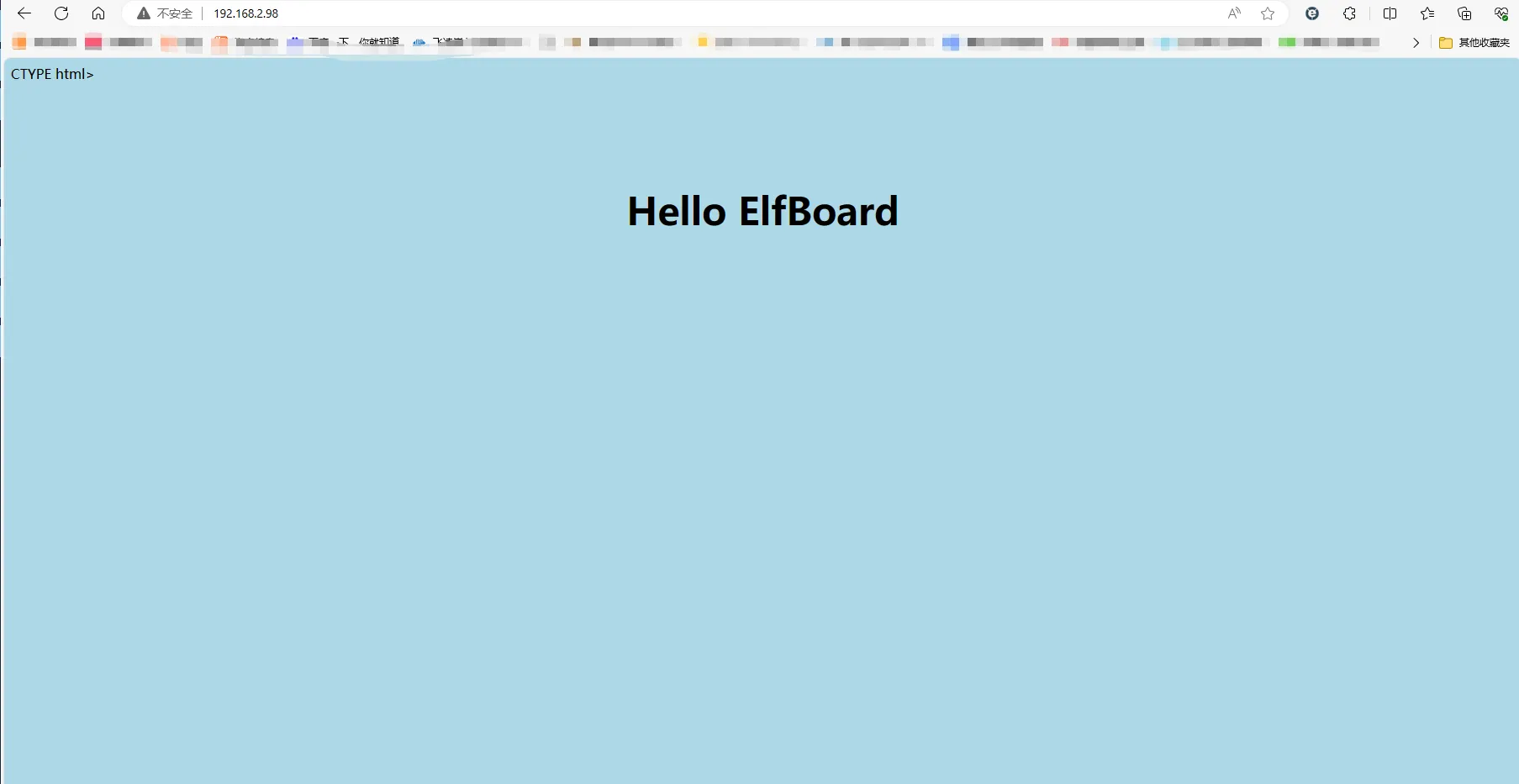
Open a browser and enter the development board IP address to view the index page. An example result is shown below.