ALLPCB


Overview
With the growth of mobile internet and mobile payments, brick-and-mortar stores and online malls have increasingly integrated into a closed-loop commercial ecosystem, prompting merchants to upgrade store management. Smart POS terminals act as a key interface for online-offline integration and are common store hardware. Current smart POS devices aim to provide a smartphone-like user experience by enabling operation via a touchscreen.
Common touchscreen types
Common POS display technologies include resistive, capacitive, surface acoustic wave, optical, and infrared types. The market today mainly adopts resistive and capacitive touchscreens.
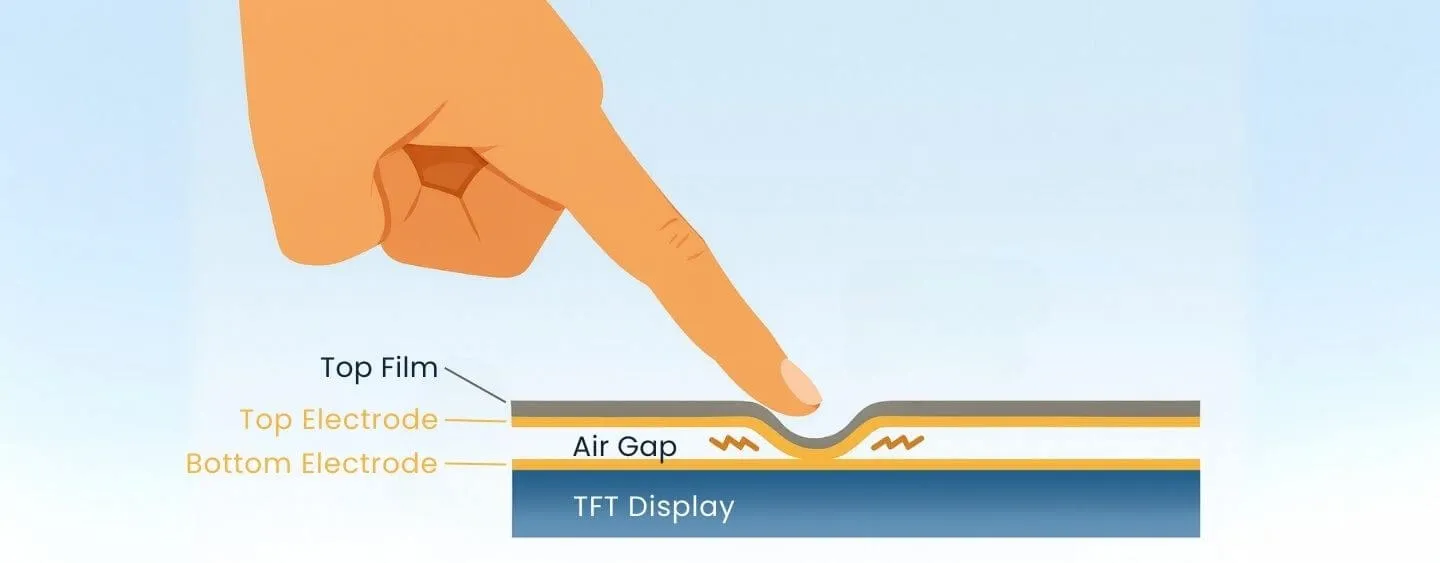
Resistive touchscreen: construction and operation
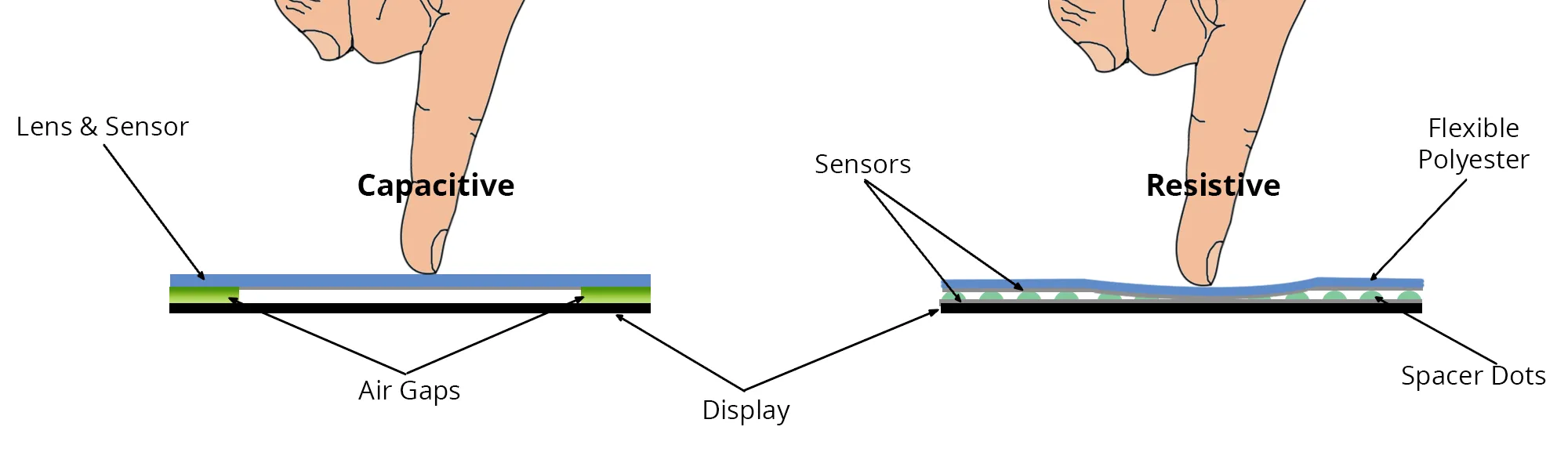
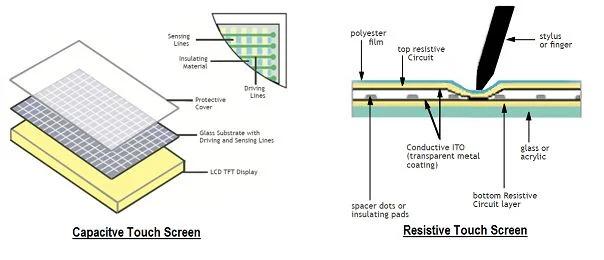
A resistive touchscreen typically consists of two conductive layers separated by spacers. When a finger or stylus presses the screen, the layers make contact and the resulting change in current is measured. The controller calculates the relationship between the pressure and the current to determine the touch position.
Limitations of resistive touchscreens
Because resistive screens require physical contact between layers, simultaneous presses at multiple points can create uneven pressure and cause touch inaccuracies. This makes true multi-touch support difficult. Even when multi-touch is implemented, per-point sensitivity is hard to balance, often producing inconsistent responsiveness across touch points. Additionally, resistive touchscreens require a certain amount of pressure, and prolonged use can wear the surface material or cause the layers to lose elasticity, leading to contact failures and reduced service life.
Capacitive touchscreen: construction and operation
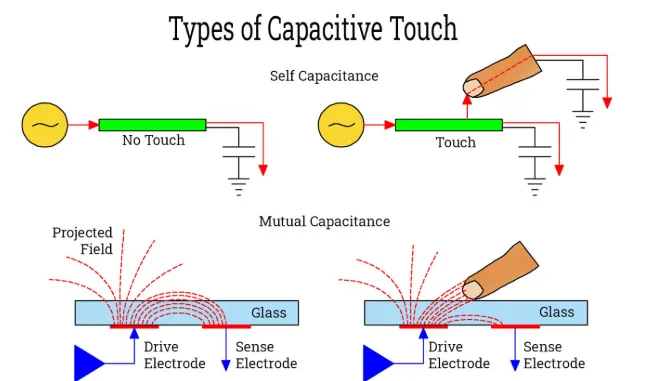
Capacitive touchscreens also use layered structures, but operate differently. The lower layer emits an electric field that is disturbed when a conductive object, such as a finger, approaches the upper layer. The change is detected by the lower layer and used to compute the touch location. Since the layers do not need to make physical contact, capacitive touchscreens respond to light touches and support multitouch more readily.
Comparison for POS use
Capacitive screens generally provide higher sensitivity and reliable multi-touch, since the human body is conductive and a finger touch is detected immediately. For high-frequency use in POS terminals, capacitive touchscreens typically better meet the requirements for efficient checkout operations.