ALLPCB


Overview
Using a phone while charging is generally not recommended, but it is common in practice. A frequent issue is that the touchscreen drifts, taps register inaccurately, or the screen becomes unresponsive when the device is connected to a power source. This article explains the likely cause in simple terms.
How a capacitive touchscreen works
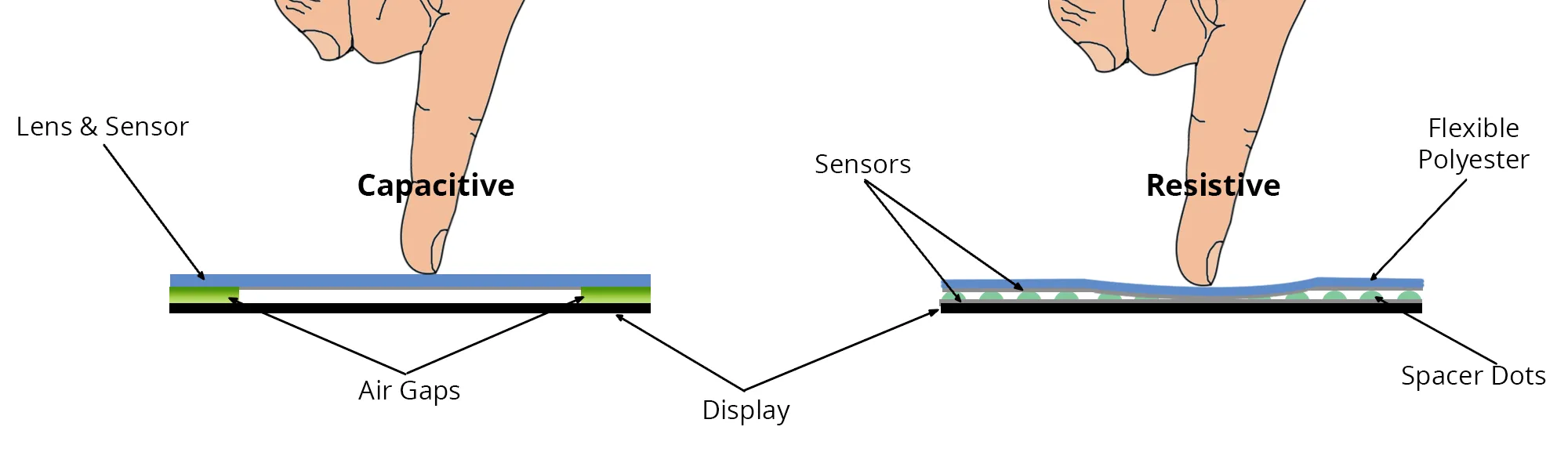
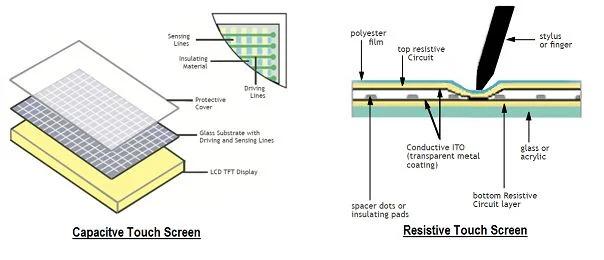
Most modern phone screens are capacitive touchscreens. A typical capacitive touchscreen is a multi-layer glass structure. The inner surfaces and the interlayer are coated with a conductive transparent layer of indium tin oxide (ITO). The outermost layer is a thin protective silica glass. The ITO on the interlayer serves as the sensing surface, with electrodes brought out at the four corners. The inner ITO layer acts as a shield to provide a stable sensing environment.
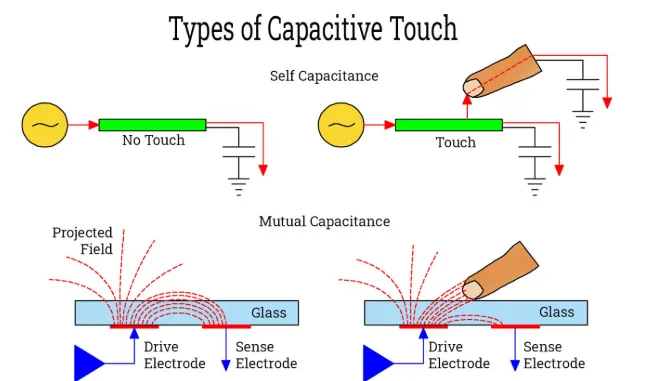
When a finger touches the sensing layer, a coupling capacitance forms between the finger and the touch surface because the human body is conductive. The finger can draw a very small current at the contact point; that current flows out through the four corner electrodes. The currents flowing through those electrodes vary according to the distance from the finger to each corner, and the touch controller computes the touch location from the ratios of those currents.
Why charging can cause touchscreen malfunction
Because capacitive touchscreens rely on capacitive sensing, they are sensitive to the stability of the device power supply. A battery provides relatively stable DC power, while AC mains is a sinusoidal waveform. Low-quality chargers often introduce significant instability and ripple because of poor capacitors or lack of inductance in the supply path. Measured on an oscilloscope, such chargers may show large ripple or noise.
With prolonged use, some chargers experience aging of capacitors, preventing pulse transformers or switching components from fully removing switching transients, leaving residual waveform components. Operating the touchscreen under such ripple and noise can induce interference or surface charge accumulation on the screen, impairing the controller's ability to detect the true contact location and causing inaccurate or unresponsive touch behavior.
Mitigation and fixes
To reduce the likelihood of touchscreen issues while charging:
- Use the device manufacturer's original charger and data cable when possible, since genuine chargers typically provide a more stable supply. If an original charger is not available, charging from a computer USB port may be an acceptable alternative.
- For technical users, adding filter capacitance across the rectified output can reduce AC ripple. A filter capacitor installed across the power rail of a rectifier circuit stores energy and smooths the DC output by filtering out AC components, producing a steadier DC voltage.
- Updating the device software or installing a stable firmware build can sometimes mitigate touchscreen anomalies that arise from signal processing or driver issues. Hardware maintenance is also important: if the touchscreen or its components are aged or degraded, replacing the screen or the device may be necessary.
Conclusion
Touchscreen malfunctions during charging are commonly caused by power-supply instability and noise affecting the capacitive sensing system. Following the device manufacturer's usage recommendations and maintaining good power sources and hardware can greatly reduce such problems. Charging and using a phone simultaneously carries some risk, so avoiding simultaneous heavy use during charging is advisable when practical.