ALLPCB


Overview
Resistive and capacitive touchscreens differ primarily in touch sensitivity, accuracy, cost, multi-touch capability, durability, cleanliness, and sunlight visibility.
Touch sensitivity
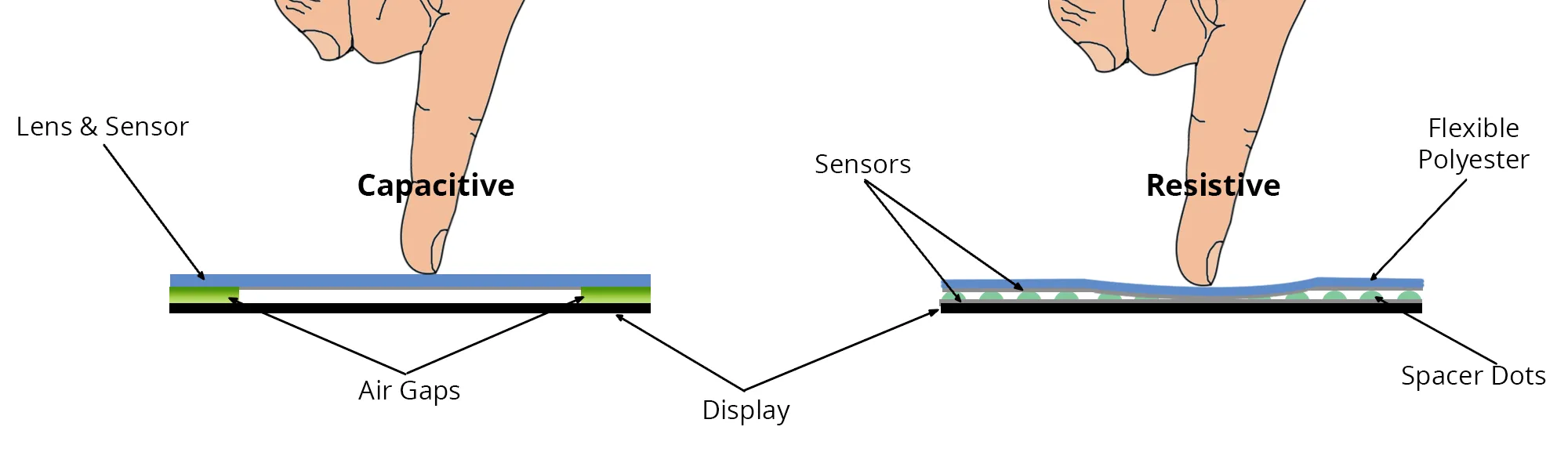
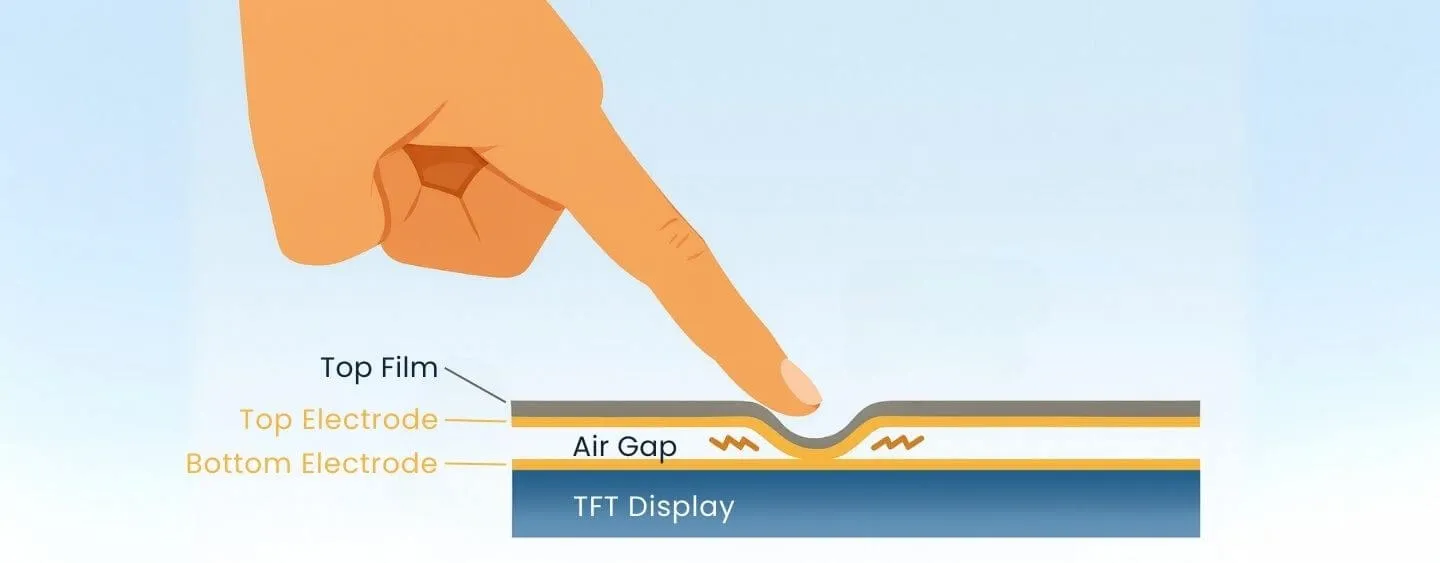
Resistive touchscreen: Requires pressure to cause contact between layers. It can be operated with a bare finger, a gloved finger, a fingernail, or a stylus. Stylus support is important in some markets where handwriting and gesture recognition are valued.
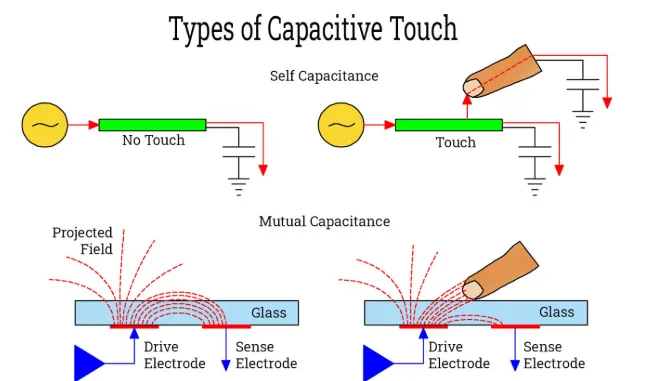
Capacitive touchscreen: Detects the minute contact of the charged surface layer of a finger to activate the underlying capacitive sensing system. Non-living objects, fingernails, and most gloves do not register. Handwriting recognition is more difficult.
Accuracy
Resistive touchscreen: Accuracy can reach at least a single display pixel and is noticeable when using a stylus. This facilitates handwriting recognition and precise operation of small control elements.
Capacitive touchscreen: Theoretical accuracy can reach a few pixels, but in practice it is limited by the finger contact area, making it hard for users to tap targets smaller than about 1 cm2 precisely.
Cost
Resistive touchscreen: Low cost.
Capacitive touchscreen: Prices vary by vendor but are typically 10% to 50% higher than resistive panels. That premium may be acceptable for flagship products but can affect mid-range device pricing decisions.
Multi-touch feasibility
Resistive touchscreen: Generally not feasible unless the resistive panel and device circuitry are redesigned.
Capacitive touchscreen: Multi-touch depends on implementation and software. It has been demonstrated in prototypes such as the G1 and commercially on devices like the iPhone. Certain firmware revisions of G1 enabled multi-touch features in the browser.
Durability
Resistive touchscreen: The top layer must be flexible to register pressure, making the surface more prone to scratches. Resistive panels typically require protectors and more frequent calibration. Devices with plastic layers can be more resistant to impact and less likely to shatter on drop.
Capacitive touchscreen: The outer layer can be glass. While glass can break under severe impact, it is generally more resistant to everyday abrasion and staining.
Cleaning
Resistive touchscreen: Because stylus or fingernail input is possible, it tends to show fewer fingerprints, oils, and biological residues.
Capacitive touchscreen: Requires finger contact for input, but the glass surface is easier to clean.
Environmental tolerance
Resistive touchscreen: Specific specifications vary, but there are examples of devices using resistive panels operating between -15°C and +45°C with no special humidity requirements.
Capacitive touchscreen: Typical operating temperature range is around 0°C to 35°C, and operation often requires a minimum relative humidity of about 5%, due to the principles of operation.
Sunlight visibility
Resistive touchscreen: Often poor, since additional layered surfaces reflect significant ambient light.
Capacitive touchscreen: Works by sensing current induced by the human body. A typical construction is a laminated glass stack with ITO coatings on internal surfaces and electrodes at the corners. A controller computes the touch position precisely by comparing the currents flowing through the four corner electrodes, which vary with the distance from the touch point.
Summary
Capacitive touchscreens are currently more widespread due to their precision and multi-touch support. However, they tend to be more delicate and may require more careful handling. Resistive touchscreens remain advantageous where stylus input, use with gloves, lower cost, or certain environmental tolerances are priorities.