ALLPCB


Overview
LCD touchscreens are common in daily devices. Touch interaction is simple and fast. This article summarizes practical considerations when designing and installing resistive-type LCD touchscreens.
Key considerations
1. Avoid pressure on the active area
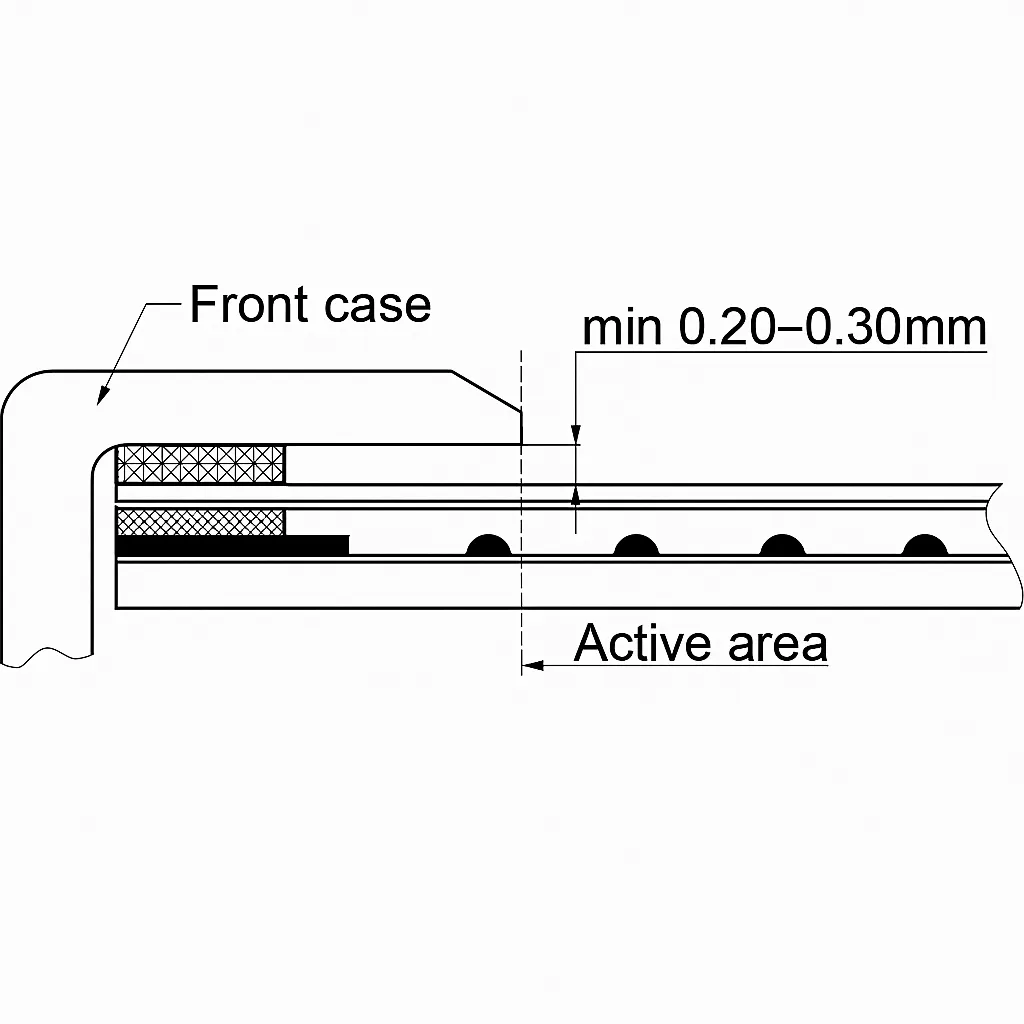
To prevent unintended input, do not allow the enclosure or bezel to press directly on the touchscreen active area. Leave a gap of about 0.20 mm to 0.30 mm between the enclosure and the touchscreen surface.
2. Protect non-operational wiring area
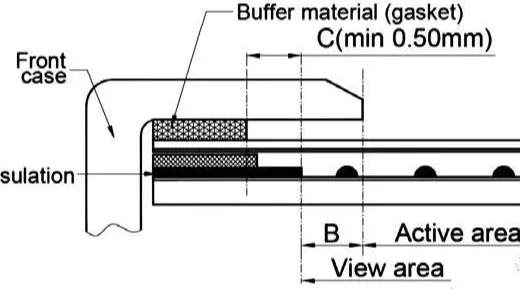
When designing the enclosure, protect the touchscreen's non-operational area (AA) around the edges. This wiring area is thicker; pressing here can cause significant deformation of the ITO film, increasing the risk of ITO damage and shortening service life. To protect the panel and reduce accidental inputs, the housing should overlap the edge of the active area and include cushioning (for example, a spacer) between the touchscreen and the enclosure. Recommended dimensions: B ≥ 0.50 mm; C ≥ 0.50 mm.
3. Allow internal clearance in assembly
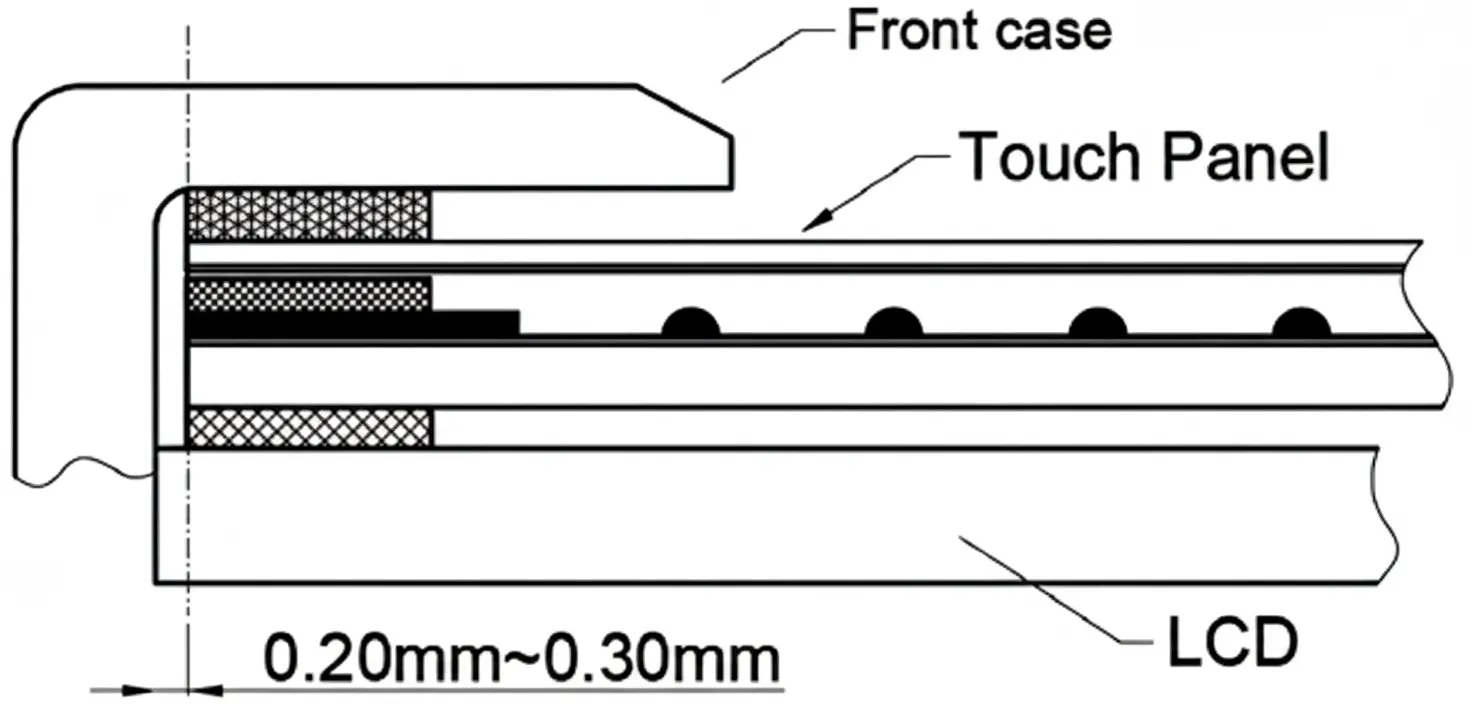
When assembling the enclosure and touchscreen, allow a small internal clearance of about 0.2 mm to 0.3 mm between the inside of the housing and the touchscreen.
4. Align visible and active areas
In general design practice:
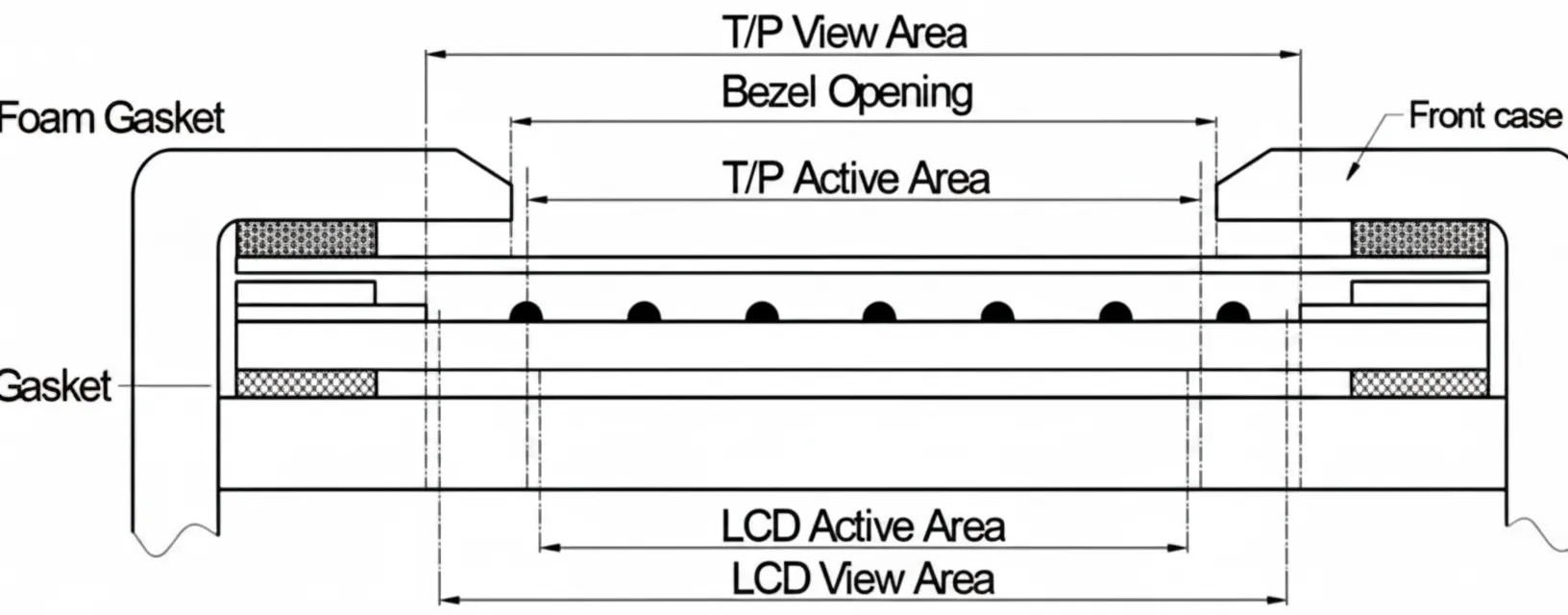
- The touchscreen visible area (V.A.) should be no smaller than the LCD visible area (V.A.).
- The touchscreen active area (A.A.) should be no smaller than the LCD active area (A.A.).