ALLPCB


The "head-mounted cinema" concept has become a new product direction for VR, and more people are using headsets as an alternative to projectors and TVs for watching films.
When buying an unfamiliar product, users typically consult specialist sites and forums to learn the available models and their positioning and core strengths. After narrowing the list to two or three candidates, buyers compare specifications, reviews, and seller support on e-commerce platforms before making a decision.
Buying a computer involves checking the GPU, CPU, memory, and storage. Buying a phone involves checking memory, CPU, operating system, screen material and resolution, and camera performance. For a head-mounted cinema, which parameters matter most? Unlike traditional displays, comfort while wearing and visual comfort determine device value. Wearing comfort is highly individual and hard to quantify with a single objective metric, while visual comfort can be assessed using a few key parameters.
This article explains how to quickly judge whether a selected headset is a good choice using three parameters.
1. Screen resolution
Screen resolution is a core hardware attribute for any display product. Even if VR technology offers strong immersion or good interaction, severe screen graininess undermines the primary purpose of film viewing.
On e-commerce platforms you'll see headsets advertised as 2K, 3K, 4K, 8K, etc. While higher resolution generally means better clarity, in head-mounted displays resolution is not the only determinant of perceived sharpness. The optical system that magnifies the image plays a critical role in the final perceived clarity.
There are two main optical imaging approaches in headsets: screen-wrapping optics and optics-covering-screen systems.
To achieve a large field of view and a spherical wide-screen effect, many VR products use screen-wrapping optics. Examples include iQiyi Qiyu 2, Pico Little Monster series, Xiaomi VR, and Dapeng VR. Screen-wrapping optics create strong immersion but waste a portion of the display area as ineffective pixels, so the effective resolution seen by the eye is much lower than the panel specification suggests.
By contrast, optics-covering-screen systems aim to make the optical coverage of pixels as large as possible. This approach is technically more complex: it imposes stricter requirements on panel resolution and size, lens materials, module assembly, and optical path design. That complexity explains why fewer headsets use optics-covering-screen designs. GOOVIS, Haijing, and Royole are representative brands employing this approach; GOOVIS is notable for consistent edge-to-center sharpness. While these systems do not produce the virtual immersion of VR devices, they deliver more effective pixels to the eye and generally superior imaging for movie viewing.
2. Field of view (FOV)
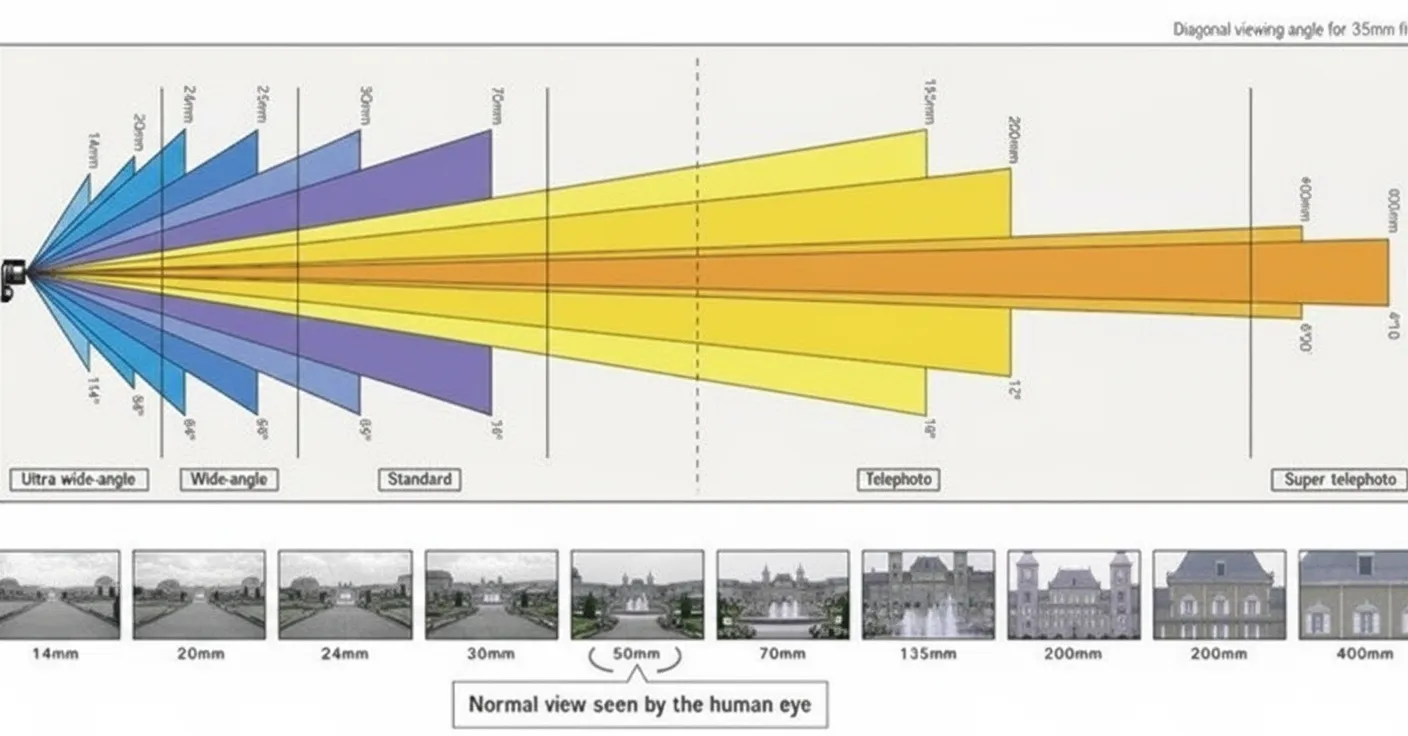
Before discussing FOV, consider some typical human visual range numbers. A single eye's maximum horizontal angle can reach 156°, binocular horizontal angle up to 188°, binocular overlap about 124°, and a single eye's comfortable visual field about 60°. Only objects within a single eye's 60° range are easily focused and seen clearly. Areas beyond that range form the peripheral field, which the eye perceives less sensitively; seeing them clearly requires large eye movements that can cause fatigue.
For movie viewing, an excessively large FOV has limited value. Manufacturers are aware that a large FOV can reduce perceived sharpness and increase motion sickness, so many use fixed virtual scenes that play within a central portion of the screen. In practice, the FOV used for movie viewing is typically under 70°.
In short, a larger FOV does influence the viewing experience, but bigger is not always better. FOV also affects another key parameter described next.
3. Angular resolution (PPD)
Unlike phone displays that use PPI (pixels per inch) to indicate clarity, the perceived sharpness of head-mounted displays is measured by angular resolution, also called spatial resolution. Because headsets present an optically magnified virtual image rather than a direct-view panel, PPI alone cannot indicate headset clarity.
Angular resolution is expressed as PPD (pixels per degree). PPD is the number of pixels that fit into one degree of visual angle. Human visual acuity corresponds to about 60 PPD. The closer a headset's PPD is to 60, the closer its imaging resolution is to the eye's resolving limit, and the sharper the image will appear to the user.
Many products do not publish PPD. PPD can be estimated with this formula:
PPD = optical coverage maximum pixels / field of view (degrees)
Of course, beyond imaging performance, wearing comfort remains a crucial purchase factor because it determines whether the device can be used for long sessions and repeated viewings. Device weight, size, wearing method, and materials all affect comfort and should be considered alongside imaging metrics.
Using the three metrics above—screen resolution in the context of the optical system, FOV appropriate for movie viewing, and PPD—you can quickly evaluate whether a headset is a suitable choice for film watching.