ALLPCB


Introduction
What changes can augmented reality (AR) bring to industrial digitalization? If you want to develop and apply AR in industrial scenarios, where should you start and what existing tools and products are available?
With the development of Industry 4.0, factory digitalization has become an irreversible trend. Complex management processes and documents become readily accessible. Incidents that previously could not be traced to individual responsibility are reduced, enabling managers to maintain a global view while frontline workers can better manage equipment.
Efficiency Improvements from AR and Digitalization
Traditional industrial pain points include complex workflows, complicated equipment operation, large amounts of documentation to consult, difficult training, challenges in diagnosing and repairing equipment, slow emergency response, and inefficient communication when relying on verbal descriptions. Building digital factories can substantially reduce management, maintenance, and training costs while improving frontline productivity.
The metaverse introduces new patterns in marketing, education, collaboration, online events, entertainment, and tourism. Three-dimensional representations provide stronger visual impact than two-dimensional images, and overlaying virtual and real worlds presents information more intuitively. Online activities can also mitigate safety concerns by enabling remote participation.
Combining industrial design with XR converts 2D drawings into 3D models, enabling immersive, cross-location collaboration with a more vivid experience.
Resource Digitization and Workflow Cloud Platform
1. Resource Digitization
In some scenarios, it is essential to access equipment documentation at any time. For example, an equipment manual may exceed one hundred pages, and some devices have numerous operational instructions. Digitizing these resources makes it much easier to find needed information during operation.
For example, the Brochesia platform allows administrators to upload documents to the cloud via a web portal. Frontline or new employees can access standard troubleshooting procedures from AR glasses, mobile phones, tablets, or PCs at any time, improving efficiency and avoiding dead ends when guidance is unavailable. Digitized resources can include documents, images, videos, and audio. Using AR smart glasses further enables hands-free access.
2. Workflow Cloud Platform
Workflows standardize and simplify industrial processes and make responsibility for inspection results clear. A workflow defines the steps of a task, the guidance required for each step, and the expected feedback, enabling frontline staff to complete tasks with clarity. After task completion, administrators can download reports and media files such as photos. Standardized workflows result in more efficient work. Since workers often need both hands for tasks, combining AR glasses with a workflow platform enables hands-free operation and voice-controlled execution of each step, further improving efficiency.
3. Software Implementation
Software platforms for these applications are typically provided as SaaS (Software as a Service). SaaS simplifies access to complex software services through web browsers or lightweight downloads, enabling faster onboarding for organizations.
Remote Assistance and AR Annotation
Remote assistance scenarios can provide AR annotations, audio and video calls, and file or screen sharing. In many applications, workers need both hands free, such as surgeons or technicians working on live high-voltage lines. If hands are occupied and workers must pause to use radios, phones, or exchange photos and messages, significant time is lost. Relying on verbal descriptions without shared visuals makes accurate diagnosis difficult. AR glasses enabling real-time and static annotations change this: remote experts can see a frontline technician's first-person view while the technician sees expert annotations indicating points of interest or actions to take. This enables real-time communication and efficient problem resolution.
1. AR Implementation Methods
Many tools exist to implement AR effects. Common choices in AR solutions include Vuforia and EasyAR, typically used with the Unity engine. Programming is commonly done in C#, though Android Studio may also be used. These tools can produce 3D overlays and, when combined with a digital factory, can display real-time machine data for intuitive equipment management.
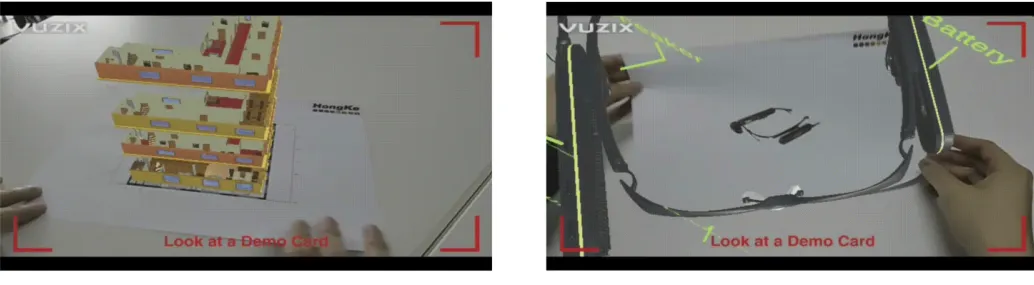

Figure: AR effects and development tools (Vuforia, Unity, Android Studio)
Hardware and Software Platforms
1. Hardware: AR Smart Glasses
A capable software platform requires appropriate hardware to run on. Hongke Vuzix AR smart glasses balance performance and comfort and support multiple interaction methods including voice, buttons, computer input, and mobile input. They are among the lightest AR glasses on the market and use the Qualcomm XR1 chipset to support moderate compute workloads. The device provides an open SDK and interfaces for application development.
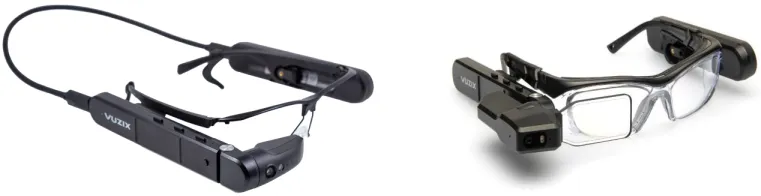
Figure: M400 (left) and M4000 (right) examples
- Multiple mounting options: headband, helmet, goggles, rimless frames, baseball cap mounts
- Hot-swappable batteries for continuous operation
- High-resolution, auto-focus imaging with optical image stabilization
- Multiple human-computer interaction modes: voice, touch, buttons
- Android 9.0 OS and an application ecosystem; the device also includes SDKs for barcode scanning and speech recognition, and developer documentation
Brochesia integrates with AR glasses, PCs, smartphones, and tablets to support calls, image and text transfer, collaborative annotation, photo and video capture, document opening, and AR annotation features within a single software package.
Next-generation smart glasses adopt microLED optical solutions. Devices using microLED provide compact imaging and are often paired with Android 10, larger storage, dual auto-focus 4K cameras, an XR1-class multi-core processor, dual long-life lithium-ion batteries, binocular transparent waveguide displays, and ANSI Z87.1 eye protection. These devices are intended to improve imaging and system performance in XR hardware.
2. Software Platforms
Most remote assistance and workflow applications are offered as SaaS platforms. Common platforms include Brochesia, Telepresenz, FacePro, and FrontLine, as well as Microsoft Teams and Zoom connectors for Vuzix. The glasses run Android and connect via WiFi. If developing custom applications, standard Android development processes apply. The M-series smart glasses provide SDKs for barcode scanning and speech recognition, along with developer documentation to aid integration.
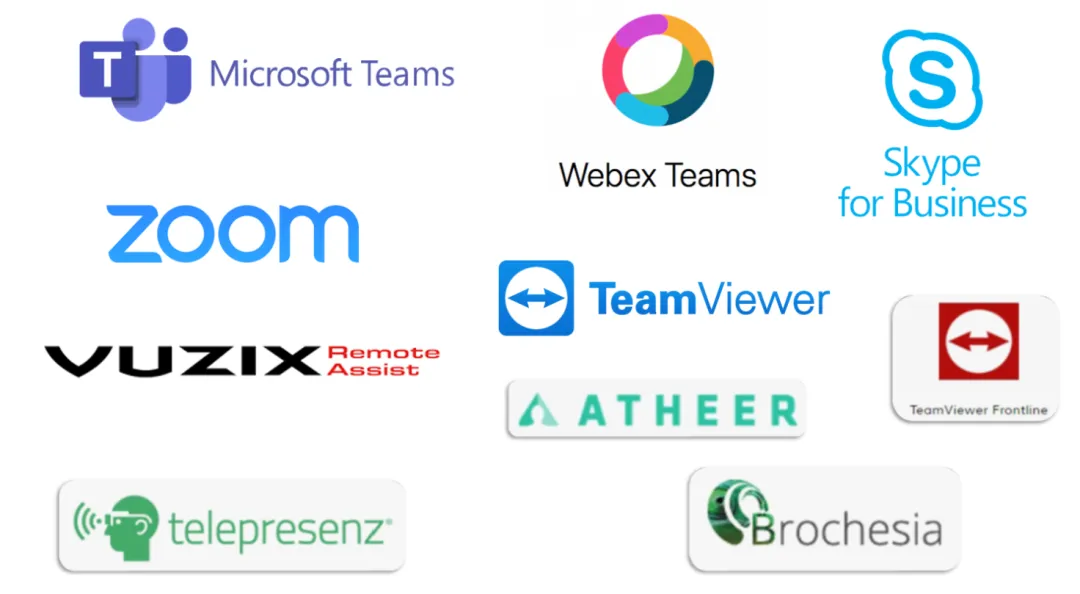
Figure: Common software examples
Metaverse Solutions for Remote Interaction
As the metaverse concept gains traction, practical applications include enhanced product demonstrations and immersive collaboration. The rooom platform can convert images into 3D models for web and app viewing, allowing users to interact with models on phones, tablets, or PCs. On Android devices, ARCore support is required for advanced features.
For online events and collaborative remote work, rooom can create virtual environments that users enter with VR devices to interact and communicate in real time. This approach supports remote demonstrations and discussions while reducing the need for physical travel.
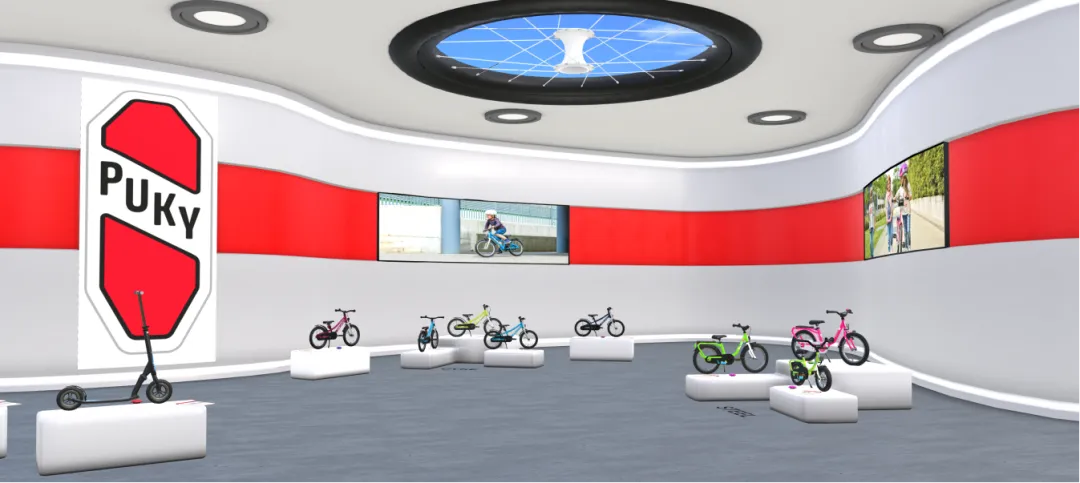
Figure: Virtual showroom illustration
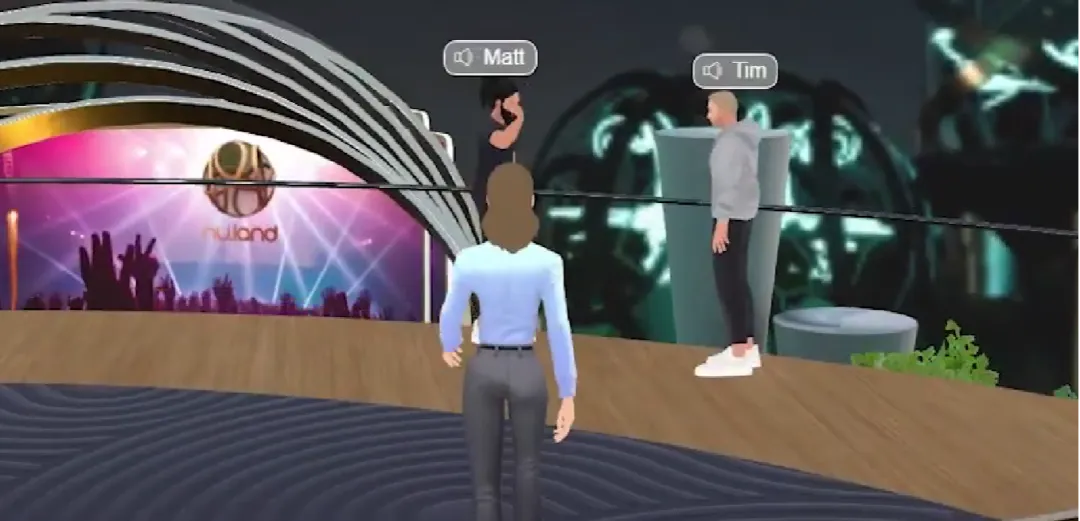
Figure: Online chat illustration
In industries such as tourism and education, immersive presentations can make objects and narratives more vivid, helping viewers better understand content.
Mixed Reality in Industrial Design
In industrial design, interacting directly with models rather than screens or drawings enables new workflows. The Hongke HoloLight-AR3S industrial design software combined with HoloLens 2 enables users to view and interact with the same model simultaneously, with sub-centimeter precision and a set of collaborative interaction tools. This supports real-time communication and collaboration between colocated or distributed teams.
Theorem-XR provides a solution that enables automated use of rich 3D CAD data in extended reality (XR) to address engineering and manufacturing use cases. Theorem-XR supports multiple CAD and visualization input formats and provides XR-optimized outputs. It also supports HoloLens 2.
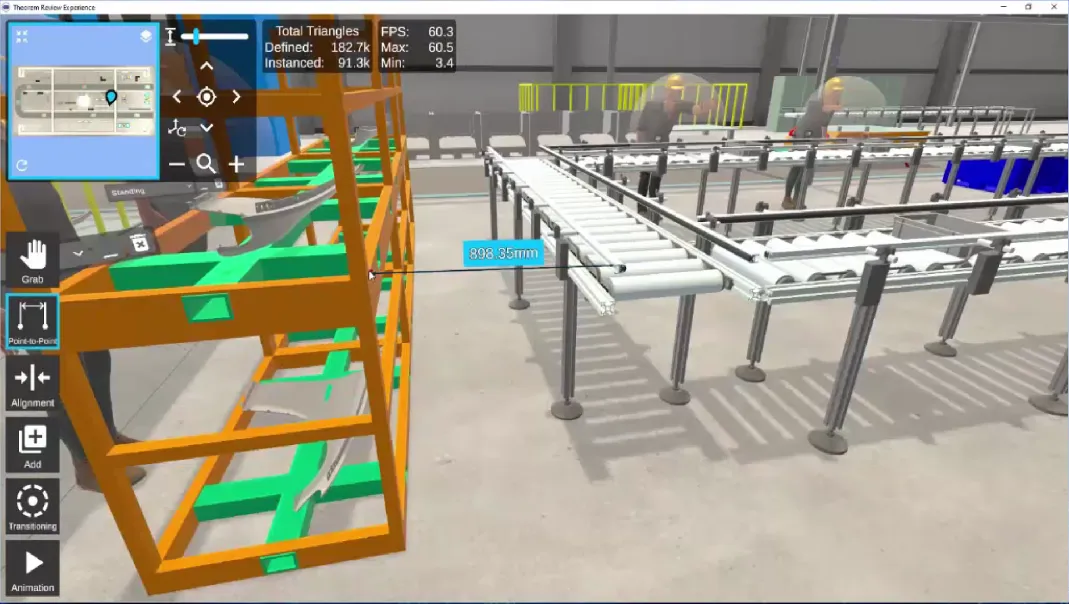
Figure: Theorem-XR application example
Industry Case
FAMUR has developed training tools using virtual reality, remote diagnostics, and AR smart glasses for operating industrial equipment. As part of this effort, FAMUR implemented a concept called SIGMA, a monitoring-area service that uses VR, web collaboration, AR smart glasses, and smart mining technologies. SIGMA enables online collaboration with customers, real-time analysis of machine parameters, and contact with operators worldwide who are equipped with AR smart glasses. The SIGMA environment has been used for training and meetings with domestic and international customers.