ALLPCB


Overview
All capacitive touch systems center on a set of conductors that interact with an electric field.
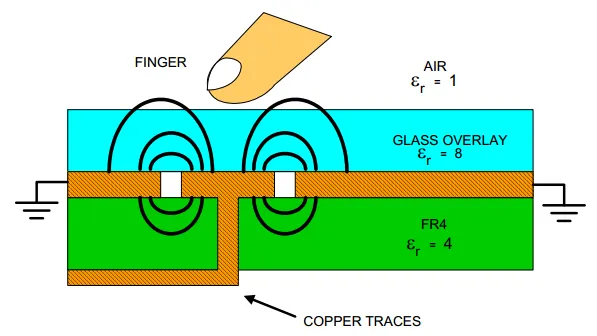
Human skin is a lossy electrolyte and acts like a conductive electrode. In a simple parallel-plate capacitor it sits separated by a dielectric; most of the stored energy is located between the capacitor plates, while a small portion extends beyond the plates into the fringe field. When a finger is placed on a capacitive touch system, it occupies part of that fringe field and effectively increases the system's conductive surface area.
Two Capacitive Sensing Methods
Capacitive sensing is implemented in two main ways: self-capacitance sensing and mutual-capacitance sensing.
Self-Capacitance Sensing
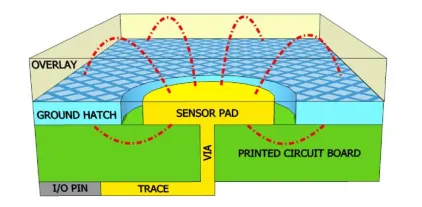
Self-capacitance uses a single pin and measures the capacitance between that pin and ground. The driver applies current to the pin connected to the sensor. When a finger is placed on the sensor, the system capacitance increases, causing a change in voltage. Detecting that voltage change indicates whether a touch has occurred. This method is commonly used for single-touch buttons or sliders.
Mutual-Capacitance Sensing
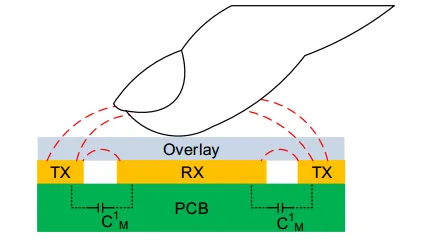
Mutual-capacitance sensing uses two electrodes: a transmit (TX) electrode and a receive (RX) electrode. The TX pin provides a digital drive voltage and the RX pin measures the charge received. The charge measured on the RX electrode is proportional to the mutual capacitance between the two electrodes. When a finger is placed between a TX and RX pair, the mutual capacitance decreases and the charge received on the RX electrode decreases accordingly. Touch is detected by monitoring the change in charge on the RX electrode.
Sensor Dimensionality
By sensor geometry and layout, sensors are typically classified as: button sensors (0D), linear/slider sensors (1D), touchpads/touchscreens (2D), and proximity sensors (3D).
Zero-Dimensional Sensors (Buttons)
0D sensors are used widely in appliances and lighting controls. They provide two states: touched or not touched. A simple button consists of a capacitive sensor connected by a trace to a controller pin.
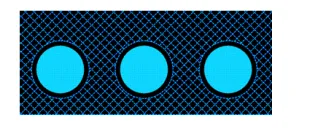
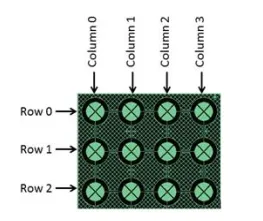
For large key counts, such as calculator keypads, capacitive sensors can be arranged in a matrix.
One-Dimensional Sensors (Sliders)
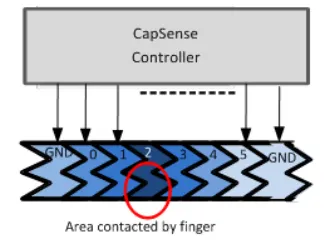
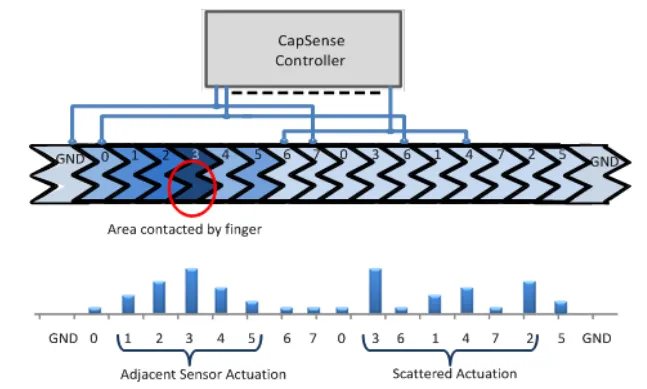
1D sensors, also called sliders, suit applications requiring continuous adjustment, such as dimming, volume control, or graphic equalizers. A slider consists of a series of capacitive segments. Actuation on one segment also partially affects adjacent segments. Using interpolation algorithms, the computed centroid position can yield resolution higher than the number of physical segments.
Linear slider: one IO pin per segment.
Bidirectional (dual) slider: each IO pin serves two different segments.
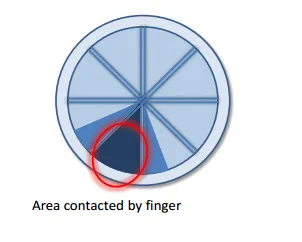
Radial slider: provides continuity with no defined start or end point.
Two-Dimensional Sensors (Touchscreens and Touchpads)
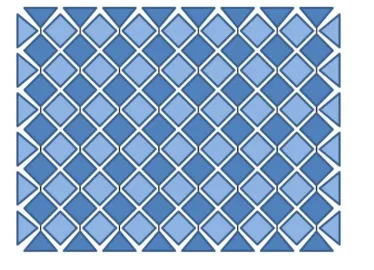
2D sensors such as touchscreens and touchpads determine finger position by arranging linear sensing patterns along X and Y axes.
Three-Dimensional Sensors (Proximity)
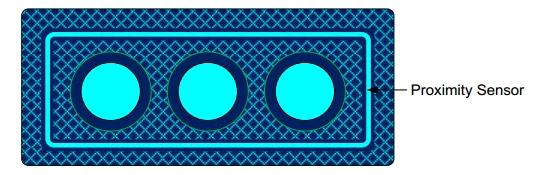
Proximity sensors detect a hand or other conductor before contact. One implementation places a long trace around the user interface; that trace senses capacitive changes over a large area, enabling faster user detection ahead of touch.