ALLPCB


Overview
Different from mobile apps, interaction scenario design is a core differentiator for VR products. In terms of priority and impact, interaction design can even outweigh certain product features.
There are relatively few public articles on VR interaction design. Based on professional experience, this series summarized several foundational theories. This article is the final piece and focuses on choosing interaction methods in relation to hardware and functionality.
Standalone VR headsets can support many interaction methods. The specific choices depend on product functionality and user context. Well-designed interactions can also shape user mood and emotional experience.
Headset and Head Movements
The headset itself is a 6DoF device. Early standalone products used only head 3DoF to support some interactions. Head-based interaction can be implemented, but it suits only limited scenarios. Human head movement range is limited, and natural head gestures (nod for yes, shake for no) are rarely used as primary controls. As an auxiliary input, the headset can enable interesting effects: in rhythm games it can assist body-avoidance detection, in anime-style games headbutts can be an attack, and in shooters it can assist aiming. Head input is useful temporarily when controllers are unavailable, but it does not replace primary controllers or gesture recognition.
Hand Controllers
Controller as a Specific Tool
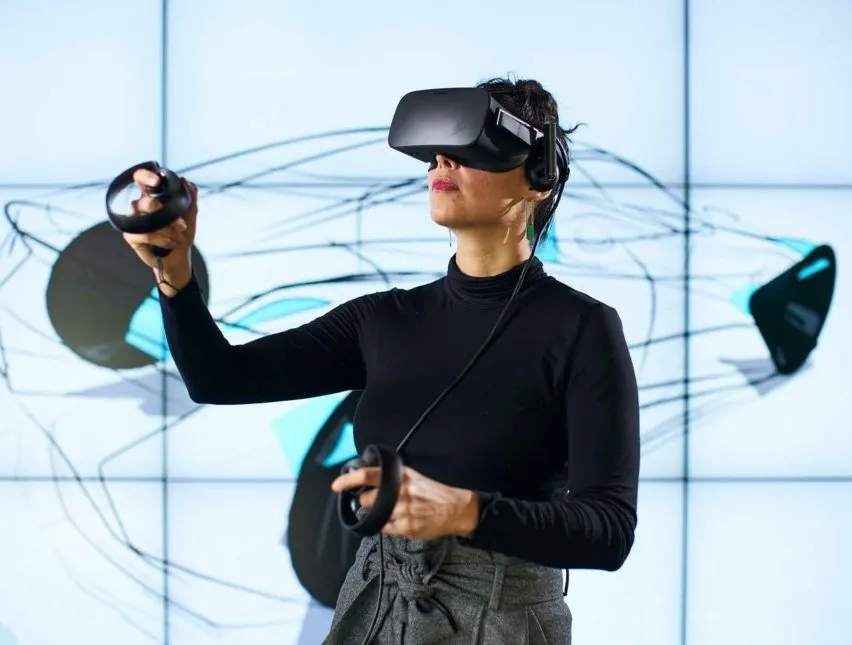
Controllers can be transformed into scene-specific tools, for example table tennis or badminton rackets in sports titles. In many operating systems, controllers are commonly represented in their default form as laser pointers. Tool and presentation apps tend to use the default controller shape as laser emitters. However, when a theme or scene is present, using the default appearance is often inappropriate.
Controllers Simulating Hands
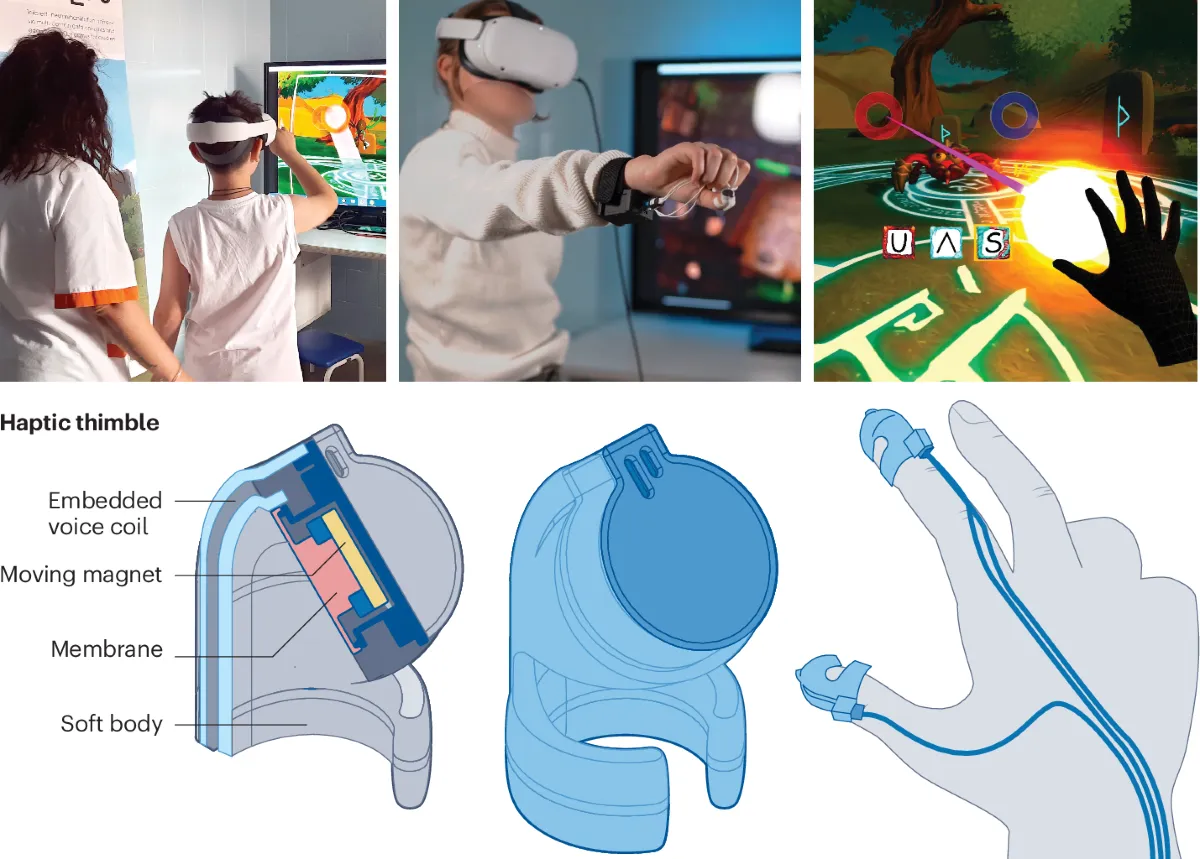
Compared with tool metaphors, simulated hands focus on individual finger actions. For example, a shooter can pick up different firearms with distinct functions assigned to index, middle, and thumb fingers. In social scenarios, hand gestures can be simulated. For chemistry or physics experiment simulations, hand modeling is often required.
Controller Buttons
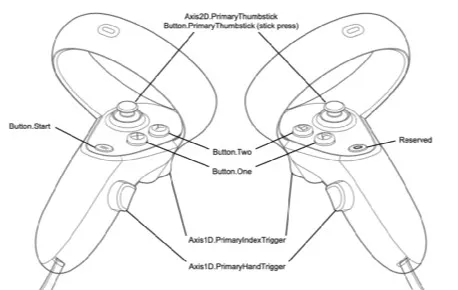
Controller buttons are standard; a notable example is that some devices support touch detection on buttons. Touch and press can be recognized as two separate actions, allowing distinction between touching and fully pressing. This enables creative interaction patterns. Joysticks are not limited to four directions and can borrow rotary ideas from fighting games; many joystick buttons are also pressable and can serve as mode-switch keys.
Single-Hand and Dual-Hand Use
Dual controllers are typically mirror-symmetric, so many simple interactions can be completed with a single controller. In some scenarios the controllers must be distinguished as primary and secondary. One option is to treat the controller with the most recent button press as the primary controller, although this method is now less common.
Gesture Recognition
Gesture-Based Tools
Current gesture recognition technology still has limitations and is mainly available on some standalone devices. The typical approach maps hand motions to a modeled hand for touching or manipulating objects, or uses finger and wrist positions to emulate a laser pointer. The concept can be extended: if a hand can be recognized as a model, it can also be transformed into tools, for example simulating a kitchen knife in a cooking simulator. As sensing precision improves, this interaction layer will expand.
Hand Pose Recognition
Natural gestures can be assigned meanings, such as clapping for approval, index and middle fingers for success, or a raised middle finger for contempt. Facial capture is not yet widespread in VR, so body language has strong potential in social applications. Both gesture recognition and controller-based hand simulation can trigger functions. In everyday life these gestures gain meaning over time, but in VR the system and users can directly assign gestures to functions, creating new interaction pathways. This approach may serve as a transition for future MR devices.
Voice Recognition
Voice is the primary channel for human communication, while text is a two-dimensional transcription of speech. Some languages contain many homophones, which historically made subtitles necessary. With recent advances, speech-to-text is highly efficient. Adding voice recognition and voice control to VR is feasible and beneficial. Because headsets are close to users' faces, captured audio is more stable and recognition accuracy should exceed typical mobile experiences. Immersive environments can also improve recognition: controlled virtual environments simplify acoustic conditions and gaze-based focus can reduce the processing scope. Most current VR use is in private settings, so loud speech is less likely to disturb others. Overall, voice control has strong potential.
Eye Tracking
Eye gaze range is much larger than binocular fixation range. Eye tracking can reduce rendering workload through foveated rendering and enable application features based on the user's visual focus. For example, in a virtual museum wall with many artworks, gaze tracking can identify which piece the user is looking at and trigger hidden descriptions. This ability likely stems from evolved biological mechanisms tied to attention and threat. Gaze carries social meaning and has major implications for social VR.
Augmented reality devices face different interaction challenges than VR because AR is worn in public. Touch controls on temple arms, using a phone as a 3DoF pointer, or free-air gestures can all appear awkward in public. Eye tracking is a relatively discreet input method. Beyond spatial gaze detection, combining gaze duration as an input dimension can support meaningful system interactions and is worth exploring.
Facial Capture
Facial expression is a highly efficient channel for conveying emotion, particularly in social scenarios. Combined with voice and body language, facial capture provides another expressive layer. The popularity of emoji and sticker packs on mobile illustrates the efficiency of visual emotional tools. The spread of facial capture technology could be a key enabler for social VR.
Functional Interaction Design Patterns
Compared with limited hardware choices, software interaction design offers wide creative space. The challenge is often not a lack of ideas but too many options. The following categories offer a structured way to choose appropriate interaction patterns.
2D Large Screen with Laser Pointer
This pattern treats the application as a large flat screen controlled by a laser pointer.
- Advantages:
- Users already have mature interaction mental models.
- Can handle complex logic.
- Disadvantages:
- Lacks VR-specific experience and competitive differentiation.
- Does not leverage natural VR interactions.
- Suitable scenarios:
- Early product stage when rapid launch is required or for low-frequency functions.
- Very complex functions with large information density, e.g., spreadsheet editing.
2D Panel Laid Out in 3D Space
This keeps a 2D panel model but places it within a 3D layout.
- Advantages:
- Retains users' 2D interaction knowledge.
- Can handle relatively complex logic.
- Provides some VR experience.
- Disadvantages:
- Does not clearly leverage natural VR interaction.
- Suitable scenarios:
- Functions with moderate complexity and information volume.
- Lower-frequency features.
- When users' interaction knowledge for the feature is entirely derived from 2D interfaces, such as a web browser.
Physical Simulation
Motion and sports apps require faithful simulation, so interfaces often mimic physical interactions. For example, a multi-sport app may use a cartridge insertion metaphor for the main menu and an exit that simulates a physical button.
- Advantages:
- Physical structure is intuitive; users understand actions by sight.
- Clear cognitive mapping between action and outcome.
- Higher perceived credibility.
- Fully aligns with natural VR cognition.
- Disadvantages:
- Physical constraints limit the complexity of handled logic.
- Suitable scenarios:
- High-frequency interactions with simple logic.
- When users already possess strong real-world mental models for the interaction.
- Products centered on realistic simulation.
Superreal or Fantastic Interaction
This category includes interaction methods that exceed users' everyday experience, such as instant teleportation for locomotion or using a magic wand to summon objects.
- Advantages:
- Simplifies complex operations.
- Users can form mental models quickly.
- Creates standout features and product differentiation.
- Allows full creative expression in virtual worlds.
- Disadvantages:
- Requires breaking users' existing mental models and can fail if not designed carefully.
- Suitable scenarios:
- When the interaction goal is simple but the process is complex and needs optimization.
- When the product must create standout experiences within the limits of basic physics.
- Products that prioritize creative novelty as their core value.