ALLPCB


1. VR concept
1.1 What is VR
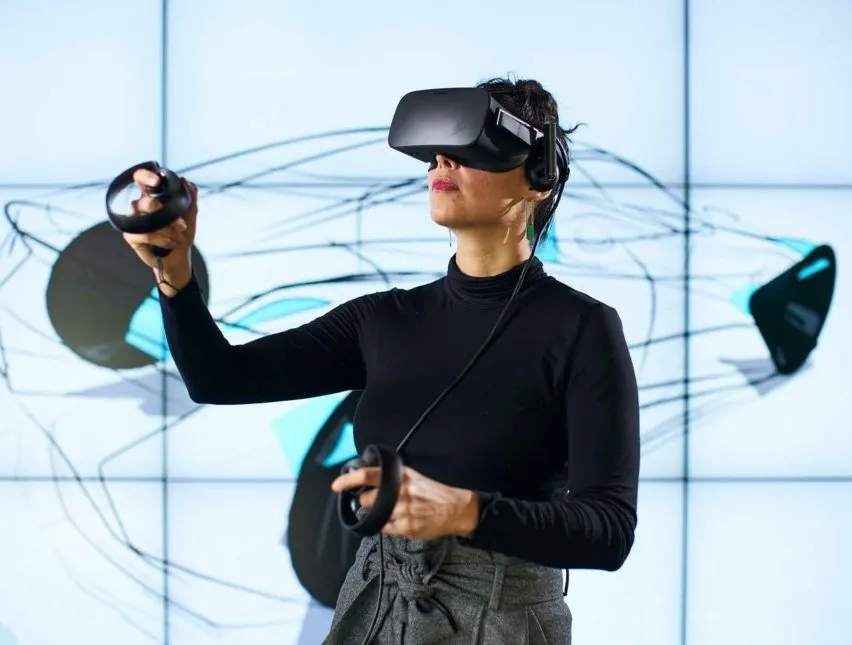
Virtual reality (VR) uses computers and various sensing technologies to allow people to perform activities in a simulated environment. The consumer device for experiencing VR is the VR headset. Current VR headsets generally fall into three categories:
- PC/console VR
- Mobile VR
- Standalone VR headsets
PC/console VR requires a connection to a PC or console and typically offers stronger performance with positional tracking and motion interaction. Mobile VR requires a smartphone to be inserted and is limited by the phone’s capabilities. Standalone VR headsets are self-contained devices that can be worn and used without external hardware.
1.2 New VR experiences
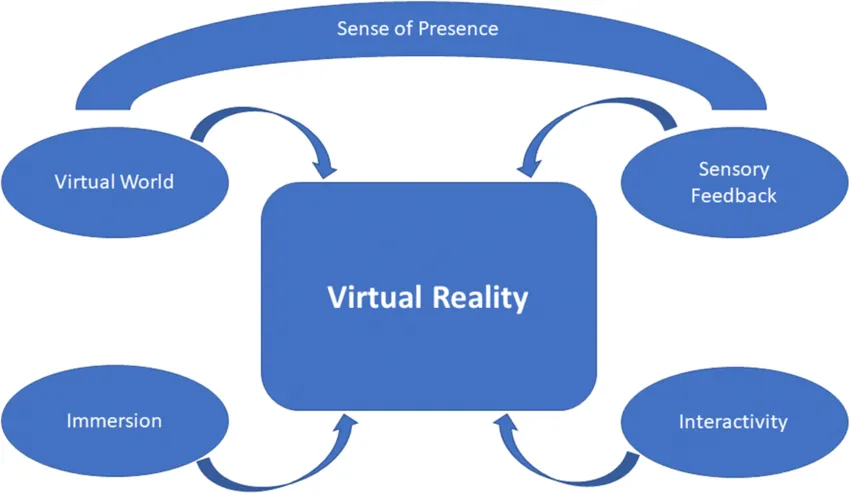
VR can provide sensory experiences similar to real environments, including visual, auditory, and haptic feedback. For example, in a VR live stream of a concert you can look around the 360-degree venue: watch the performer on stage and turn to join the crowd in cheering, creating a strong sense of immersion.
VR can also provide interaction that matches natural human behavior. In a game you might cast spells by speaking an incantation while waving a wand, or high-five other spectators during a sports broadcast. Simple gestures or eye movements can serve as input controls, making interactions feel natural.
1.3 Difference between VR and 3D movies
Both VR and 3D movies generate a stereoscopic effect based on binocular disparity, but they implement it differently. 3D movies typically present left- and right-eye images with different polarization or color filters and are viewed through corresponding glasses so each eye sees its intended image. VR provides two distinct images directly to the left and right eye. Although both produce stereoscopic vision, VR differs from 3D movies by offering an immersive, panoramic experience that makes the viewer feel physically present in the scene.
3D movie: overlapping left/right images. VR: separate left/right images.
3D movie: stereoscopic effect. VR immersion: stereoscopic effect plus panoramic view.
1.4 VR entering everyday life
VR is already appearing in everyday applications. Live events such as holiday galas, sports broadcasts, and concerts have adopted VR streaming. Many video platforms provide panoramic VR content, and VR is used in gaming, shopping, and virtual travel (for example, virtual globe applications). VR is progressively integrating into multiple aspects of daily life.
2. VR experience and related factors
Although VR is compelling, current consumer VR often falls short of expectations: visual clarity can be inadequate and users may experience motion sickness. The following sections describe the main factors affecting VR experience.
2.1 Visual factors
2.1.1 Sharpness
Video resolution is a common measure of image clarity. A standard 4K video displayed on a monitor presents the full 4K frame, but a 4K panoramic VR video maps the image onto a spherical environment. The viewer inside the sphere sees only a portion corresponding to the field of view, so a 4K panoramic stream appears less sharp than a 4K flat video. That explains why a 4K VR live concert may look less detailed than expected.
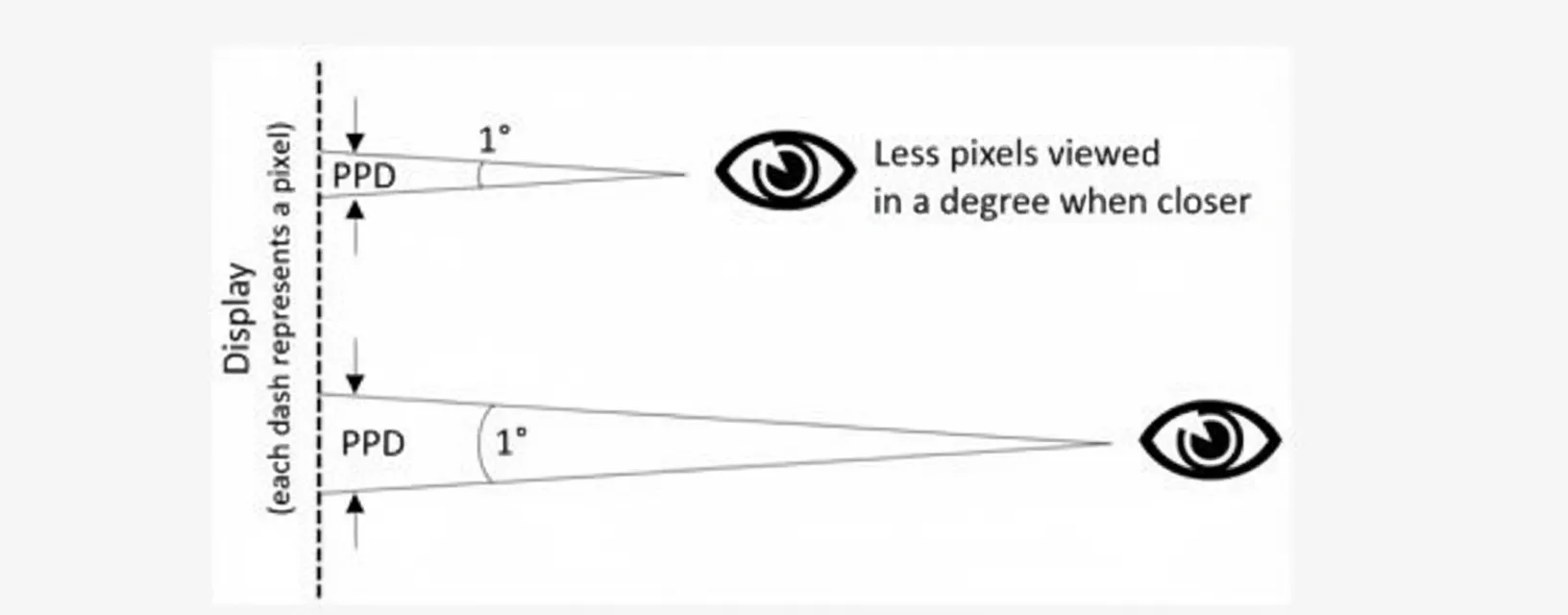
Sharpness also depends on the display. Higher-resolution displays support higher visual clarity. Viewing distance matters too: a 2K TV looks clear at a typical living distance of 2–3 meters, but viewed at 0.5 meters the pixels become noticeable. In VR, the screen is only 5–10 cm from the eye and, after lens magnification, forms an image roughly 25–50 cm away, a situation comparable to viewing a 2K display very close, which makes pixels and aliasing apparent.
From a physiological perspective, pixels per degree (PPD) quantifies how many pixels fall within one degree of visual angle. Higher PPD corresponds to higher visual clarity; the human retina approaches its limit near 60 PPD. For a 4K panoramic video (3840 x 1920), horizontal PPD ≈ 3840/360 ≈ 10.67, which is far below 60. Therefore current 4K panoramic VR and standard-definition flat video can appear similar in perceived sharpness when considering PPD.
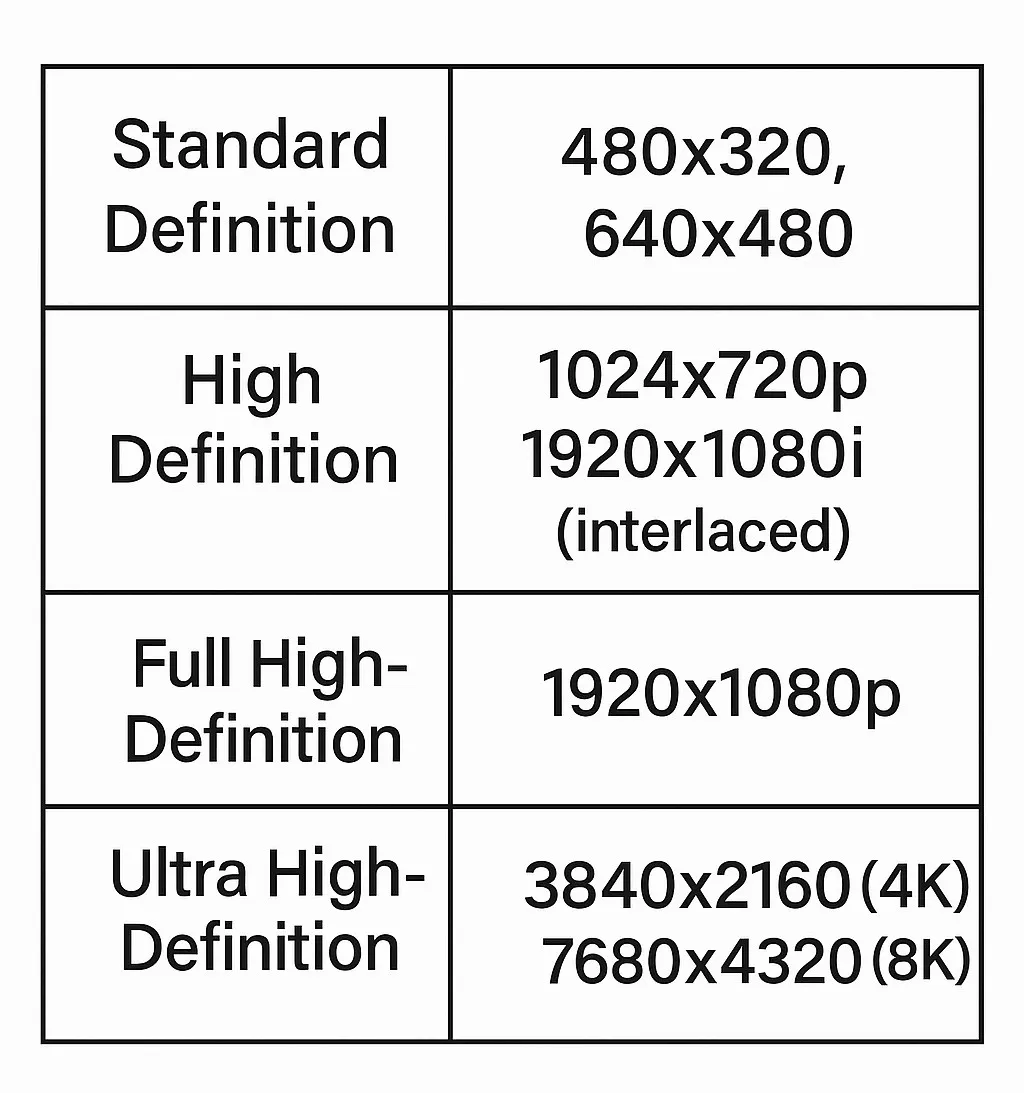
Panoramic VR experience is expected to improve rapidly. Professional panoramic cameras can already produce 8K panoramic sources, and displays are evolving accordingly.
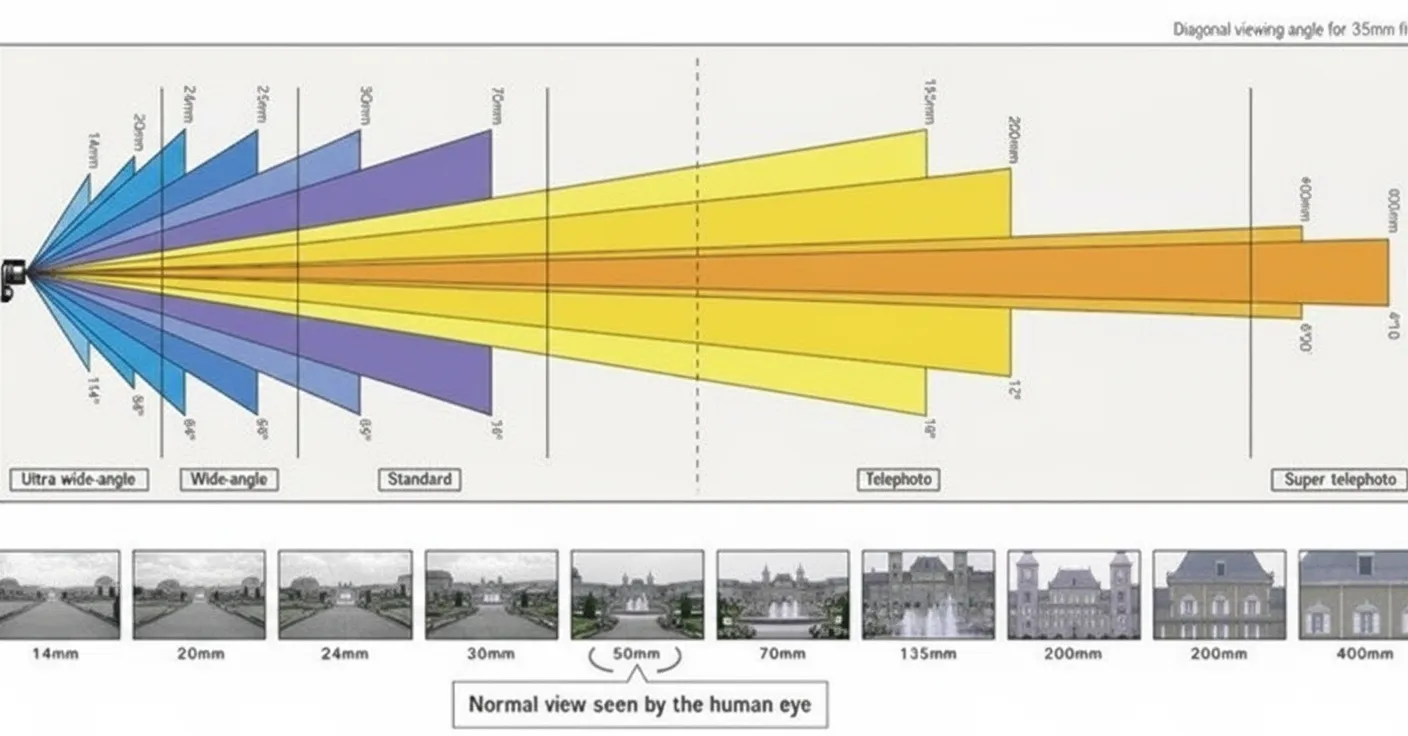
Why does an 8K panoramic source still require a 4K display? An 8K panoramic video has horizontal PPD ≈ 7680/360 ≈ 21.33. Using a baseline 90-degree field of view (FoV), single-eye horizontal pixels ≈ 21.33 * 90 ≈ 1920, so single-eye resolution needs to be about 1920 x 1920. For two eyes this corresponds to 3840 x 1920, i.e., roughly a 4K display. By the same reasoning, a 4K panoramic source best matches a 2K display. Using 110-degree FoV (as with some headsets) changes the numbers slightly, but generally a dual-eye 2K headset suits 4K panoramic content, while a dual-eye 4K headset suits 8K panoramic content.
2.1.2 Motion sickness
Motion sickness in VR occurs when visual motion signals do not match vestibular signals. If the display shows motion while the body remains still, the brain receives conflicting information and may respond with dizziness, nausea, or vomiting. Susceptibility varies across individuals.
One major contributor to VR motion sickness is MTP (Motion-To-Photon) latency—the delay from head movement to the corresponding update on the display. MTP latency above certain thresholds increases the likelihood of motion sickness. It is generally accepted that keeping MTP latency below 20 ms significantly reduces motion sickness. Reducing MTP latency requires faster GPU rendering and higher display refresh rates; current high-end headsets typically run at 90 Hz, which helps mitigate the issue.
2.1.3 Smoothness
Higher refresh rates also improve smoothness. Refresh rate and frame rate are related but distinct: refresh rate is the display's update frequency and represents an upper bound on visible frame updates. For example, a 60 Hz display cannot present more than 60 distinct frames per second even if the source produces 120 fps, so the perceived smoothness would be limited by the display. Conversely, a 60 Hz display showing a 30 fps source will present each frame twice, so the observable frame rate is 30 fps.
Movies normally use 24 fps, which leverages persistence of vision to appear fluid. Fast-action games often require 60 fps or higher for acceptable responsiveness. In VR, low frame rates or unstable frame timing are more likely to induce discomfort. Therefore VR benefits from high refresh-rate displays combined with GPUs capable of producing stable, high frame rates.
2.2 Interaction factors
Cheap VR viewer boxes often provide a poor experience largely because of limited interaction. Interaction here includes the inputs to the VR system and the feedback it provides. Strong interaction improves immersion: grabbing a weapon with your hand in a VR horror game feels more natural than using a gamepad. Interaction encompasses positional tracking, input controls, and feedback mechanisms.
2.2.1 Tracking systems
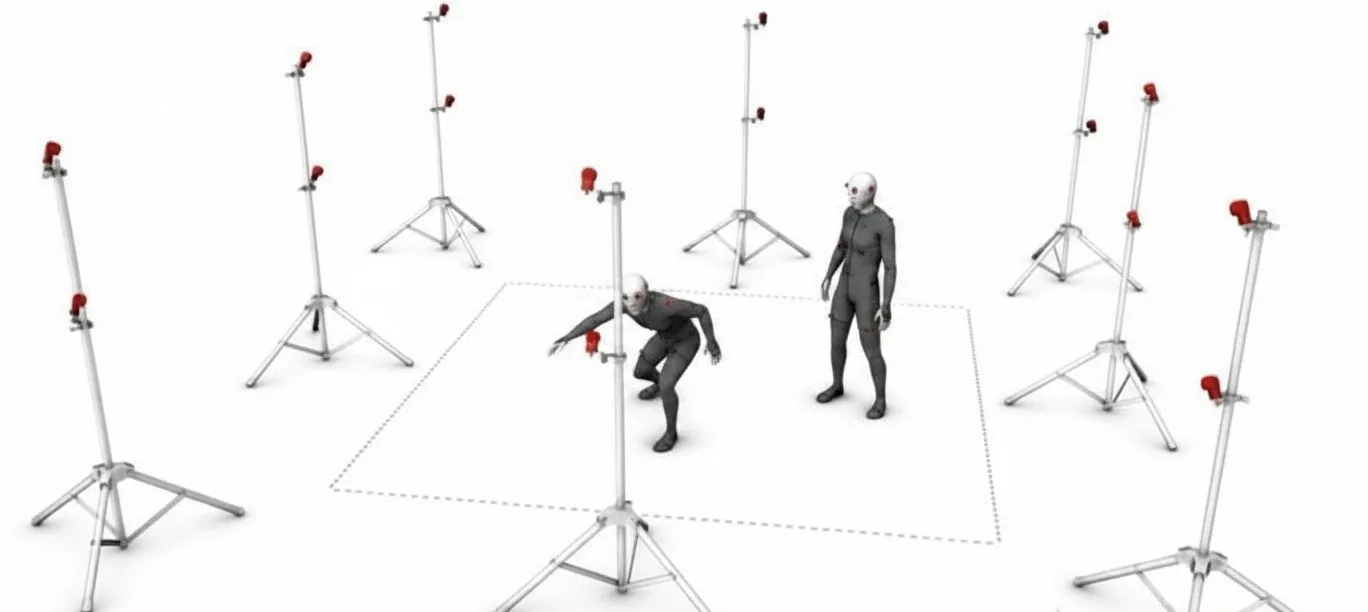
When a user moves or turns and the displayed scene does not respond accordingly, the result feels unnatural, so tracking is required. Human movement includes three translational axes (forward/backward, left/right, up/down) and three rotational axes (look left/right, look up/down, tilt), totaling six degrees of freedom (6DoF). Basic viewer boxes often only track rotation (3DoF). Full 6DoF tracking provides a more natural experience.
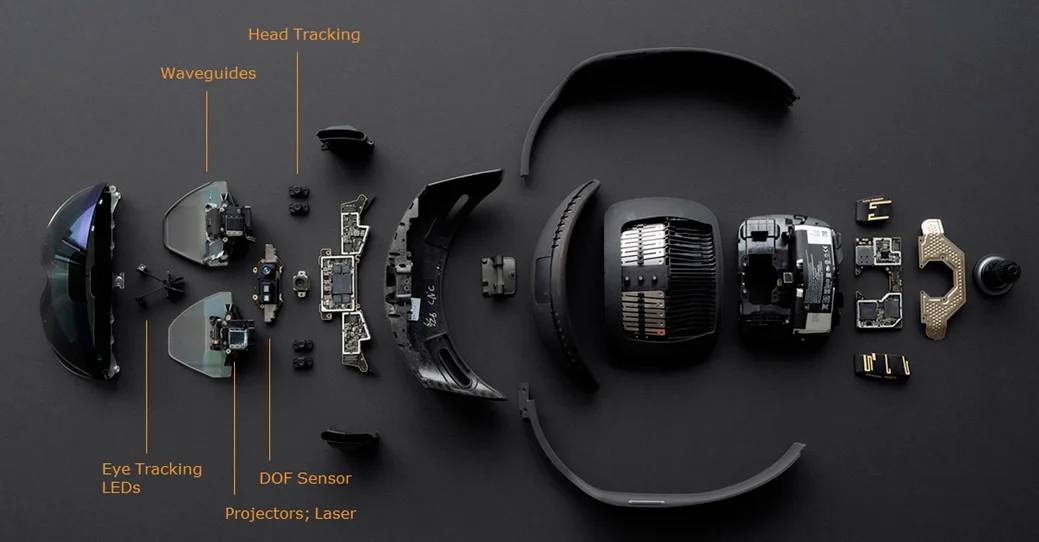
There are two main tracking approaches: outside-in and inside-out. Outside-in tracking requires external tracking devices placed in the environment, such as base stations used by some systems. Inside-out tracking integrates tracking sensors on the headset itself and does not require external infrastructure. Each approach has advantages and trade-offs; inside-out tracking became common in standalone headsets and mobile VR devices after the 2017 CES show.
2.2.2 Input control and feedback
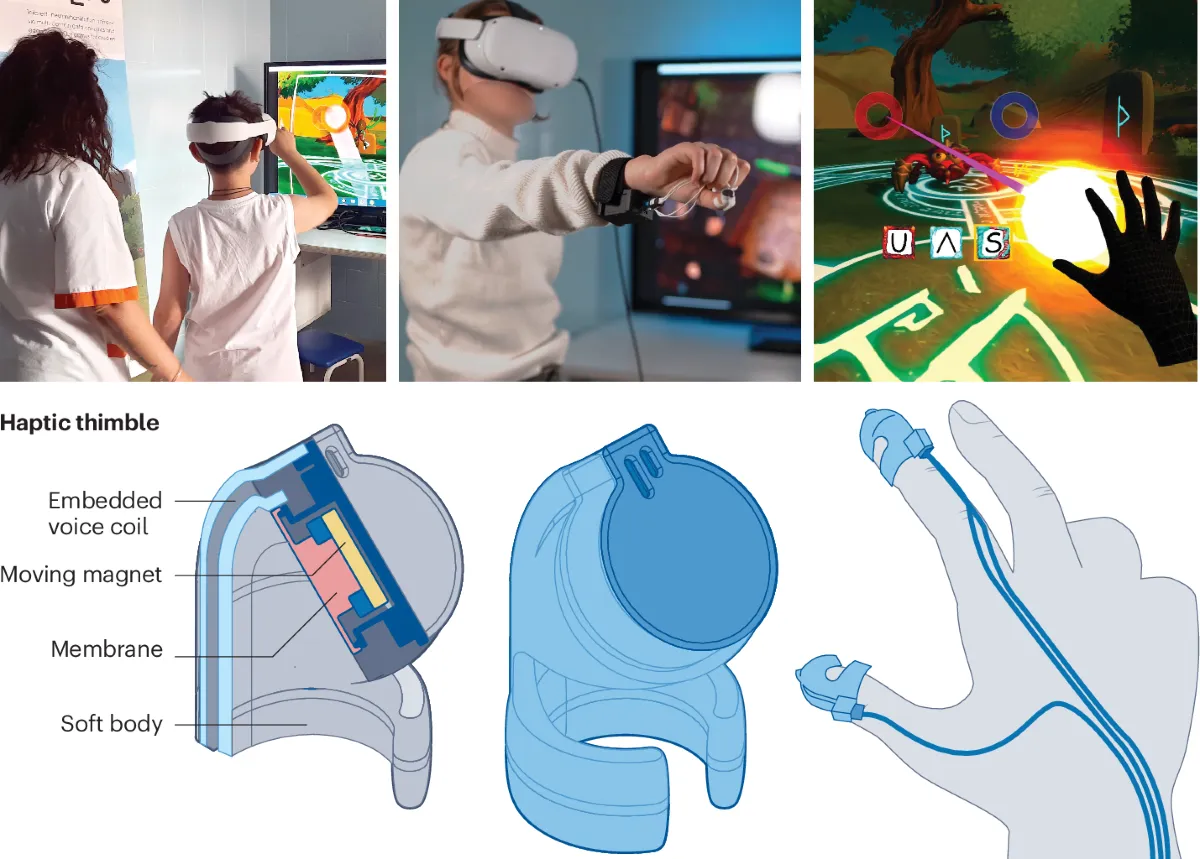
Good VR requires effective input and feedback systems. Hand-tracking makes virtual hand control feel natural; facial expression tracking aids social interaction in VR. Visual and spatial audio are widely implemented; haptic, olfactory, and gustatory feedback technologies are developing. As these feedback channels advance, experiences such as “a video with smell” move closer to reality.
3. Network requirements for satisfactory VR
Even with good hardware, network performance affects VR experiences. Insufficient bandwidth causes buffering in streaming VR video, which can be uncomfortable. High latency during online VR games can cause poor gameplay or increase the chance of motion-related discomfort. The following summarizes typical home network recommendations for VR.
3.1 Recommended bandwidth and latency
For VR video streaming, bandwidth requirements are high. According to an industry white paper on VR transport requirements, watching 4K panoramic video requires roughly 25 Mbps, while 8K panoramic video requires roughly 100 Mbps. The cited formula is: per-frame pixel count (7680 * 3840) * color depth (8 bit) * frame rate (30 fps) * YUV420 sampling (3/2) * H.264 compression ratio (1/165) * empirical factor (1.5).
To improve viewing experience, panoramic VR is moving toward 8K sources, so plan network capacity based on 8K requirements. Also consider the number of VR devices in a household. Assuming an average household size of about 3 people and 1–3 VR devices per home, a 100–300 Mbps broadband plan is recommended for typical family use.
For VR gaming, bandwidth needs are lower than video streaming, but latency requirements are tighter. Online VR games primarily transmit control and state data; to reduce motion sickness, network latency plus device processing latency should remain below about 20 ms. Device processing latency includes the display refresh interval (≈11.1 ms at 90 Hz), sensor sampling time (≈1 ms), and GPU render time (a few milliseconds), leaving limited budget for network transport time. For low-latency requirements, fiber broadband is recommended.
Considering both streaming and interactive scenarios, a household fiber plan in the 100–300 Mbps range is a practical recommendation today.
3.2 Growing network requirements
First, VR remains in an early or introductory stage; in the next 1–2 years significant improvements are expected in resolution, frame rate, FoV, and reduced motion discomfort. Second, social features continue to be integrated into VR applications, including VR chat and multiplayer VR games. As a result, over the coming years consumer VR will demand higher home bandwidth and lower network latency.