ALLPCB


Introduction
In early 2025, DeepSeek released the Janus-Pro model, which uses a dual-path architecture and supports multimodal interaction. This article documents deployment of Janus-Pro on the Orange Pi AI Pro (20T) 24G development board using the MindSpore AI framework and the MindSpore NLP toolkit, and provides a step-by-step deployment guide for developers.
Open-source link: http://gite.com/mindspore-lab/mindnlp.git
Environment Setup
MindSpore installation (v2.5.0)
First, set Ascend-related environment variables:

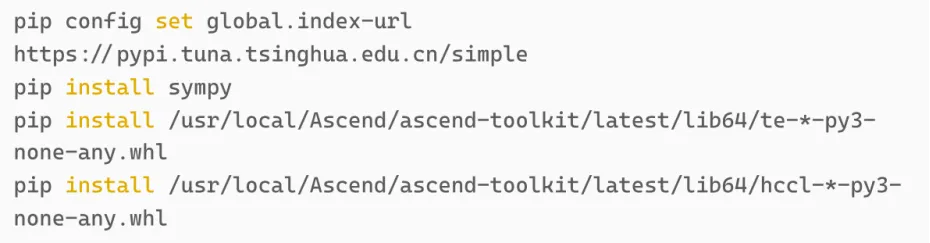
Before installing MindSpore, install the required dependency packages. Run the following in a terminal:
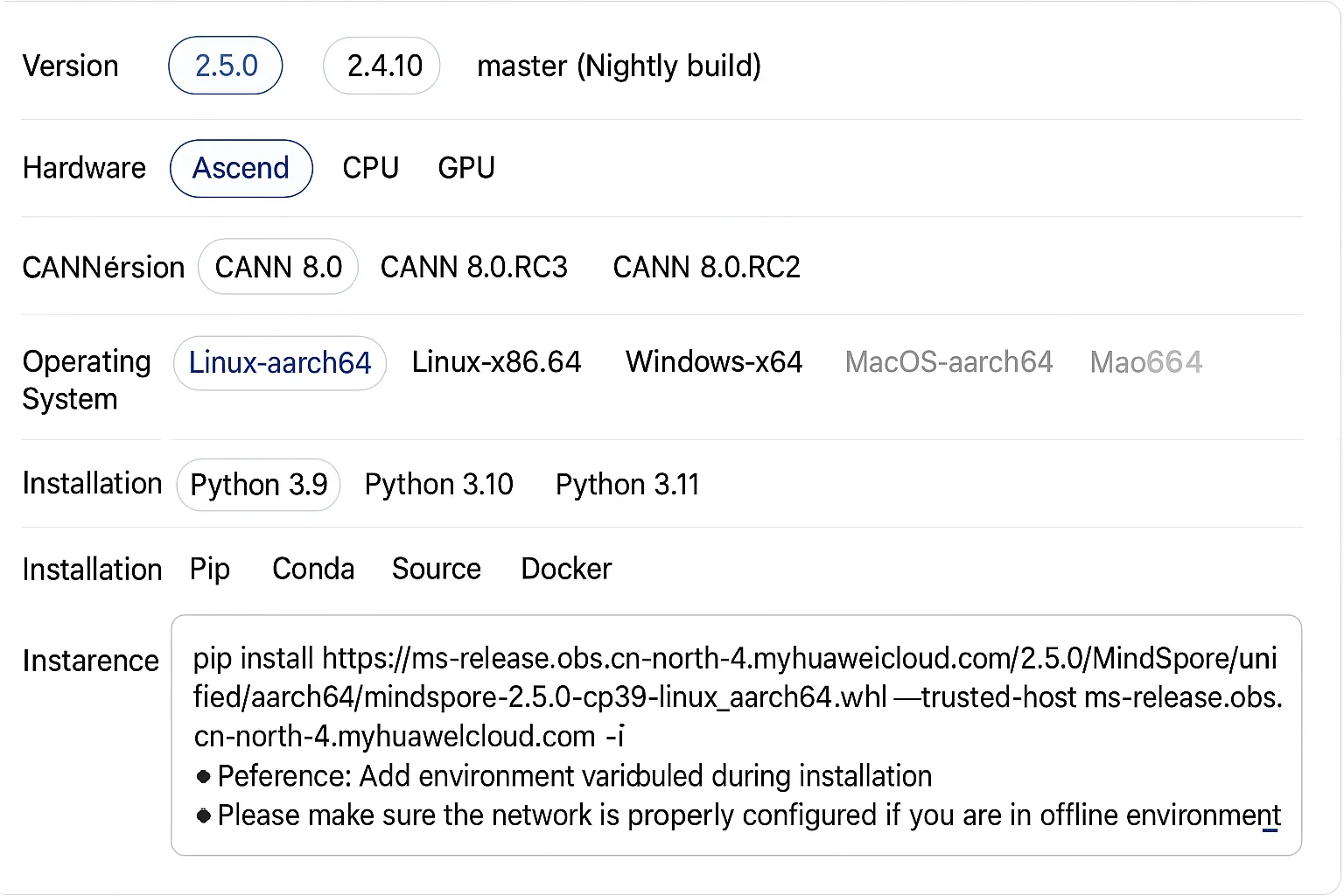
After dependencies are installed, install MindSpore 2.5.0. Visit the MindSpore official site and select the matching MindSpore, Python, and CANN versions (the screenshots below match this configuration). Copy the installation command into your shell and execute it.
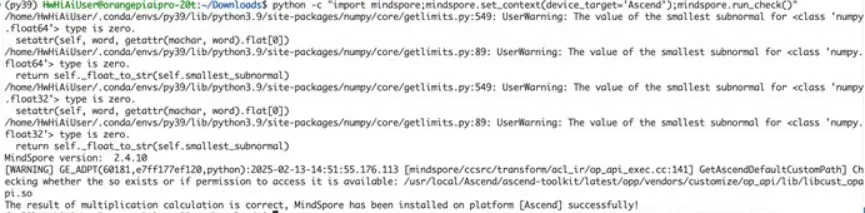
After installation, run the following command to verify the installation:

The expected output is shown here:
MindSporeNLP installation
Note that all commands below should be run under the HwHiAiUser user.
First, download the MindSpore NLP code. The repository has been adapted for Janus. Install MindSpore NLP from source by running the following commands:


Running examples
Examples require swap. Check whether swap is configured by running:

If the swap size is 0, swap is not configured.
Use the following command to configure swap (the default password is shown in the image):
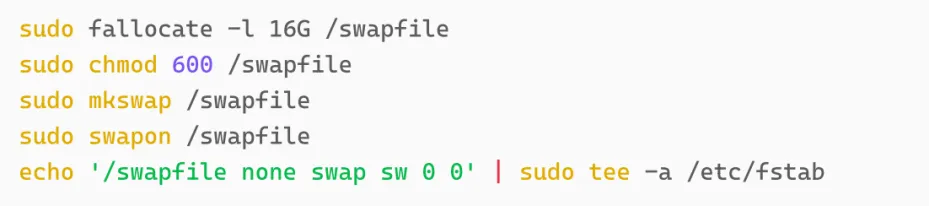
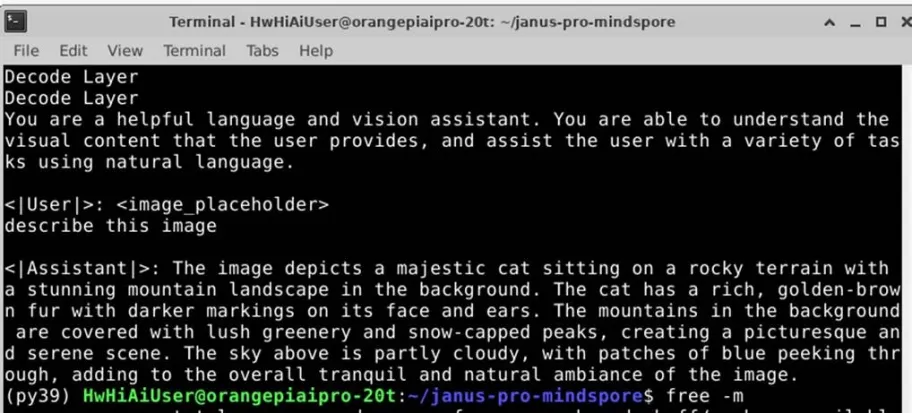
To run the image understanding task, enter the following in a terminal:

The example input image used is shown in the original example.
Execution result:
To run the image generation task, enter the following in a terminal: