ALLPCB


Overview
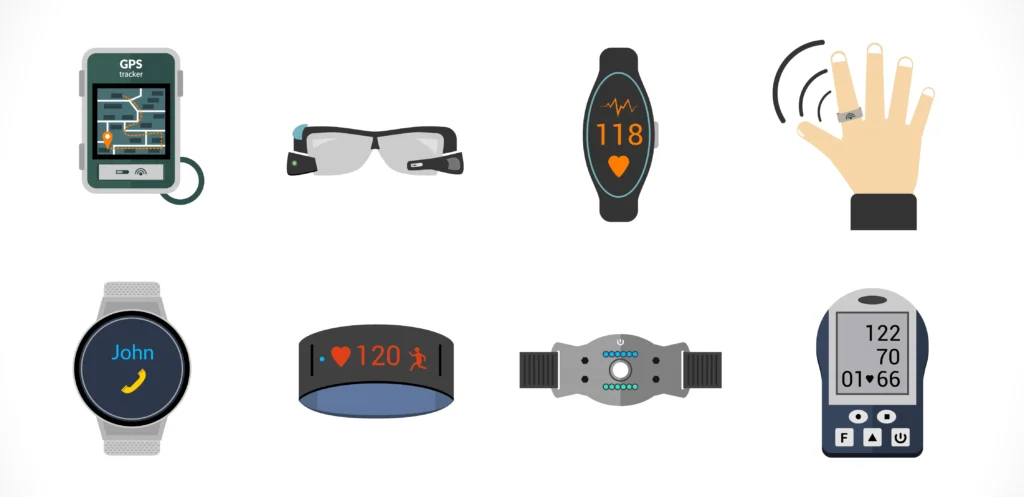
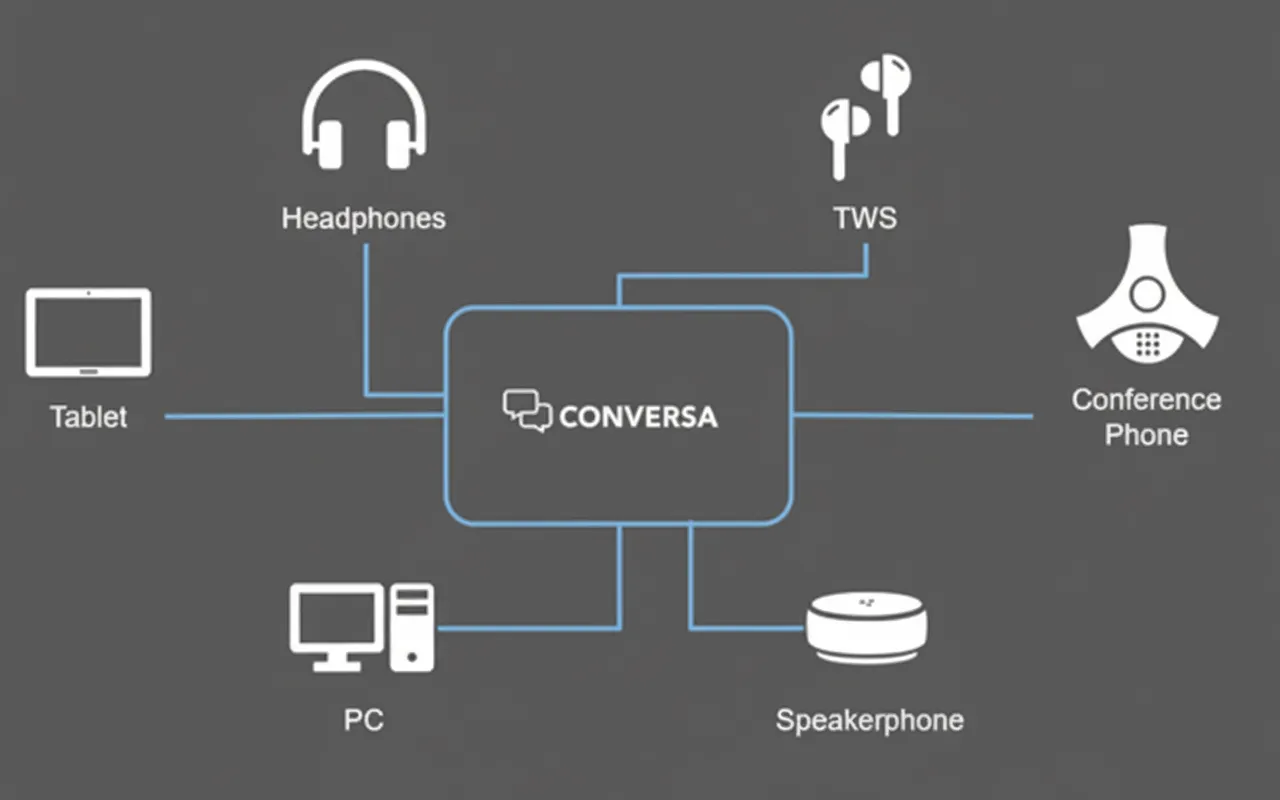
Conversa is a full-duplex hands-free telephony voice-processing suite that provides comprehensive control of uplink and downlink audio. The embedded multi-microphone, full-duplex voice processing in Conversa is designed for speaker and headset applications to deliver improved audio quality. Whether you are designing a speaker, headset, TWS earbuds, wearable device, or automotive voice interface, full-duplex voice processing that works across noise types is required, and Conversa implements those functions.
Architecture and Signal Flow
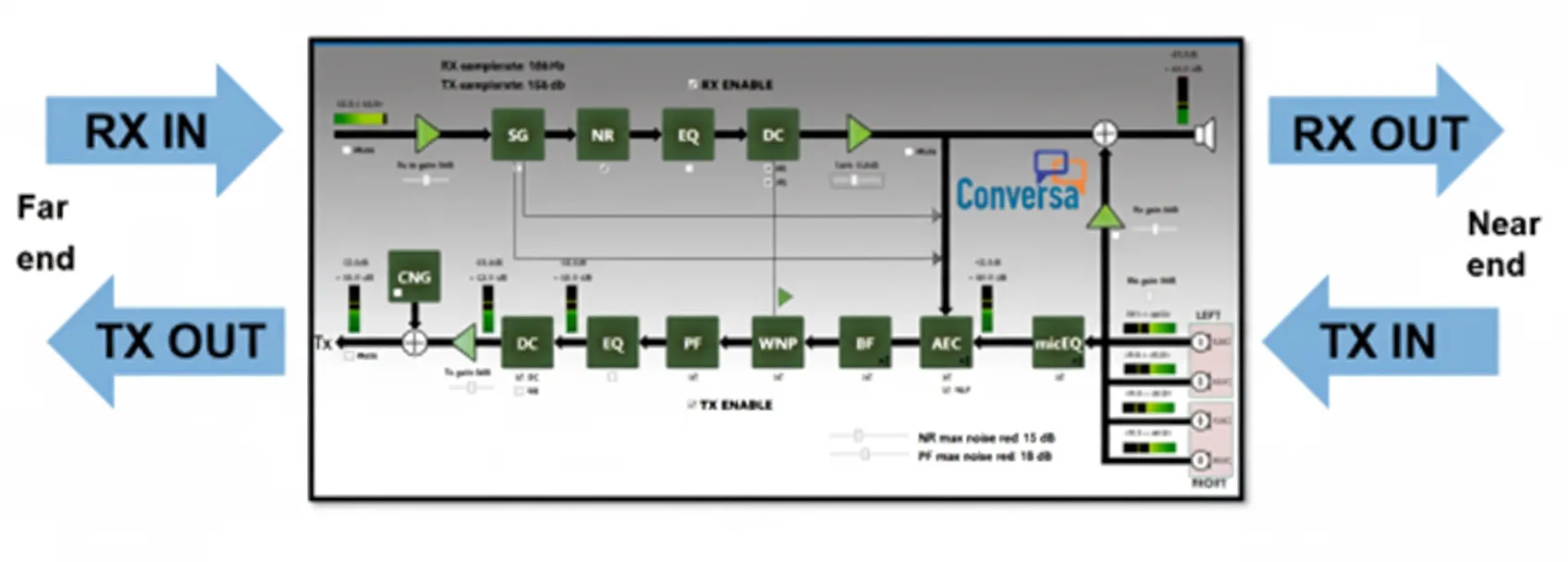
Conversa removes irrelevant noises such as background speech and strong wind noise using internal algorithms. As shown in the architecture diagram below, inbound remote audio or outbound audio data is processed by Conversa's internal modules such as SG, NR, and EQ to optimize quality before transmission or playback.
Supported Platforms
Conversa supports the following platforms. The i.MX RT500 and i.MX RT600 leverage on-chip DSP resources for processing:
- i.MX RT500: crossover MCU with Arm Cortex-M33 core
- i.MX RT600: crossover MCU with Arm Cortex-M33 and DSP cores
- i.MX RT1060: crossover MCU with Arm Cortex-M7 core
- i.MX RT1170: crossover MCU series—first GHz MCU with Arm Cortex-M7 and Cortex-M4 cores
RT1170 Example: Hardware and Software Setup
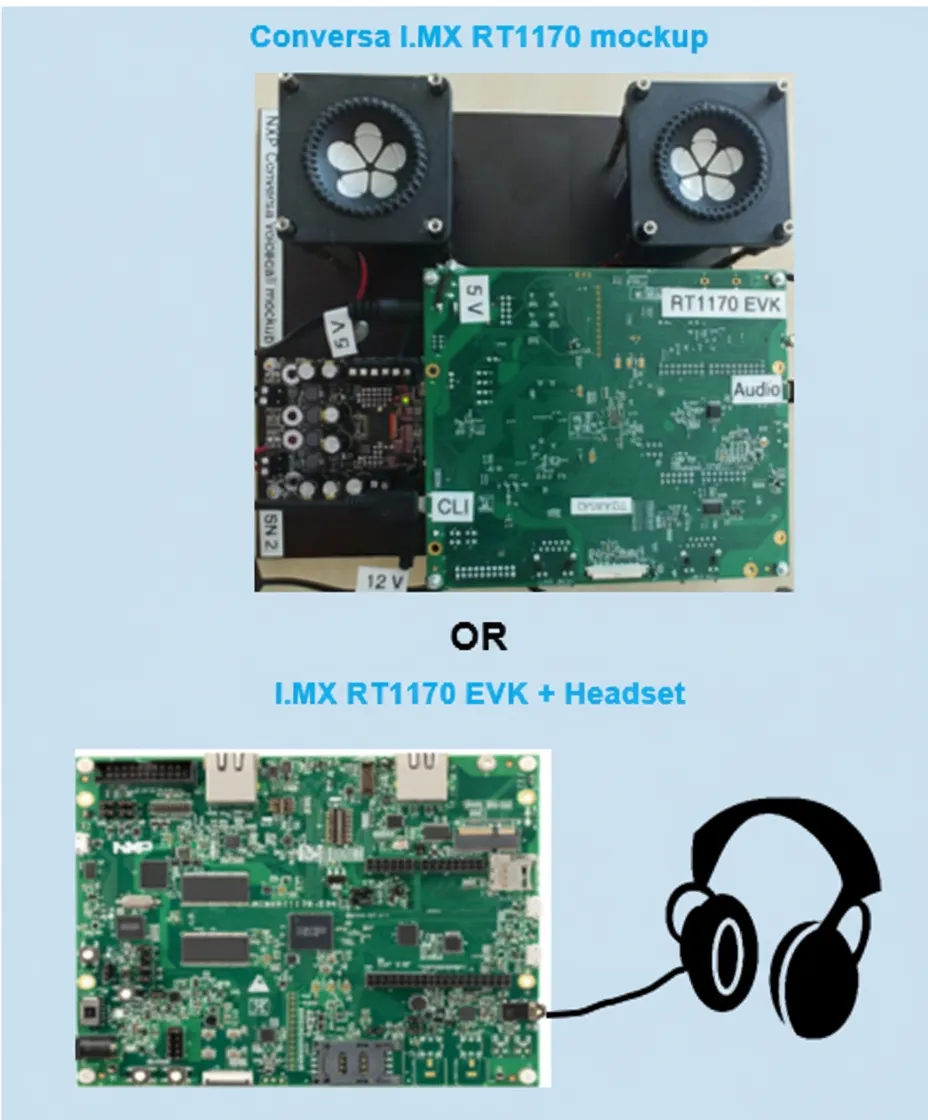
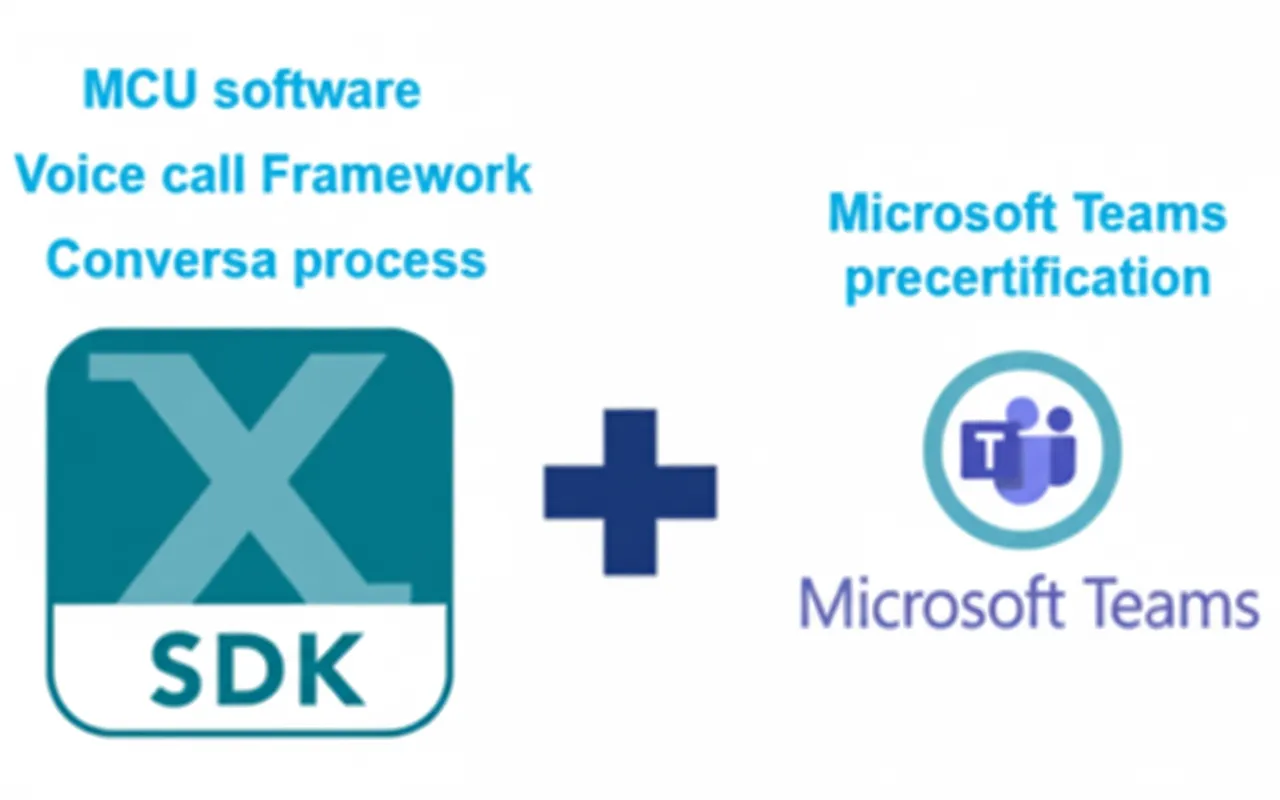
The example below uses the i.MX RT1170. There are two hardware options, both based on the RT1170 EVK. For initial testing, a headset connected directly to the EVK is sufficient. For higher-end audio setups, use an EVK with two speakers and a power amplifier in the mockup configuration. The software bundle is based on the MCU SDK and includes a voice call framework and Microsoft pre-certification components.
Operating Modes
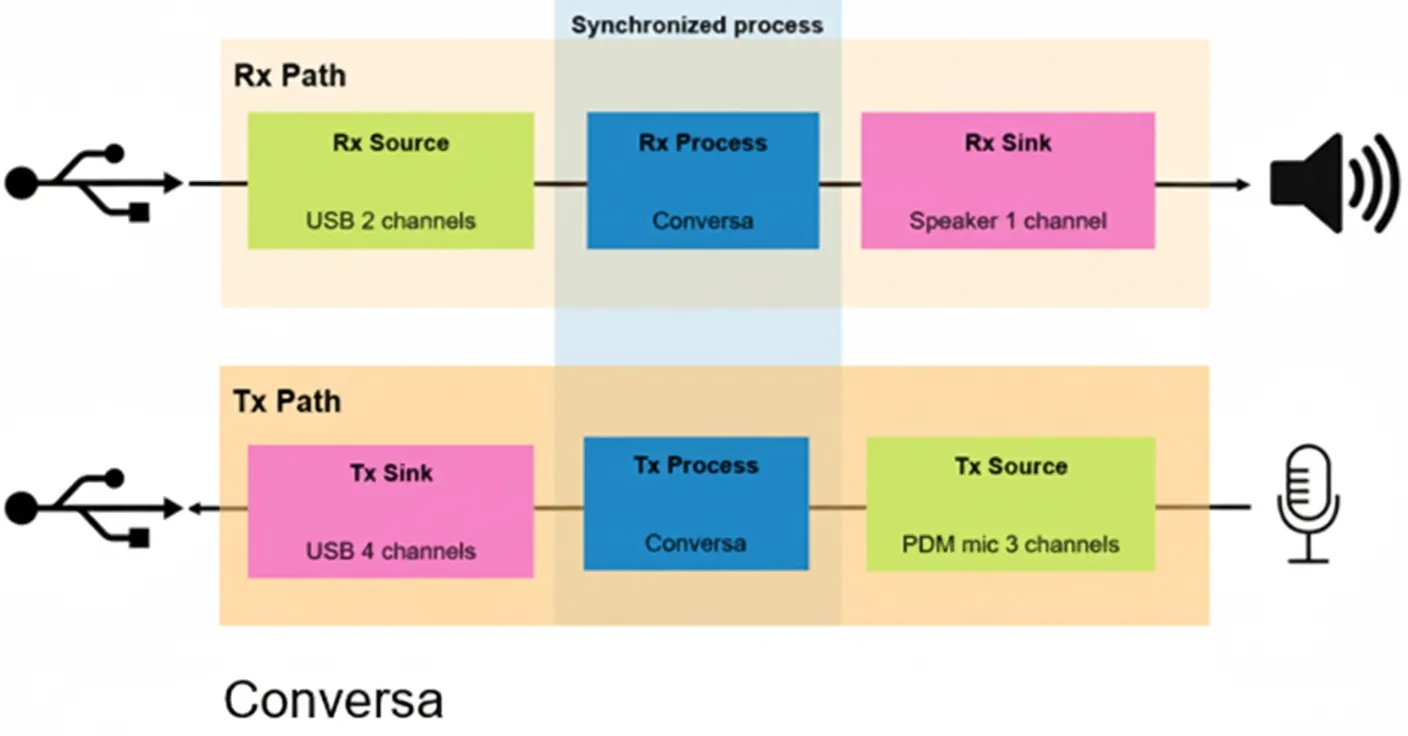
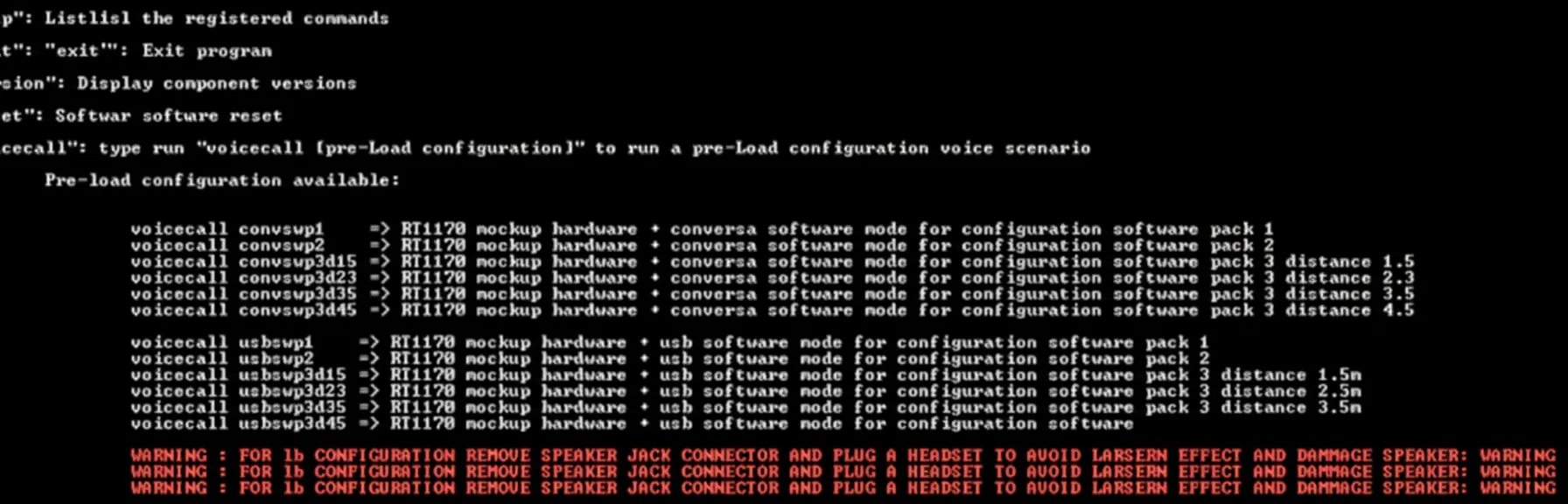
The Conversa software package provides three modes: Conversa mode, USB mode, and loopback mode. The difference is that in Conversa mode all transmitted and received audio is processed by Conversa algorithms.
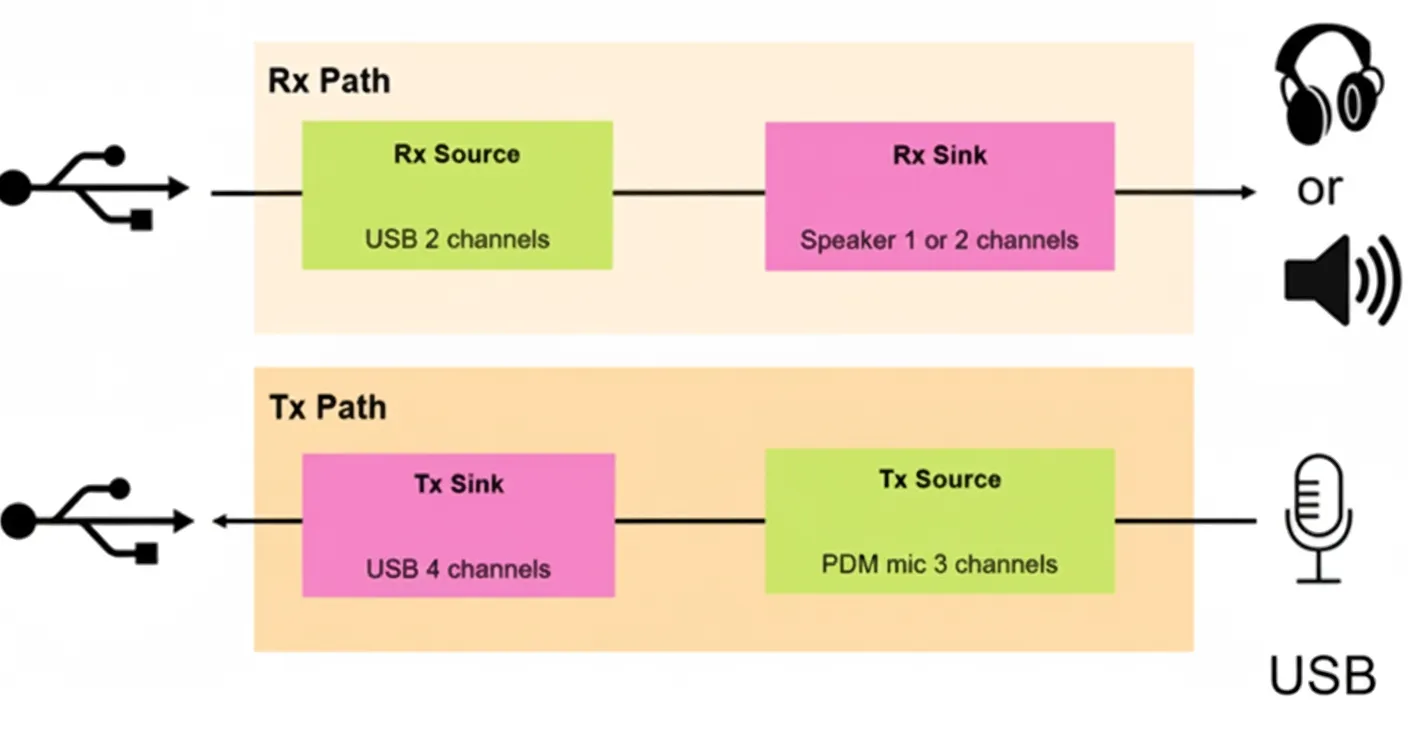
In USB mode, audio received from USB is routed directly to the headphones or speakers, and microphone input is sent directly over USB without processing.
In loopback mode, microphone-captured audio is routed directly to the headphone output. This mode helps isolate issues external to Conversa and focus on tuning algorithm parameters.
Predefined Configurations and Resource Requirements
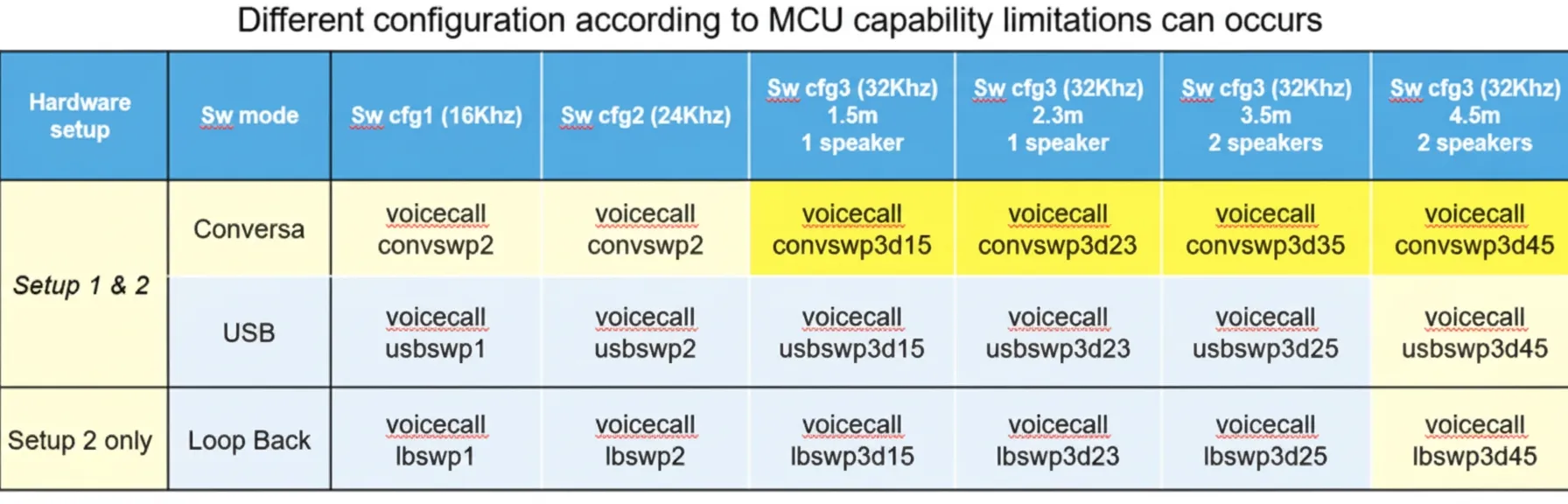
Conversa provides predefined configurations that vary by sample rate and frame size. The configurations indicate required CPU and memory resources. Several parameters are preconfigured for the RT1170 so users can select suitable presets for their hardware and use case.
For configuration 3, presets are optimized for different conference room sizes: convswp3d15 for a 1.5 m room, convswp3d23 for 2.3 m, convswp3d35 for 3.5 m, and convswp3d45 for 4.5 m.
Runtime Control
Users can pass parameters to Conversa at runtime via the command line to adjust behavior and tuning.
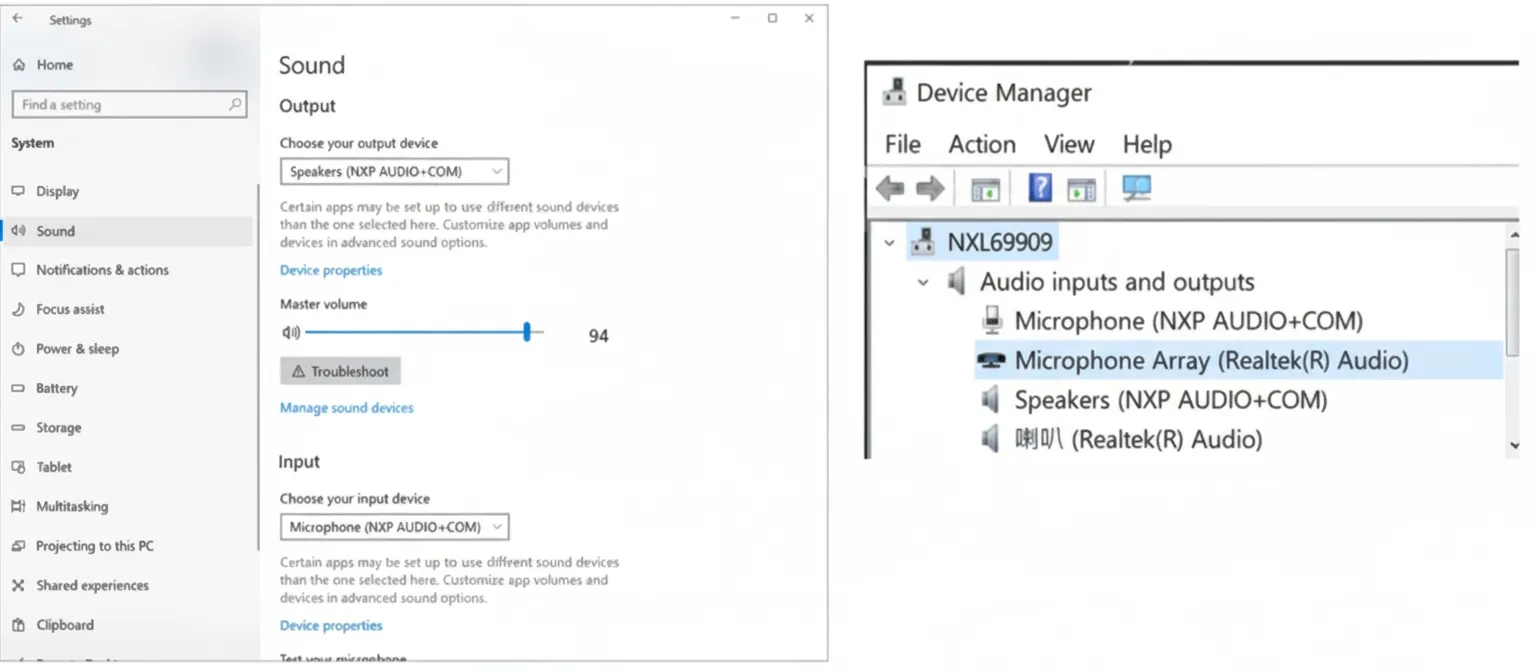
After starting Conversa, the RT1170 device appears on the host computer as a standard device for further interaction and testing.
Feature List
- Comprehensive uplink and downlink audio processing
- Ultra-wideband audio up to Fs = 32 kHz
- Acoustic echo cancellation
- Up to 55 dB total echo cancellation (AEC), including nonlinear processing (NLP)
- Environmental noise reduction
- Adaptive multi-microphone beamforming using machine learning
- Wind-noise suppression
- Handling of transient noise
- Dynamic range compression
- Limiter and noise gate
- Sidetone
- Parameter equations