 ALLPCB


Overview
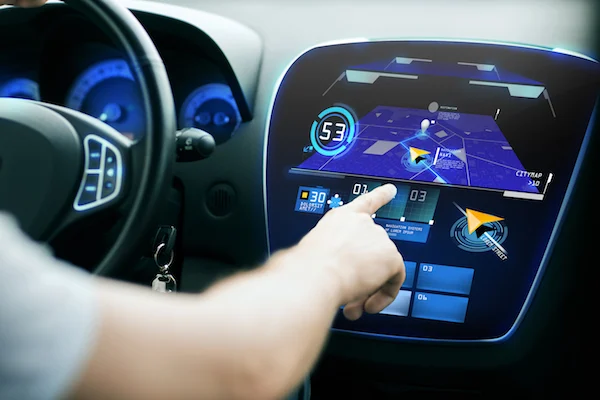
Designers of in-vehicle computers recognize that drivers can only glance at dashboard displays for a few seconds. Because the operator may be driving while interacting with the system, automotive computing introduces additional safety challenges for the user interface.
When creating a graphical user interface (GUI) for embedded onboard systems, several evolving design considerations must be addressed. To allow a driver to scan the screen quickly, displayed content should be clear, prominent, and limited in quantity. The control structure should be simple so drivers do not become lost in the interaction flow.
Simple line graphics and basic window outlines commonly used in embedded displays are often insufficient to provide a distinctive, customized look and feel. Tier-one automotive suppliers require the ability to use produced custom graphics and unique fonts to differentiate products and achieve a refined visual identity. Display-enhanced embedded technologies let developers define application behavior and apply brand-specific themes, similar to the "skin" concept used in MP3 players.
Another key requirement for automotive interfaces is support for fast, responsive input modes such as touchscreens and voice control. Successfully addressing all these factors is necessary to build practical, marketable embedded automotive applications that use dashboard displays.
Object-Oriented GUI Framework Structure
Until recently, existing object-oriented Java GUI frameworks did not fully meet embedded requirements. A GUI framework designed for embedded Java provides a classical object-oriented approach for creating graphical interfaces.
One example of the basic building blocks for any GUI system is the Application class from the IBM VisualAge MicroEditor framework. The Application class creates and lays out screens composed of any number of view/controller pairs that render application data on the display device. The data presented by views is defined in model classes, which keeps the application logic relatively independent of rendering. Models are populated by data presented to or from the user and control the state of the views.
An ApplicationManager class coordinates navigation among modular, developer-defined applications stored in a registry. The ApplicationManager opens and closes applications on the screen as needed and coordinates view creation for all applications on the device.
MicroView applications are always associated with a view that is an instance of the MicroViews ContainerView class; that container then contains other views that form the visual layout. The ApplicationManager also contains a ScreenApplication, which serves as the root object for other application extensions.
To build a GUI system, developers first define necessary application classes and all required model, view, and controller objects (models control view state). Models, views, and controllers are defined by instantiating default MicroView framework classes. For complex systems, custom model, view, and controller classes can be created. Default views include button, label, list, and paragraph views. Default controllers include button, keypad, and menu controllers.
Event Model and Listeners
Beyond creating view/controller pairs and placing them on the screen, each application implements the needed listener interfaces to respond to user input events sent to those controller classes (that is, actions that change the state of model and view classes). These actions are then propagated to the application as messages.
MicroView applications, like most GUI systems, use an event-driven mechanism to mediate interaction between the user and the application. The MicroView event system is essentially similar to the delegate-based event model exposed in the standard Java Development Kit (JDK) AWT library.
In the MicroView event handling model, instances of the Application class implement listener interfaces for each event type they need to handle. When an event with a registered listener is generated by the underlying input system, it is routed to that class for processing.
In the standard AWT delegate-based model, events propagate from source objects to listeners for handling in response to user interaction. In the MicroView framework, event sources are typically UI components and listeners are Application objects that implement the appropriate listener interfaces for the application.
In the MicroView implementation of the model/view/controller (MVC) paradigm, controllers mediate between the application and the underlying event subsystem. Consequently, event types in MicroView are direct or indirect descendants of a controller event class. Each event is created from its source and routed by the input component subsystem to the application object acting as the listener, with a specific event instance corresponding to the requested user interaction.
Listener objects (the application objects) handle events by implementing one or more methods specified in the corresponding listener interface. The input component indicates via return value whether a particular listener consumed an event, and the input subsystem continues to process user interaction, repeating this loop for each event of interest.
The MicroView framework provides four basic event types:
- ButtonEvents — sent when a user clicks or taps a button view
- ListEvents — occur when a user selects an item in a ListView component
- MenuEvents — generated when a user selects from a menu
- KeypadEvents — originate from a custom keypad view
MicroView does not include specific View objects that represent a keyboard or menu; instead it provides custom controller objects that can be used with custom view objects to emulate those appearances and behaviors.
The event listener framework corresponds loosely to the defined event hierarchy. For each standard event type there are listeners such as ButtonListener, ListListener, MenuListener, and KeypadListener, each defining an appropriate handleEvent method signature for that event.
As with AWT, MicroView distinguishes between low-level events and higher-level semantic events. Low-level events reflect raw input or window system events, while semantic events are typically the result of component model semantics and often represent component-to-component messages that do not require direct user intervention. Although MicroView includes low-level events, their handling is encapsulated and not generally exposed at the API level. Application developers typically work with semantic MicroView events.
Event dispatching in MicroView is synchronous: events are delivered by the input system in the order received. Although MicroView defines a basic set of events and listeners, developers are free to implement custom event types and listeners as part of an application’s semantic interface. MicroView developers can also safely assume that listener dispatch occurs on the same thread, based on the implementation of the underlying input subsystem.
Graphics, Bitmaps, and Fonts
MicroView allows developers to create views using bundled bitmap images and default or custom fonts rather than restricting the GUI to code-drawn elements. Existing bitmap artwork can be imported from graphic software such as Adobe Photoshop to create icons, backgrounds, and interactive widgets like buttons.
Bitmap assets are represented by subclasses of a default EgBitmapBundle class. Those subclasses are converted into ROM resource format, assigned physical filenames, and associated with IDs accessible from the application. Fonts are handled similarly using instances of an EGBitmapFontsBundle class, specifying sizes and styles for bundled fonts.
This flexibility helps designers produce highly polished, brand-focused presentations. Using graphic software for artwork can also accelerate development and minimize the amount of Java code required in the application.
Input Modes: Touch and Voice
The event system supports multiple input modes including touchscreens and voice data. When defining application behavior, multiple events can be linked to the same view/controller pair. Views included in an application receive event notifications when the appropriate listener interfaces are implemented. Examples of event handling include model updates when view data changes or when the user touches a screen area.
For example, if an application includes button views and the application class needs to receive notifications from those views, the application should implement the ButtonListener interface. Similar listener interfaces exist for voice and other input modes.
Voice Interaction
There are two approaches to voice-controlled user interfaces. One approach uses voice input to control the graphical interface directly: voice commands are used to move focus between fields, activate buttons, open menus, select list items, and so on. Given the difficulty of simultaneously operating a vehicle and manipulating a touchscreen, designing interfaces for visually impaired users makes voice interaction and speech recognition important aspects of GUI development.
Some jurisdictions are considering regulations that require accessibility features for devices, which could increase the importance of voice and speech data in future interfaces.
The alternative approach defines two parallel user interfaces: a voice interface and a graphical touch interface. Users can interact directly with the application via speech recognition and auditory feedback; voice-driven interactions may present a different dialogue flow than touch interactions. For example, when searching for an address, the application might prompt the user for each field (city, state, etc.) via voice. A few rounds of interaction would populate the form with spoken input, and each response would provide auditory feedback so the user can confirm the application's interpretation without looking at the screen. Voice interaction updates the model and the view reflects the changed data.
The object-oriented GUI framework is suitable for both touch-based and voice-based interfaces. The MicroView event framework delivers a consistent event handling model that supports embedded systems developers in implementing these interaction modalities.





