ALLPCB


In the fast-paced world of automotive technology, infotainment systems have become a cornerstone of modern vehicles, blending entertainment, navigation, and connectivity into a seamless user experience. However, the printed circuit boards (PCBs) powering these systems face significant challenges due to heat generation from high-performance components. Poor thermal management can lead to reduced reliability, system failures, and shortened lifespans. So, how can you ensure infotainment PCB reliability through effective thermal management?
In this comprehensive guide, we’ll explore proven thermal management strategies tailored for infotainment PCBs in automotive applications. From leveraging thermal vias to advanced heat dissipation PCB design, we’ll cover practical techniques like PCB cooling in automotive systems and the role of thermal simulation in infotainment system design. Whether you’re an engineer or a designer, this blog will equip you with actionable insights to optimize your PCB designs for reliability and performance.
Why Thermal Management Matters for Infotainment PCBs
Infotainment systems in vehicles are packed with powerful processors, displays, and connectivity modules that generate substantial heat during operation. Unlike other automotive electronics, infotainment PCBs often operate in confined spaces with limited airflow, making heat dissipation a critical concern. Excessive heat can degrade component performance, cause thermal stress, and lead to premature failure, impacting the overall reliability of the system.
Automotive environments add another layer of complexity. Temperature fluctuations, high humidity, and vibrations can exacerbate thermal issues. For instance, internal cabin temperatures can reach up to 85°C (185°F) on a hot day, pushing components beyond their safe operating limits if not managed properly. Effective thermal management ensures consistent performance, extends the lifespan of the PCB, and maintains user satisfaction with uninterrupted infotainment functionality.
Key Challenges in Infotainment PCB Thermal Management
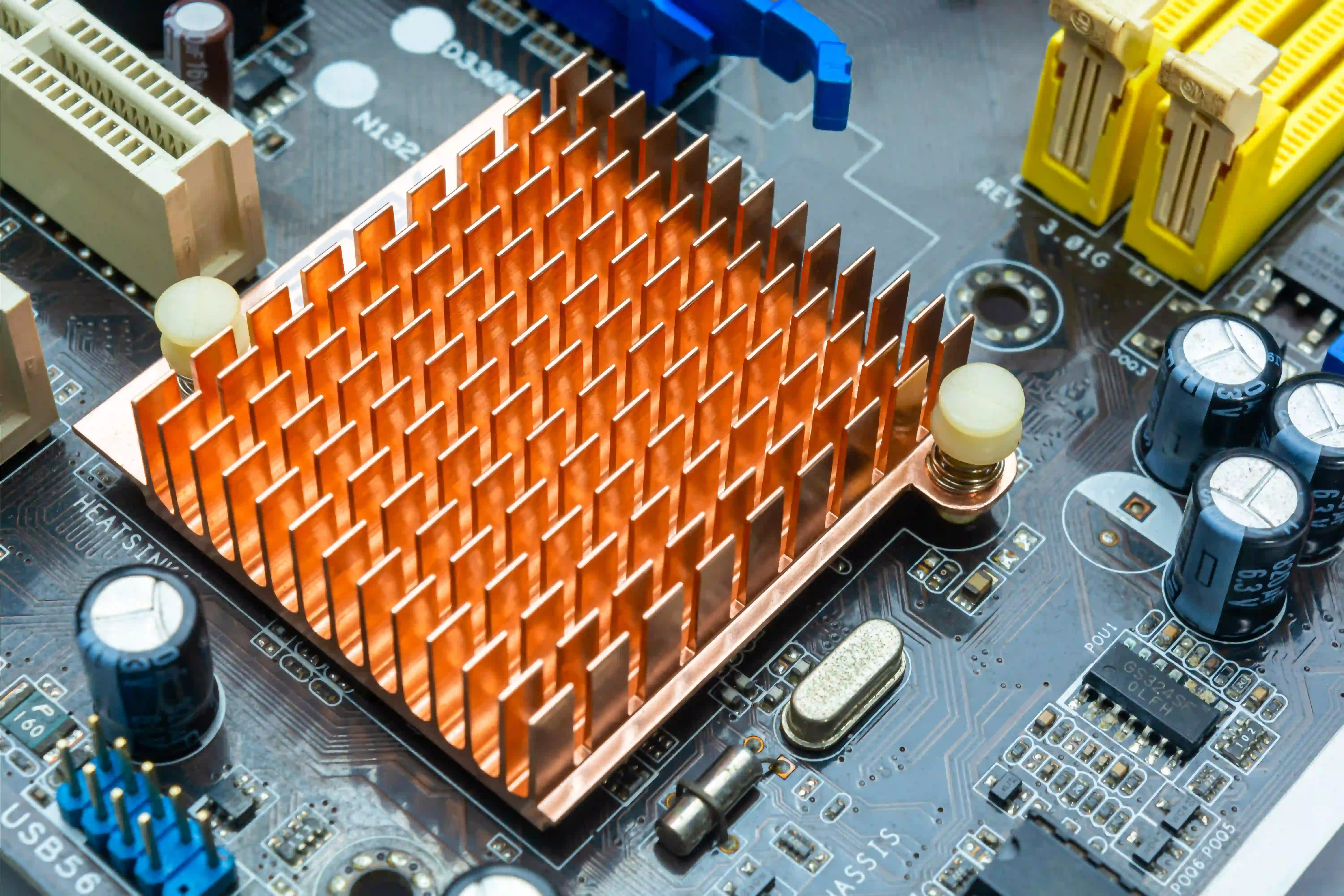
Before diving into solutions, it’s important to understand the specific thermal challenges faced by infotainment PCBs in automotive settings:
- High Component Density: Modern infotainment systems integrate numerous components into compact spaces, increasing heat concentration.
- Limited Space for Cooling: The confined dashboard area restricts the use of large heat sinks or active cooling systems like fans.
- Extreme Operating Conditions: Automotive PCBs must withstand temperature ranges from -40°C to 85°C (-40°F to 185°F) while maintaining performance.
- Power Demands: High-performance processors and graphics units draw significant power, often exceeding 5W per component, leading to substantial heat output.
Addressing these challenges requires a combination of innovative design techniques and advanced materials to ensure effective heat dissipation and long-term reliability.
Thermal Management Strategies for Infotainment PCB Reliability
Let’s explore several proven strategies to manage heat in infotainment PCBs, focusing on design, materials, and simulation techniques that enhance reliability in automotive environments.
1. Optimizing Heat Dissipation PCB Design
The foundation of effective thermal management lies in the PCB layout itself. A well-thought-out heat dissipation PCB design can significantly reduce thermal stress on components. Here are some key practices:
- Component Placement: Position heat-generating components, such as processors and power ICs, away from each other to avoid localized hotspots. Place them near the edges of the PCB if possible, where heat can dissipate more easily.
- Copper Planes for Heat Spreading: Use large copper planes in the PCB layers to act as heat spreaders. Copper has excellent thermal conductivity (approximately 400 W/m·K), allowing it to efficiently distribute heat across the board.
- Thicker Copper Layers: Opt for thicker copper layers (e.g., 2 oz or 70 μm) in power and ground planes to improve heat conduction away from critical components.
By prioritizing thermal considerations during the design phase, you can minimize heat buildup and enhance the overall reliability of the infotainment system.
2. Leveraging Infotainment PCB Thermal Vias
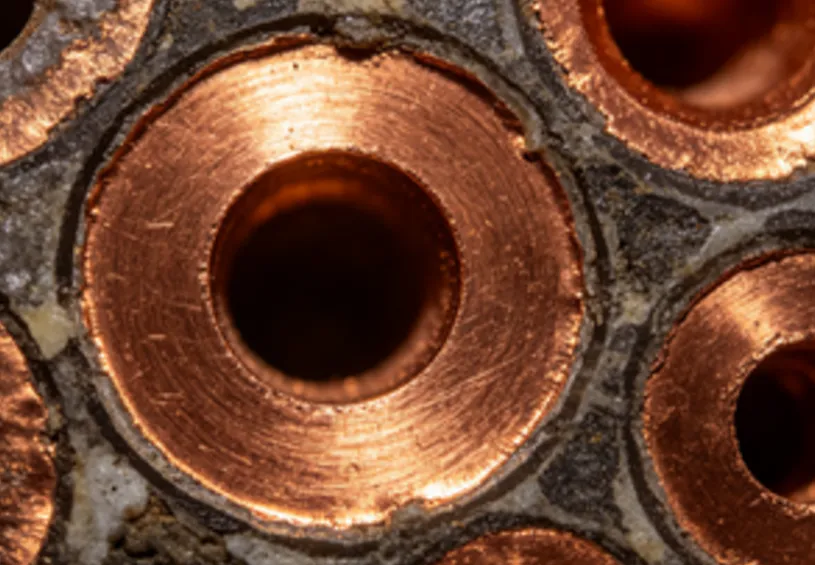
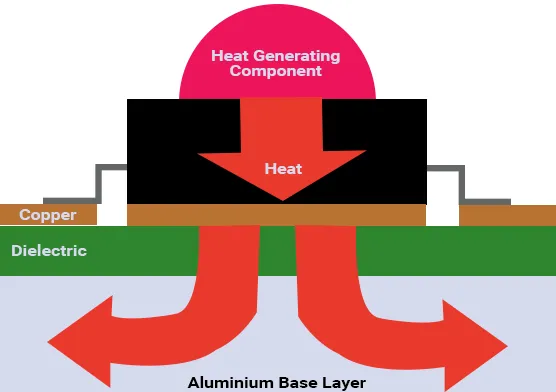
Thermal vias are small, copper-filled holes in the PCB that transfer heat from one layer to another, often from the component side to a heat sink or outer layer for dissipation. Incorporating infotainment PCB thermal vias is a highly effective way to manage heat in multilayer boards common in automotive applications.
- Placement: Position thermal vias directly beneath or near high-power components to create a direct path for heat to escape.
- Density: Use an array of vias (e.g., a 5x5 grid under a processor) to maximize heat transfer. A typical via diameter of 0.3 mm with a pitch of 1.2 mm can significantly improve thermal performance.
- Material: Ensure vias are filled with copper or thermally conductive epoxy to enhance heat conduction, as empty vias are less effective.
Studies have shown that thermal vias can reduce component temperatures by up to 10-15°C (18-27°F) in high-density designs, making them indispensable for infotainment PCB reliability.
3. Implementing PCB Cooling Techniques in Automotive Systems
Automotive environments demand robust PCB cooling techniques to handle the unique constraints of space and temperature. Here are some practical approaches tailored for infotainment systems:
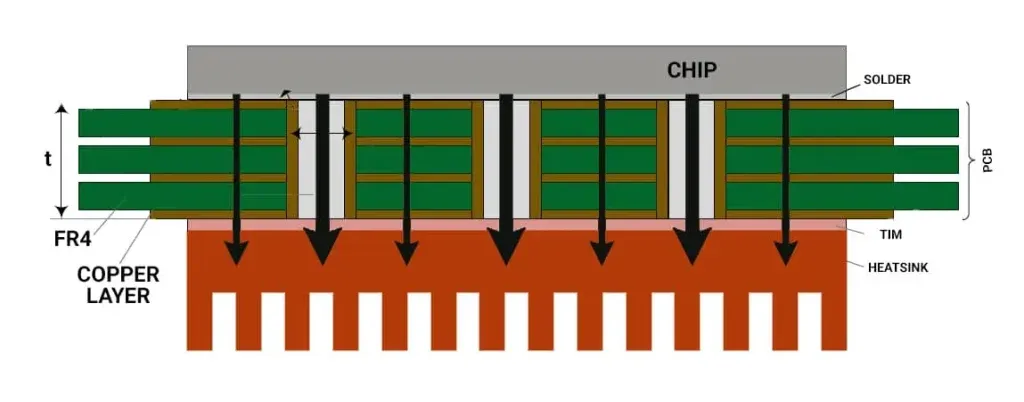
- Heat Sinks: Attach small, lightweight heat sinks to high-power components. Aluminum heat sinks with a thermal conductivity of about 200 W/m·K are cost-effective and can reduce component temperatures by 20-30% when combined with thermal interface materials (TIMs) like thermal paste or pads.
- Thermal Interface Materials (TIMs): Use TIMs with high thermal conductivity (e.g., 3-5 W/m·K) to improve heat transfer between components and heat sinks or the PCB enclosure.
- Metal Core PCBs (MCPCBs): Consider using MCPCBs with an aluminum or copper core for superior heat dissipation. These boards can handle heat fluxes up to 10 times higher than standard FR4 materials.
While active cooling methods like fans are often impractical in automotive settings due to noise and reliability concerns, passive cooling through heat sinks and material selection remains highly effective for infotainment PCBs.
4. Utilizing Thermal Simulation in Infotainment System Design
Thermal simulation is a powerful tool for predicting and addressing heat-related issues before manufacturing. By conducting thermal simulation in infotainment system design, engineers can identify hotspots, evaluate cooling strategies, and optimize layouts without costly physical prototypes.
- Software Tools: Use simulation software to model heat flow, temperature distribution, and airflow around the PCB. These tools can simulate real-world conditions, such as cabin temperatures of 85°C (185°F), to assess performance.
- Hotspot Identification: Simulations can pinpoint areas where temperatures exceed safe limits (e.g., 125°C for many ICs), allowing designers to adjust layouts or add cooling solutions.
- Iterative Design: Run multiple simulations to test different configurations, such as varying the number of thermal vias or copper plane sizes, to achieve optimal thermal performance.
For example, a simulation might reveal that a processor reaches 130°C under load without cooling. Adding a heat sink and thermal vias could lower this to 90°C, well within safe operating limits. This data-driven approach ensures reliability and reduces the risk of field failures.
5. Material Selection for Enhanced Thermal Performance
The choice of materials plays a crucial role in managing heat in infotainment PCBs. Standard FR4 materials have a low thermal conductivity (about 0.3 W/m·K), making them unsuitable for high-heat applications without additional strategies. Consider these alternatives:
- High-Tg FR4: Use high glass transition temperature (Tg) FR4 materials (Tg > 170°C) to withstand elevated temperatures without degrading.
- Ceramic-Based Substrates: For extreme heat dissipation needs, ceramic substrates like aluminum nitride (thermal conductivity up to 170 W/m·K) offer superior performance, though at a higher cost.
- Thermally Conductive Dielectrics: Incorporate dielectric layers with higher thermal conductivity to improve heat transfer through the board.
Selecting the right materials early in the design process can prevent thermal issues and enhance the long-term reliability of infotainment systems.
Best Practices for Long-Term Infotainment PCB Reliability
Beyond specific thermal management strategies, adopting best practices during design and testing ensures sustained performance in automotive environments:
- Derating Components: Operate components below their maximum rated temperature and power (e.g., 80% of maximum) to reduce thermal stress and extend lifespan.
- Environmental Testing: Test PCBs under simulated automotive conditions, including thermal cycling between -40°C and 85°C, to validate reliability.
- Collaboration with Suppliers: Work closely with PCB fabrication and assembly partners to ensure materials and processes align with thermal management goals.
These practices, combined with the strategies above, create a robust framework for designing infotainment PCBs that perform reliably over years of use.
Conclusion: Building Reliable Infotainment Systems with Thermal Management
Thermal management is a critical factor in ensuring the reliability of infotainment PCBs in automotive applications. By optimizing heat dissipation PCB design, incorporating infotainment PCB thermal vias, applying effective PCB cooling techniques in automotive systems, and leveraging thermal simulation in infotainment system design, engineers can mitigate heat-related risks and deliver high-performance systems.
The strategies outlined in this guide provide a roadmap for tackling the unique thermal challenges of infotainment PCBs. Whether you’re redesigning an existing board or starting a new project, prioritizing thermal management from the outset will lead to more durable, efficient, and reliable infotainment systems that enhance the driving experience.
With the right approach, you can ensure that your infotainment PCBs withstand the harshest automotive conditions while maintaining peak performance. Start implementing these thermal management strategies today to build the next generation of automotive electronics.