ALLPCB


Overview
Real-world IoT deployments can involve millions of devices running on many hardware platforms and using multiple wireless protocols across hundreds of locations. At that scale, managing each device individually becomes impractical. A gateway platform acts as a core building block to securely connect IoT devices to cloud services, simplifying device connection management, security, interoperability, scalability, edge computing, and cloud integration. Choosing the right gateway affects long-term project success.
Why use AWS IoT Core
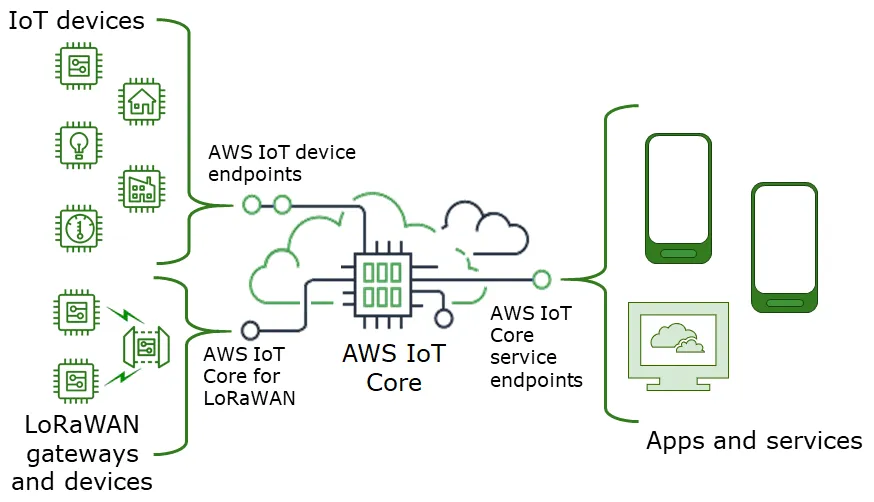
AWS IoT Core reduces implementation time and complexity by providing a range of built-in services. Key capabilities include:
- Device SDKs that enable devices to connect, authenticate, and exchange messages with AWS IoT Core using MQTT, HTTP, or WebSockets.
- A device gateway that maintains persistent bidirectional connections so devices can send and receive messages with low latency.
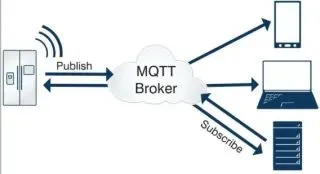
- A message broker that supports messaging patterns from one-to-one command-and-control to large-scale broadcast and everything in between.
- Authentication and authorization supporting AWS SigV4, X.509 certificate-based authentication, and customer-created token-based authentication via custom authorizers. Certificates and policies can be created, deployed, and managed from the console or programmatically. Device certificates may be pre-provisioned and associated with IoT policies to allow immediate revocation of access for a single device when needed.
- A registry service that assigns unique identities to devices and tracks metadata such as device attributes and capabilities.
- A device shadow service that stores the last reported state and a desired future state for each device, enabling applications to retrieve or set device state via API even when a device is offline. The device shadow exposes a REST API for application integration.
- A rules engine that collects, processes, analyzes, and acts on device-generated data globally without requiring you to manage infrastructure. The rules engine routes messages to AWS endpoints such as AWS Lambda, Amazon Kinesis, Amazon S3, Amazon Machine Learning, Amazon DynamoDB, Amazon CloudWatch, Amazon Simple Notification Service (SNS), Amazon Simple Queue Service (SQS), AWS IoT Analytics, Amazon Elasticsearch Service with built-in Kibana integration, and AWS Step Functions. External endpoints can be accessed via AWS Lambda, Amazon Kinesis, Amazon SNS, and AWS Step Functions.
About HomeBridge
HomeBridge is a configurable IoT gateway platform that includes an embedded AWS IoT device SDK and a mobile app for cloud connectivity. It is designed to help OEMs and enterprise teams connect Zigbee or BLE devices to AWS IoT Core. Notable capabilities include:
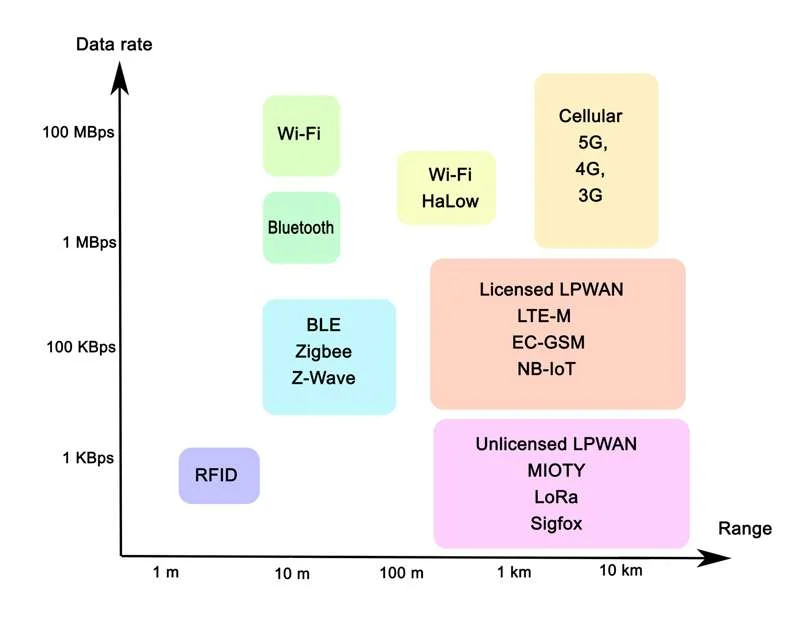
- Multiple wireless connectivity options: Zigbee, BLE, Z-Wave, Wi-Fi, and others as required.
- Secure SDK-based MQTT connectivity to cloud platforms such as AWS IoT and other platforms as required.
- Edge computing features that enable local processing, messaging, caching, filtering, and synchronization for connected devices.
- Reduced latency by lessening dependence on intermittent networks and lowering operational costs for IoT applications.
- Device and user management: the mobile app supports multiple gateways, dozens of devices per gateway, and multiple locations.
- Rule engine and scene management: a configurable rule engine for real-time alerts, automation, and scheduled control of connected devices.
Solution architecture
The following example architecture illustrates how a HomeBridge gateway integrates with AWS IoT Core to accelerate implementation of IoT use cases. Components can run within a single AWS account, or more commonly the HomeBridge-to-AWS IoT integration layer runs in an end user account while AWS IoT and application components run in a customer or OEM AWS account.
Quick demo: connecting Zigbee/BLE devices to AWS IoT
To demonstrate integration between HomeBridge and AWS IoT Core, a small demo project was built using Zigbee light bulbs, a HomeBridge gateway kit, and an AWS IoT account.
Devices with Wi-Fi, Zigbee, or BLE interfaces can communicate directly with AWS IoT if the AWS IoT SDK is installed on the device. In this demo, the HomeBridge gateway manages the secure connection to AWS IoT so the end devices do not need to run the AWS IoT SDK. Request a HomeBridge gateway kit with the embedded AWS IoT device SDK to securely route device data from devices through the gateway to AWS IoT Core.
Required items for the demo
- HomeBridge gateway kit with AWS IoT device SDK enabled
- HomeBridge mobile application configured for AWS IoT Core connectivity
- An AWS IoT Core account
High-level demo steps
1. Use the mobile app to pair BLE or Zigbee devices with the HomeBridge gateway. Follow the HomeBridge getting-started guide and videos for device debugging and pairing procedures used in this demo.
2. Verify the gateway establishes a secure MQTT connection to AWS IoT Core using the embedded device SDK.
3. Use AWS IoT Core features such as the device registry and device shadow to view reported device state and to set desired state from the cloud or applications.
4. Optionally, configure rules in the AWS IoT rules engine to route messages to Lambda, Kinesis, S3, or other AWS endpoints for further processing and integration with backend systems.
Connecting BLE or Zigbee devices with the mobile app
Follow the HomeBridge getting-started documentation and instructional videos to learn how to debug devices and connect them to the gateway. The demo setup used the same documentation and procedures.